

Skip to content

Cart

Your cart is empty

SimBooth Kit 1

Sale price$15,495.00

Fast, Secure Shipping

Orders are processed promptly and shipped directly from trusted suppliers for safe, reliable delivery.

Lowest Price Guarantee

Found a better price? We’ll match it — Guaranteed.

Simulator Expertise

Talk to a Real Expert
(714) 202-9416
Mon–Sat 8AM–5PM PST

Description

SimBooth Kit 1

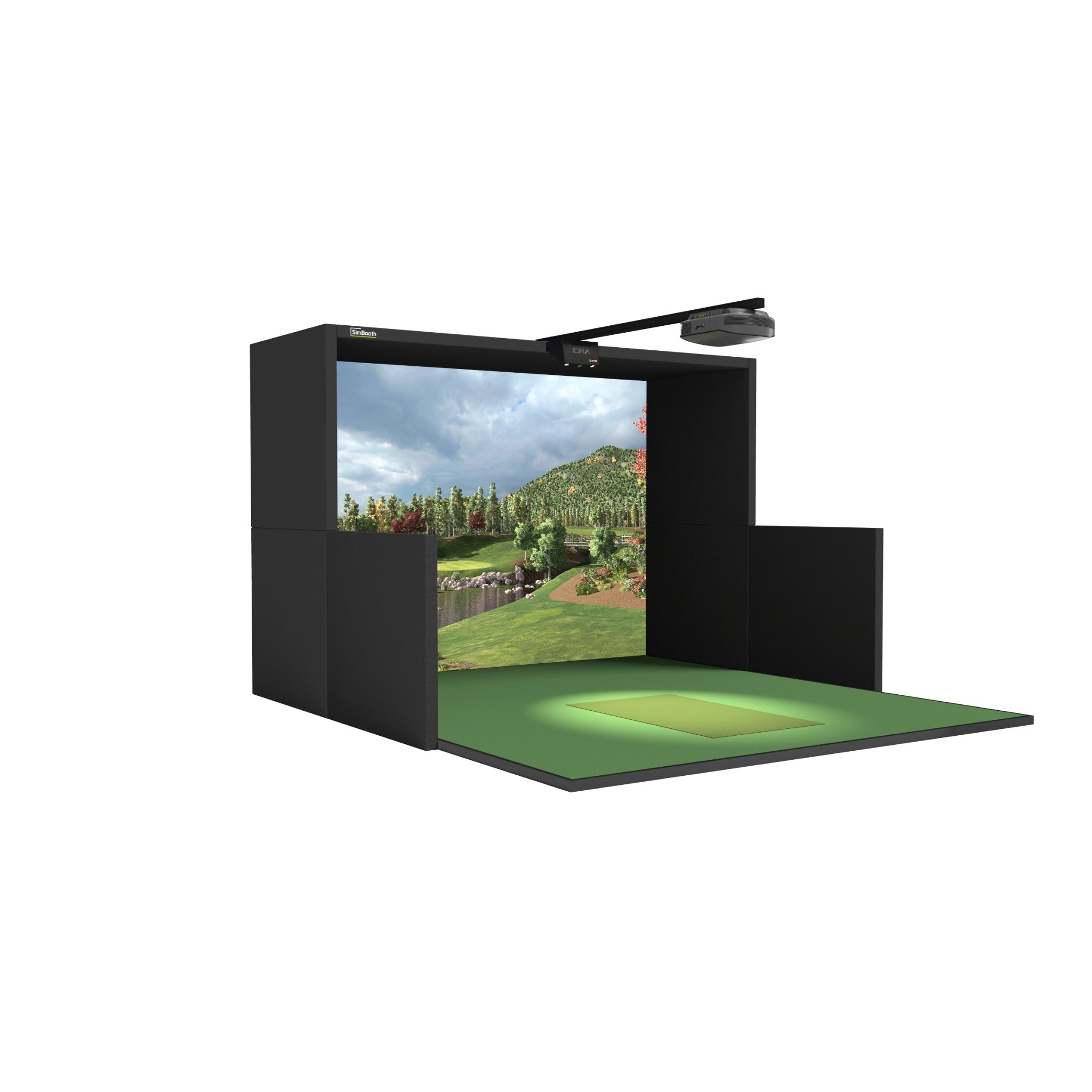
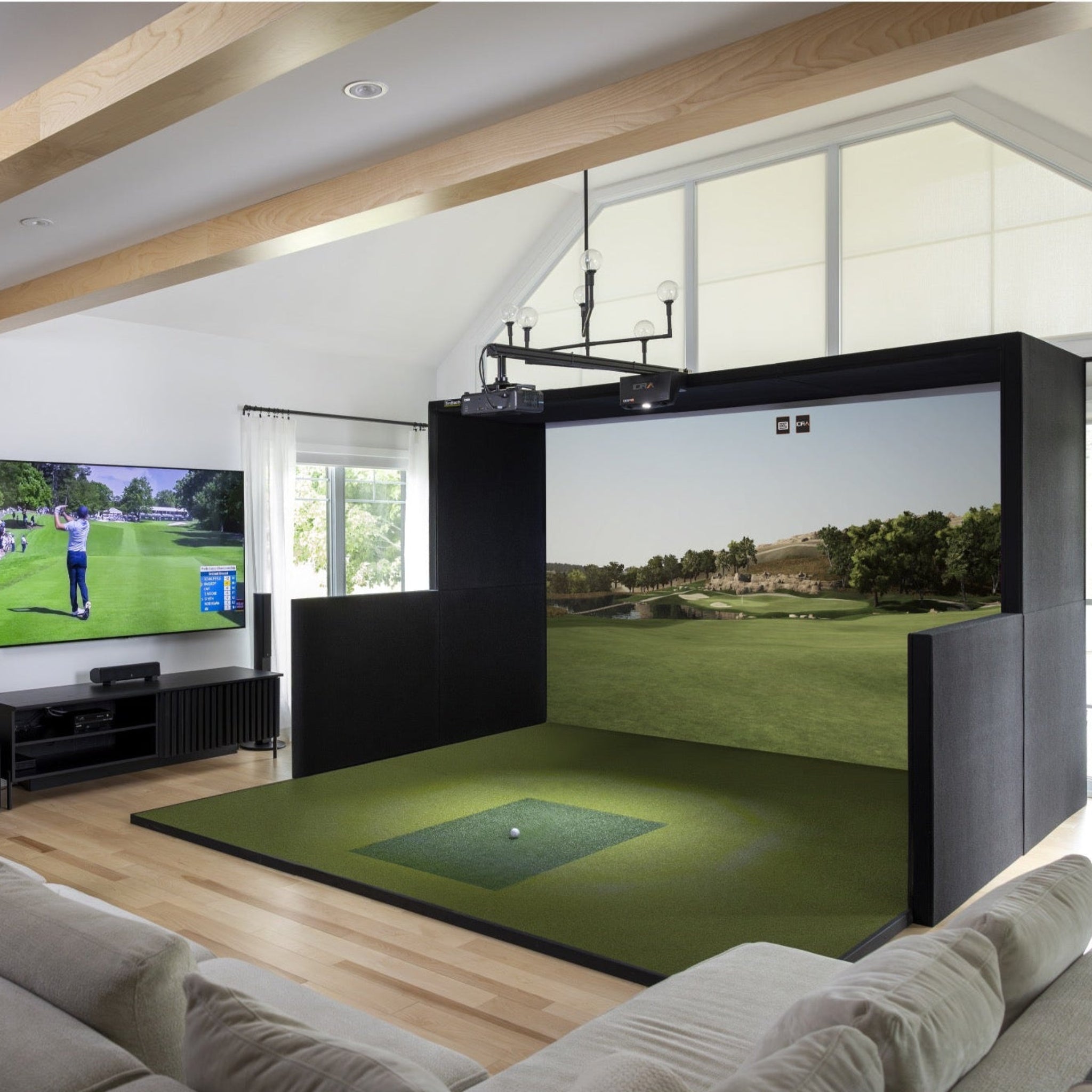
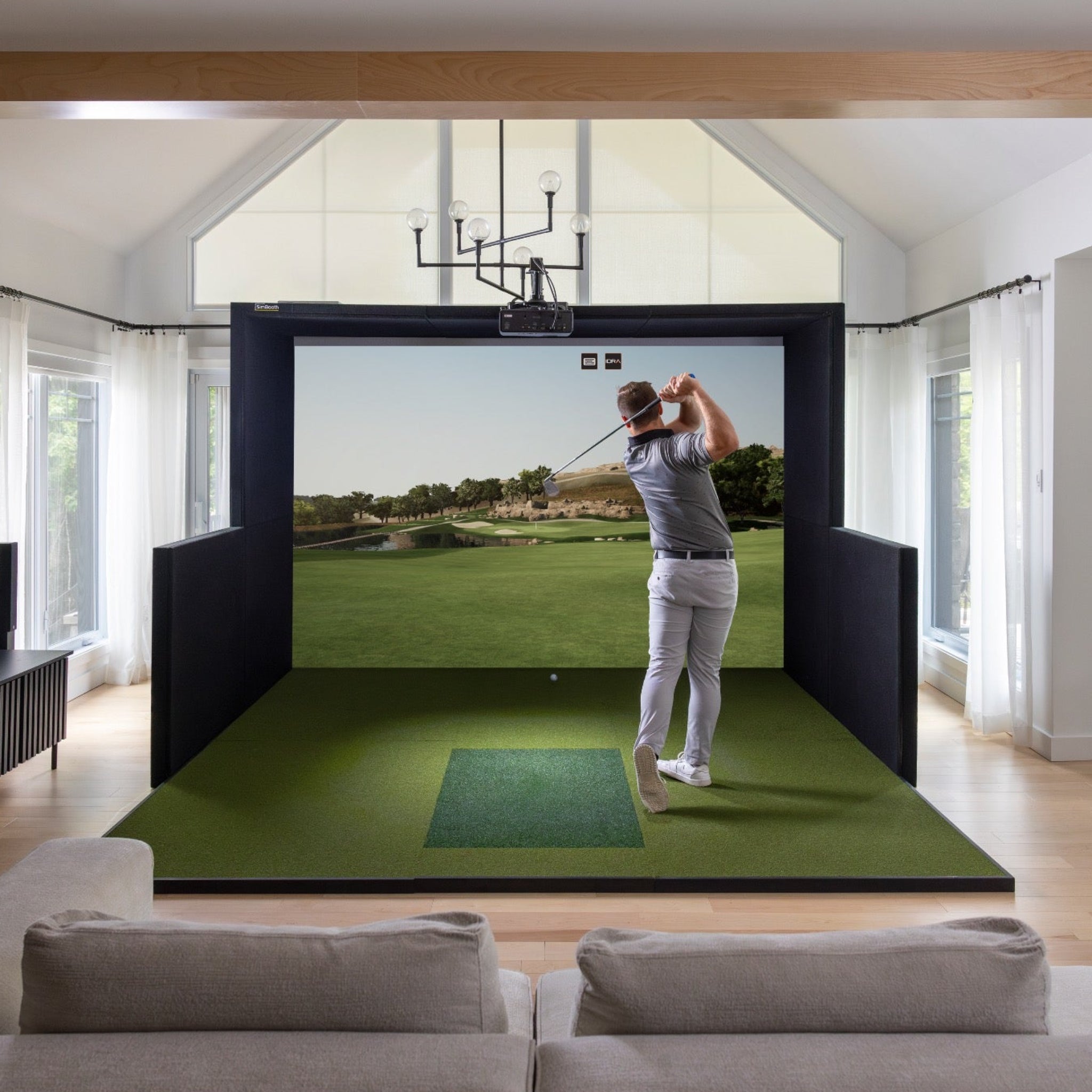
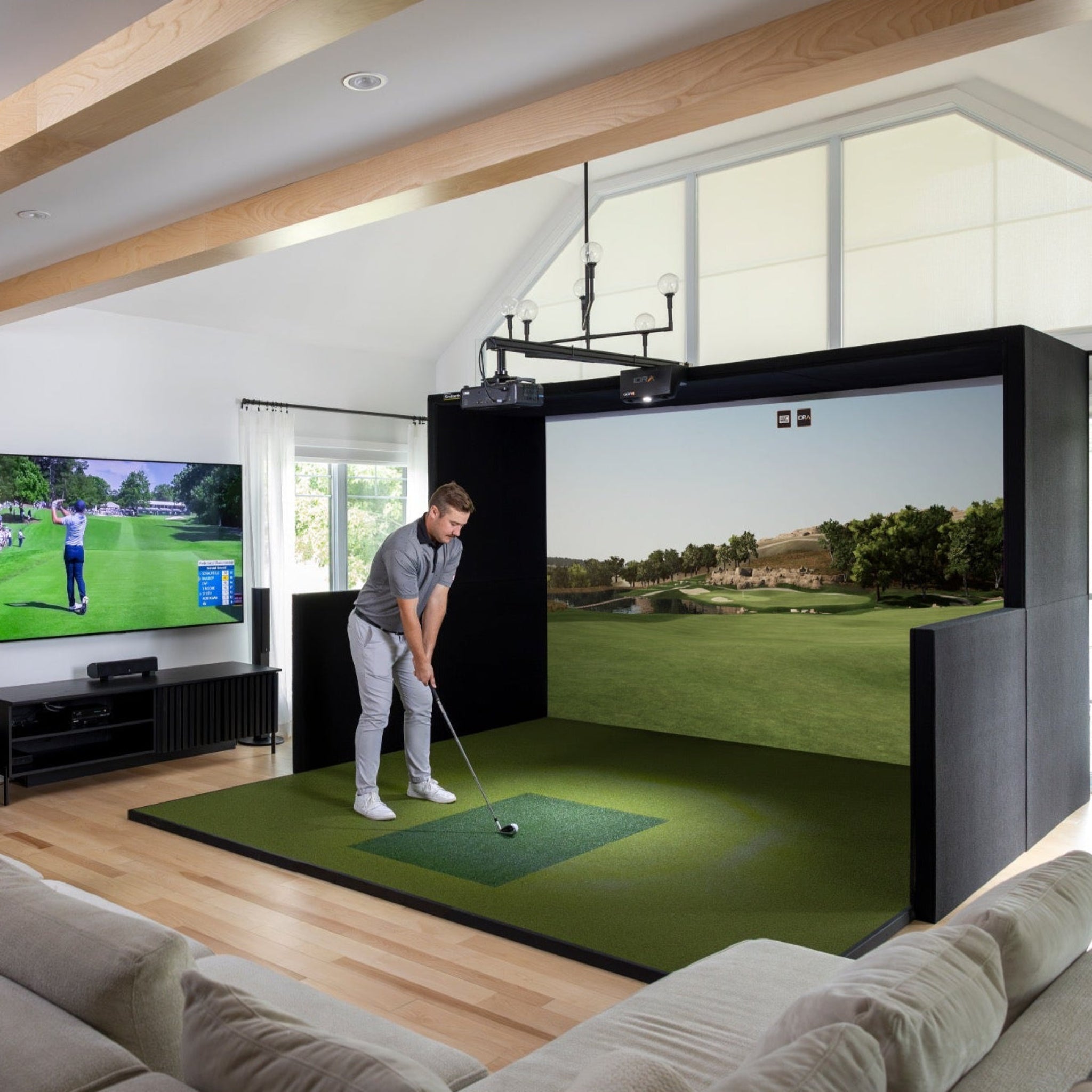
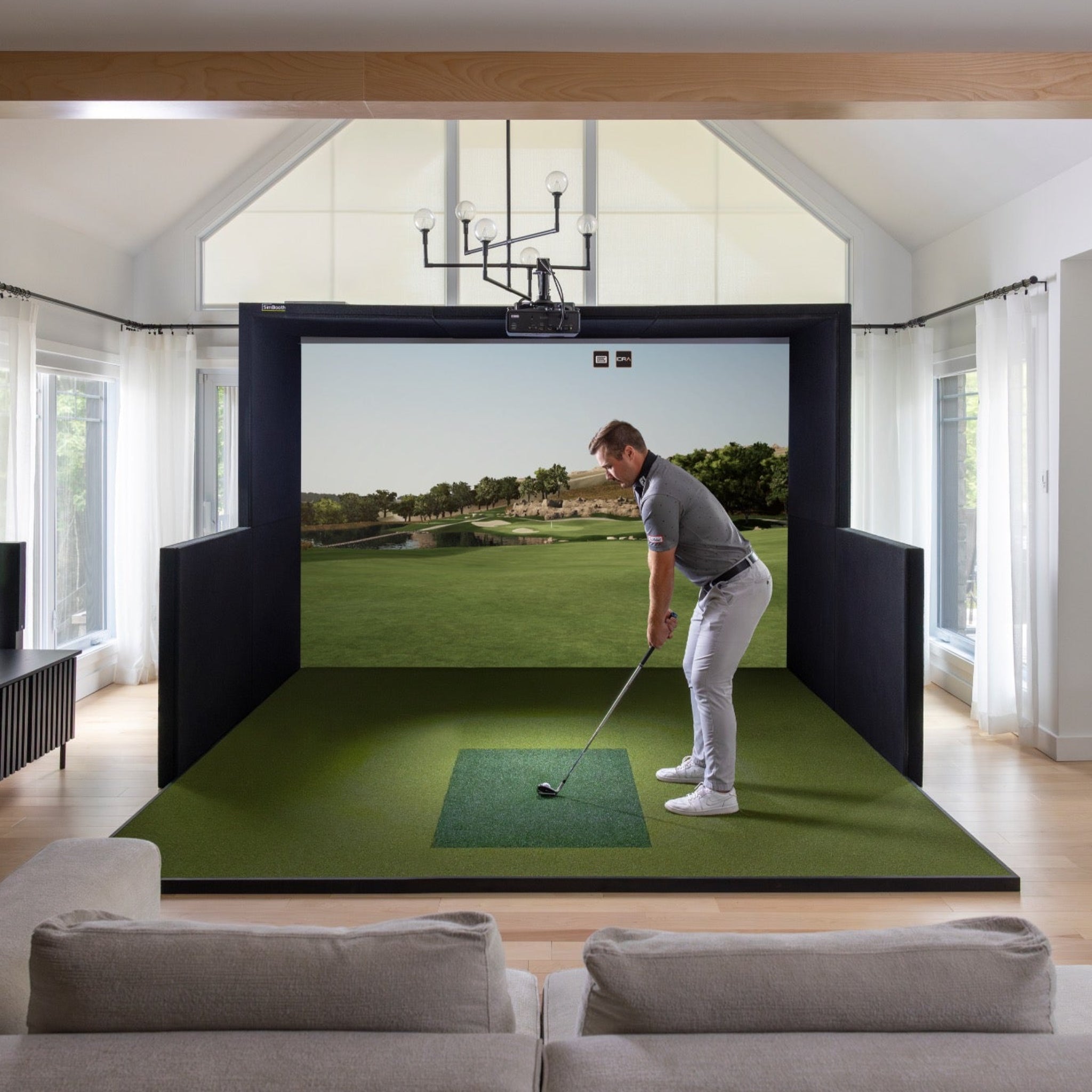
The SimBooth Kit 1 is a turn-key indoor golf simulator kit designed so you can build a premium enclosure, launch monitor, and projector setup in a single, self-install package. It combines a lightweight aluminum structure, full-surface raised floor, crease-free impact screen, and commercial hitting mat with the IDRA II AI overhead launch monitor, BenQ short-throw projector, and GSPro golf simulator software (1-year membership). 


Kit 1 is sized for typical garages and bonus rooms, with half-walls for protection, low-bounce screen material, and a layout that’s designed to go from delivered pallet to first tee in under a couple of hours for a handy two-person team.

Product Features

Product Features


Feature

Details

All-in-one golf sim kit

Complete package with enclosure, floor, screen, commercial hitting mat, launch monitor, projector, beam, and software.

Self-installation design

Panels and floor are engineered for guided self-assembly; SimBooth notes typical installs in under ~2 hours once everything is laid out.

Solid aluminum structure

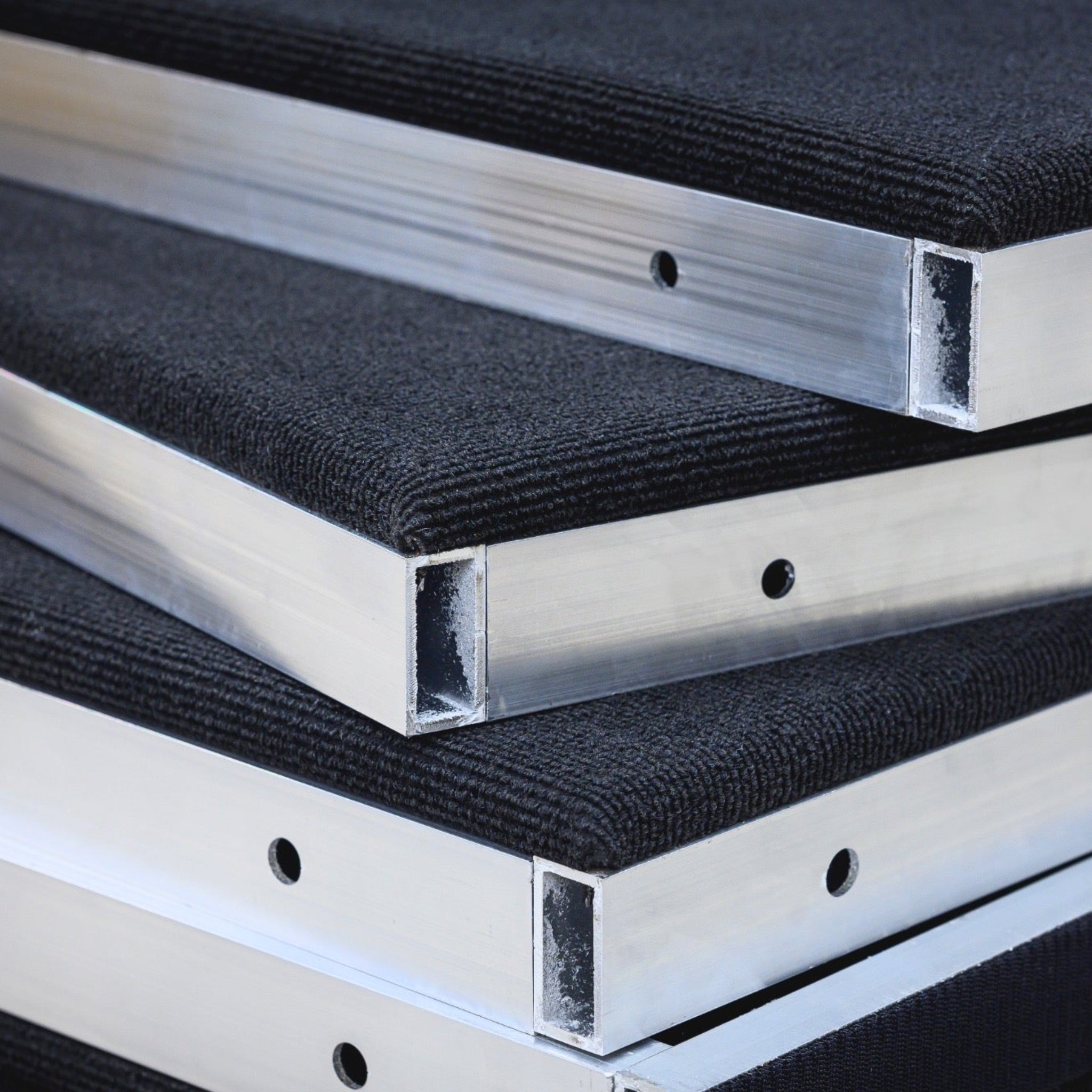
Main frame built from 6063-T52 aluminum, giving a rigid but relatively light enclosure that’s durable and clean-looking.

Solid side panels & half-walls

Black side panels and half-walls help contain errant shots and keep the hitting area visually framed.

Full-surface raised floor

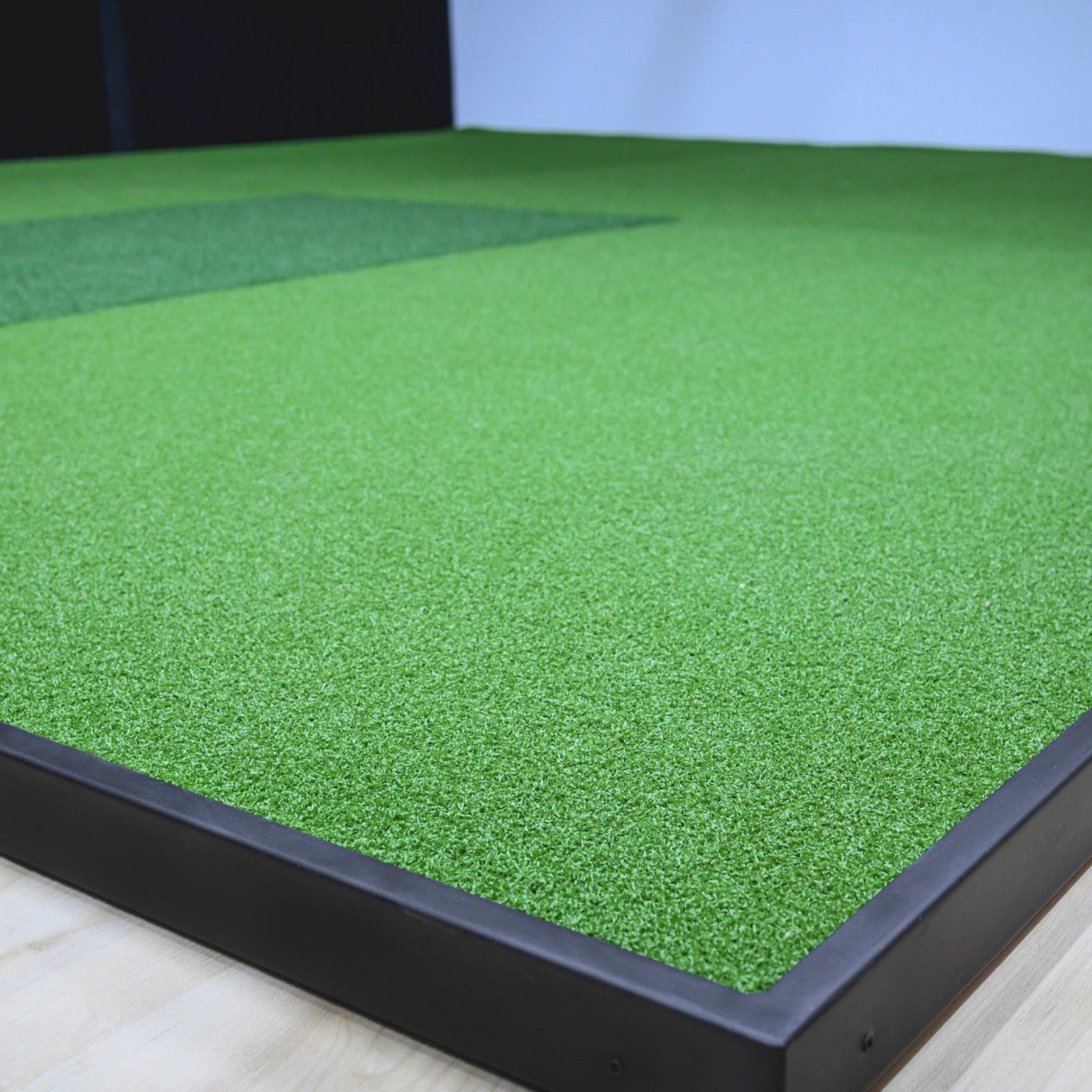
Integrated floor sections bring the hitting mat flush with the screen border for consistent stance and ball height from driver through putter.

Crease-free, low-bounce screen

Screen is stretched top-to-bottom and side-to-side to reduce wrinkles and minimize bounce-back on full shots.

IDRA II AI launch monitor

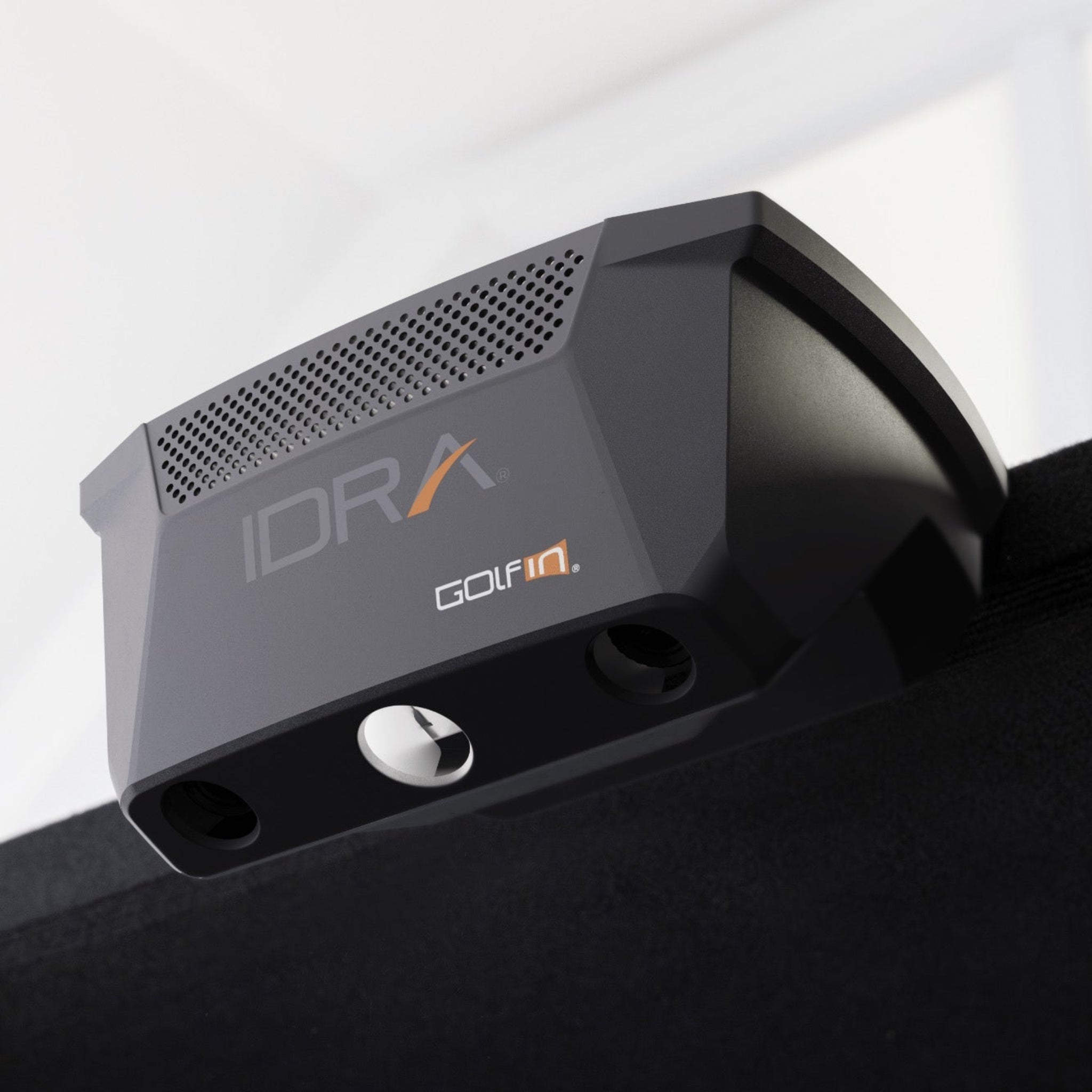
Overhead unit with dual high-speed cameras, integrated light, large 32” × 18” hitting zone, and support for full club and ball data.

GSPro software (1-year)

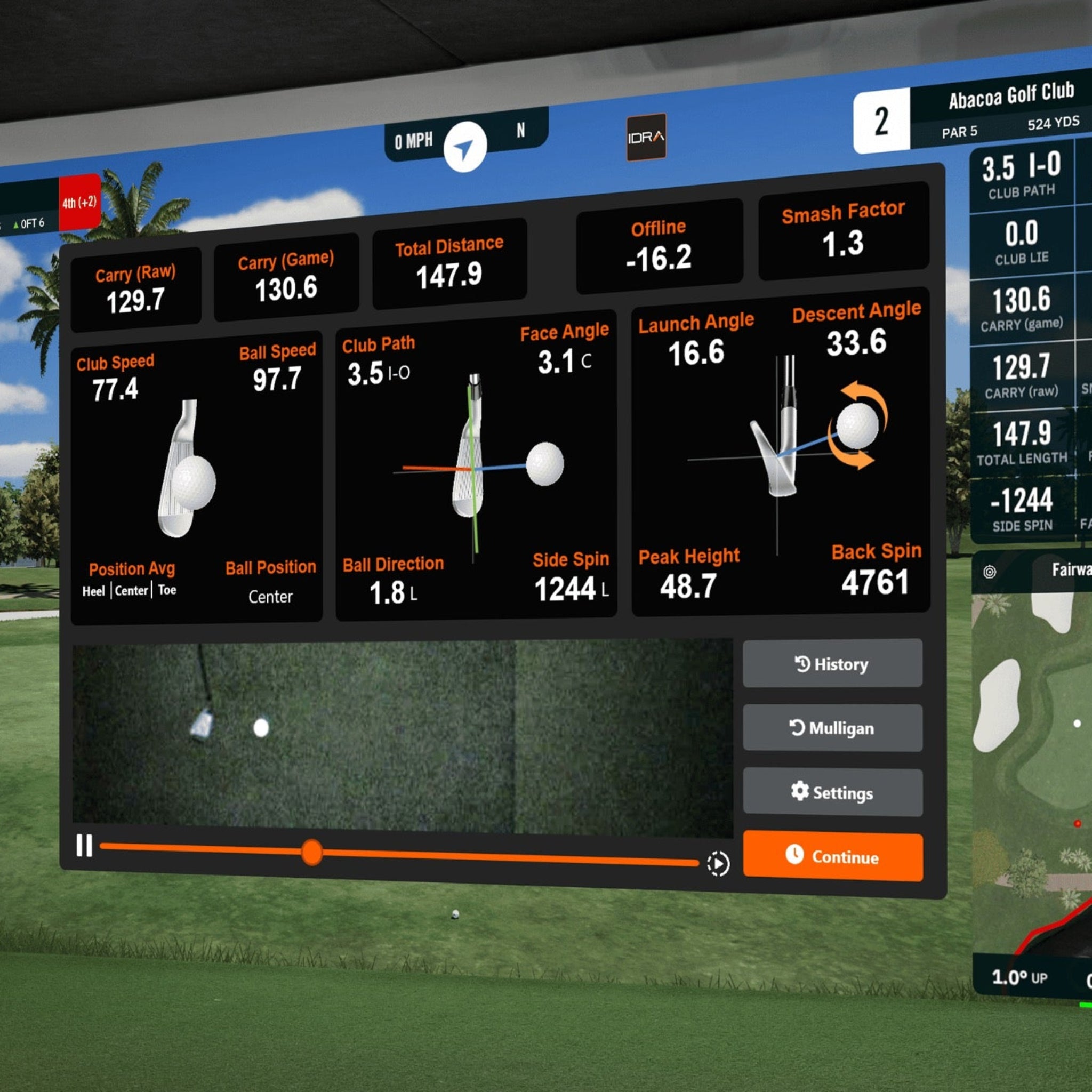
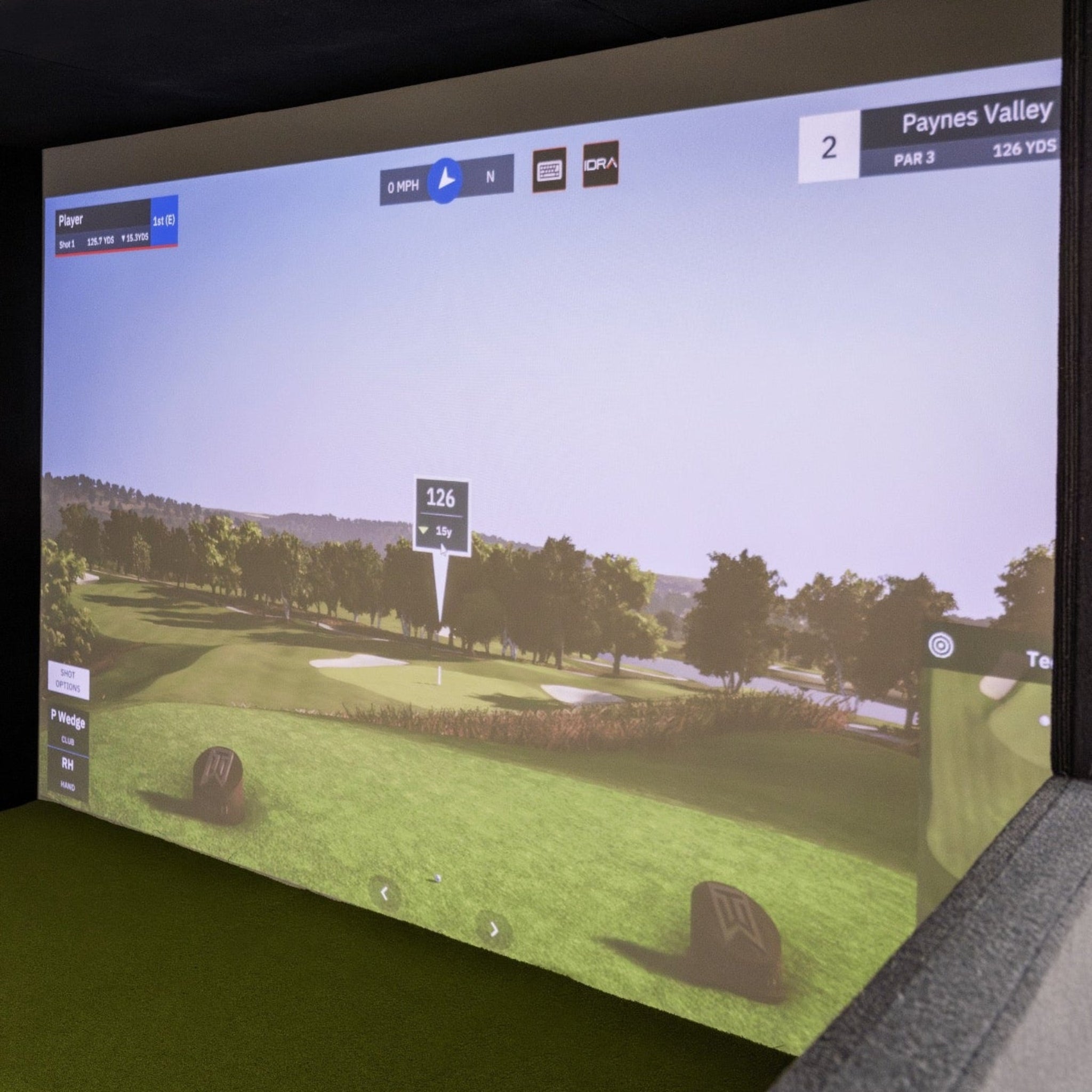
Includes 1-year GSPro membership, with realistic ball physics, large course library, and special IDRA II integration (shot analyzer + video replay).

Projector + beam

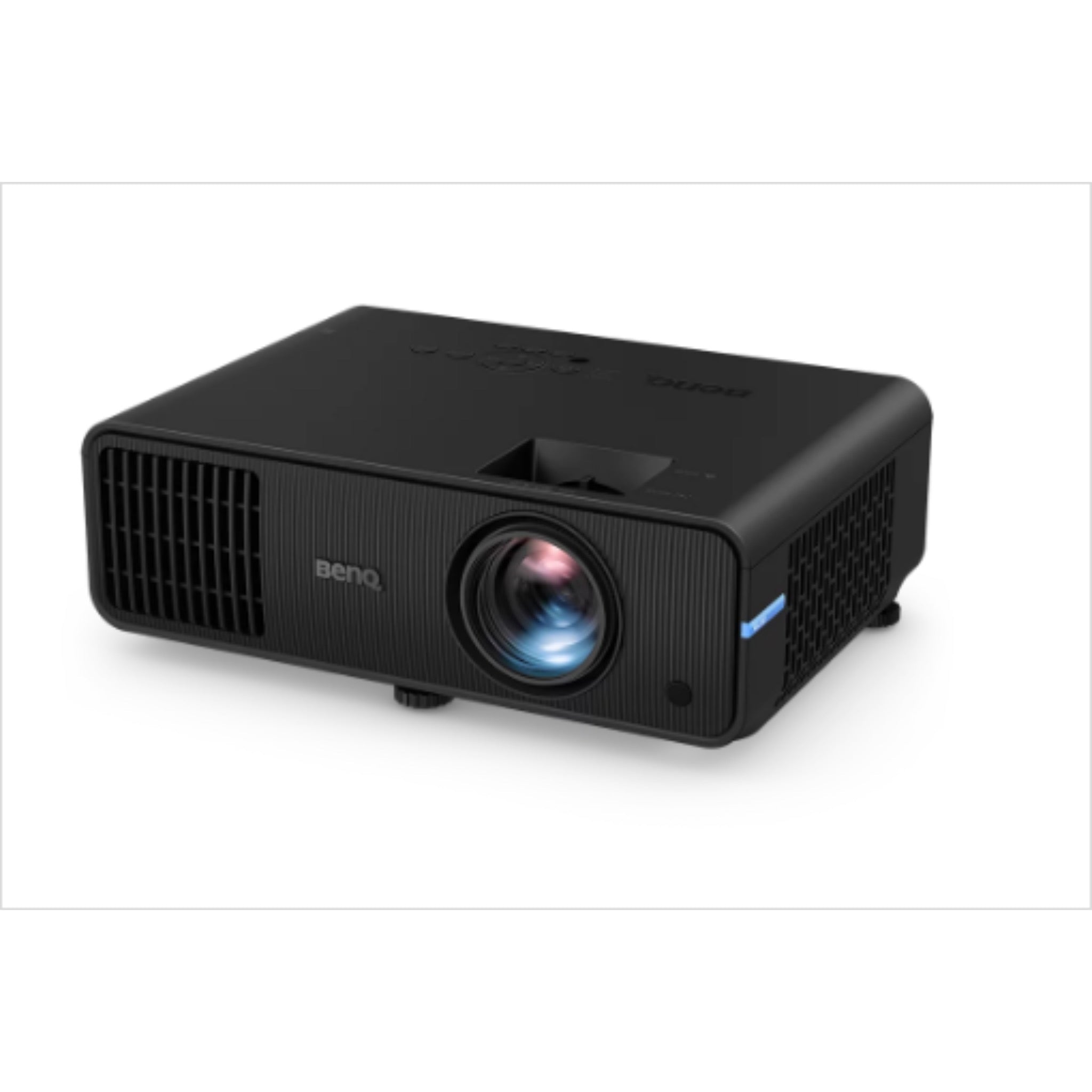
Includes BenQ AH30ST (Full HD) projector plus mounting beam for those who prefer not to mount directly to the ceiling.

Flexible projector placement

Short-throw lens, keystone, and corner-fit adjustments make it easier to fill the screen even in tight rooms.

Commercial hitting mat

A durable hitting mat sized about 32” × 54” × 2” for repeated use.

Simple delivery

Ships in a roughly 6’ × 4’ × 4’ crate, ready to be unpacked and carried into the final room.

High owner satisfaction

Kit shows a 5‑star owner rating on the product page, supporting confidence in quality and support.

What's Included

What’s Included


  • SimBooth Kit 1 enclosure structure (aluminum frame, solid black panels, half-walls)


  • Full-surface floor system (modular floor panels + integrated hitting mat cut-out)


  • Commercial hitting mat, approx 32" x 54" x 2"


  • Impact screen (crease-free, low bounce-back)


  • IDRA II AI overhead launch monitor with integrated light and cabling


  • BenQ AH30ST Full HD projector


  • Projector beam/mount for structure-mounted installation


  • GSPro golf simulator software – 1-Year Membership (auto-renewing after year 1 unless cancelled)


  • Required cabling (HDMI, USB, power)

  • Basic hardware and tools for assembly (bolts, nuts, washers, wing nuts, Allen keys) 


Product Specifications

Product Specifications


Enclosure & Space Requirements


Item

SimBooth Kit 1 / Kit 1-4K

Structure dimensions (W × D × H)

11’1” × 12’ × 7’10” 

Screen size (approx.)

153” diagonal (126” × 86”) at 16:10 ratio 

Minimum room space

Width 13’ × Depth 16’ × Height 9’ 

Ideal room space

Width 15’ × Depth 22’ × Height 10’ (extra margin for swing + projector placement) 

Main structure material

Aluminum (6063-T52) with solid wood/board panels

Hitting Mat

32" x 54" x 2"

Floor

Full-coverage modular floor integrated into enclosure


IDRA II Launch Monitor (Key Specs)


Category

Details

Mounting style

Overhead, attaches directly to enclosure ceiling

Technology

AI-powered, dual high-speed cameras, non-marked ball/club tracking

Hitting zone

Approx. 32” W × 18” D hitting area under the unit 

Club data

Club speed, path, face-to-path, face-to-target, smash factor, face vs. impact, face to target, etc.

Ball data

Ball speed, launch angle, spin axis, side spin, backspin, peak height, descent angle, carry (game/raw), total distance, deviation, direction.

Software compatibility

GSPro (enhanced integration) and E6 Connect


Projector & PC Requirements (Summary)


Component

Key Details

Projector options

BenQ AH30ST (Full HD short-throw) optimized for golf simulators. 

Typical projector distance

For Kit 1, AH30ST lens around 132”–168” from screen; lens height ~87” above floor when ceiling-mounted. 

PC (GSPro – minimum)

Intel i7 10th-gen (16 logical processors), 16 GB RAM, 512 GB storage, RTX 20 series GPU, 2× USB 3.0 + 1× USB-C, high-speed internet. 

PC (GSPro – recommended)

Intel i7 10th-gen or newer (24 logical processors), 32 GB RAM, 1 TB storage, RTX 40 series GPU, same USB/internet. 

PC note

AMD CPUs/GPUs are not supported by SimBooth’s recommended configurations.


Getting Started Guide

Getting Started Guide


  1. Confirm room size & clearance


    • Measure your space against the minimum room requirements and make sure you have swing clearance for your longest club. 


  2. Unpack the crate


    • Carefully open the 6’ × 4’ × 4’ crate and sort components into groups: structure panels, floor pieces, screen/net, electronics, and hardware.


  3. Lay out floor and panels


    • Place floor panels and wall sections near their final positions to visualize orientation before you start bolting things together. 


  4. Assemble the enclosure frame


    • Build the ceiling sections, then connect top and bottom wall panels and install half-walls as shown in the guide. 


  5. Install screen, net, and floor


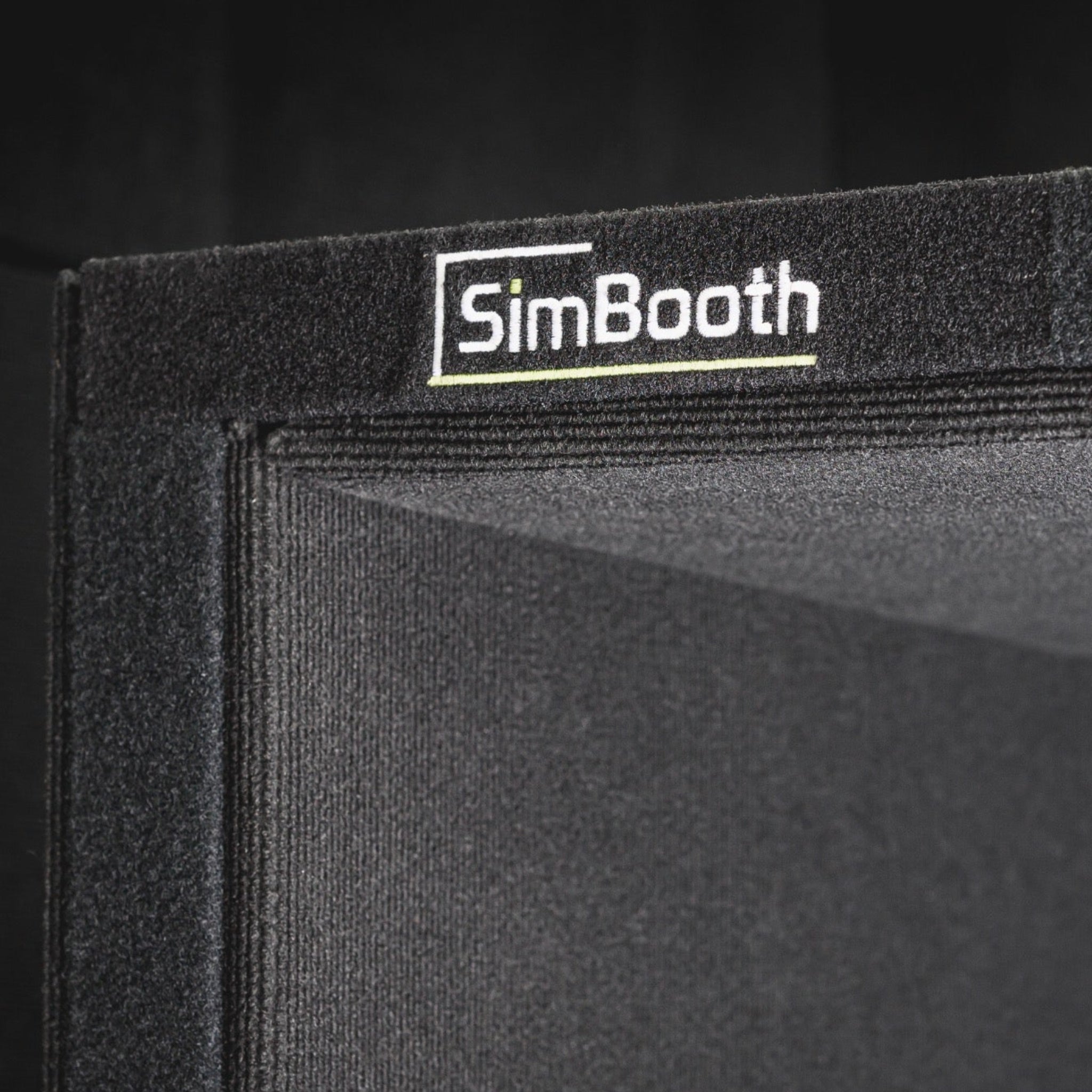
    • Stretch the white screen and black impact layer using the integrated Velcro, then install floor panels and hitting mat so everything is flush with the screen.


  6. Mount IDRA II & projector


    • Attach IDRA II to the pre-drilled holes at the front center of the ceiling and install the projector beam or ceiling mount, then mount the projector. 


  7. Connect power, USB, and HDMI


    • Follow the cable diagrams: power + remote switch, USB 3.0/USB-C from IDRA II to the PC, HDMI from PC to projector, and optional USB hub. 


  8. Install GSPro and GolfIn launcher


    • On your PC, install the GolfIn launcher, GSPro, and any required IDRA II drivers; log in with your subscription account.


  9. Calibrate IDRA II


    • Follow the SimBooth step-by-step calibration instructions (using the calibration board) to set hitting zone, alignment, and club/ball tracking.


  10. Launch your first round


    • Select a course in GSPro, check that shot data appears correctly, and fine-tune projector image and brightness to your liking.


Product Installation Guide

Product Installation Guide


  1. Safety & helpers


    • Plan for 4 people, two ladders, and basic tools. Heavy components (ceiling panels, projector, IDRA II) should be lifted by at least two adults. 


  2. Assemble the ceiling


    • On the floor, bolt the left, center, and right ceiling panels together using the supplied bolts, washers, and nuts. 


  3. Attach upper wall panels


    • Fix the left and right top wall panels to the ceiling section. 


  4. Attach lower wall panels


    • Remove the lower wall fabric covers (Velcro), bolt the bottom wall panels to the top panels, then re-attach the covers. 


  5. Install scissor bar / roof brace


    • Unfold the scissor bar, lock it with safety pins, and attach it to each side and the center of the ceiling using bolts and wing nuts. This stiffens the structure before lifting. 


  6. Raise the structure


    • With four people, lift the entire wall/ceiling assembly upright into its final position. 


  7. Install screen & impact layer


    • Use the Velcro to hang the white screen first, then the black impact net, ensuring the net does not rest on the floor to keep bounces predictable. 


  8. Install floor and hitting mat


    • Drop floor sections in the labeled order (1–7). Pull the screen under the front bar and attach to Velcro, then install the hitting mat so it sits level with the floor and screen edge. 


  9. Install half-walls


    • Cut small openings in the carpet where pre-drilled holes are located, insert half-walls, and bolt them to the frame. Re-attach removable lower wall panels with Velcro. 


  10. Mount IDRA II and elevating bracket


    • Bolt the IDRA II mount through the pre-drilled holes in the center front ceiling panel using the provided hardware; attach the IDRA II unit to the bracket. 


  11. Install projector beam & projector


    • Bolt the projector beam to the roof; optionally use the projector enclosure, then follow BenQ’s instructions to secure the projector and align it to the screen. 


  12. Route and cover cables


    • Connect power, HDMI, and USB cables and secure them using the supplied wire cover and Velcro straps to keep cables tidy and protected. 


  13. Finalize projector and PC settings


    • Use NVIDIA Control Panel and Windows display settings to set 1920×1080 (or recommended resolution), adjust aspect ratio, then dial in zoom, keystone, corner fit, and focus.


Brochures


Videos


Product Manual and User Guides


Technical Drawings


FAQ's

Frequently Asked Questions 


Q: Is SimBooth Kit 1 truly self-install, or do I need a professional?

A: The kit is designed for self-installation. SimBooth shows typical installs taking under two hours for a team of two–four capable adults, using the included installation guide.


Q: What room size do I actually need?

A: For Kit 1, SimBooth recommends at least 13’ W × 16’ D × 9’ H, with an ideal room of 15’ W × 22’ D × 10’ H to give extra space for swing and projector throw distance. 


Q: Which software is included, and what else is compatible?

A: Your purchase includes a 1-year GSPro membership with automatic renewal after year one (you can cancel). IDRA II also supports E6 Connect, giving you flexibility on which sim you run.


Q: What kind of computer do I need?

A: SimBooth recommends at minimum an Intel i7 10th-gen CPU (16 logical processors), 16 GB RAM, 512 GB SSD, RTX 20-series GPU, and 2× USB 3.0 + 1× USB-C, with stronger specs (32 GB RAM, RTX 40-series) for best performance. AMD CPUs/GPUs are currently not supported in their recommended configs. 


Q: What data does IDRA II track?

A: IDRA II measures club speed, path, face angles, smash factor, face vs. impact, and face-to-target, plus ball speed, carry, total distance, launch, spin, spin axis, side spin, peak height, descent angle, direction, and deviation.


Q: Do I need special balls or reflective dots?

A: No. One of IDRA II’s benefits is non-marking ball tracking, so you can use your own balls and clubs—no dots, stickers, or specialty balls required.


Q: Can I install the projector on the ceiling instead of the beam?

A: Yes. The package includes a projector beam for structure-mounting, but the projector can also be installed on your ceiling following SimBooth’s recommended distances and BenQ’s mounting instructions.


Q: How is the kit delivered?

A: SimBooth ships the kit in a 6’ × 4’ × 4’ crate to your door. You’ll uncrate, carry panels and hardware to the final room, then follow the installation guide to assemble.

Shipping/Returns & Warranty Policy

Shipping Policy

Simulator Direct processes and ships SimBooth orders using trusted freight and parcel carriers to ensure reliable delivery and product protection. Most SimBooth products are large, made-to-order golf simulator booths that ship directly from Sim Sports Corporation (SimBooth) in Saint-Georges, Québec, Canada. 

Shipping Methods & Charges

SimBooth products typically ship via freight carriers due to their size and weight. Smaller accessory items may ship via standard parcel services where applicable.

All shipping costs are calculated based on destination, order size, and shipping method, and are clearly displayed in your cart and at checkout before you place your order. These are the amounts that will be charged for shipping for SimBooth products.

Free shipping for SimBooth products is not guaranteed and will only apply when explicitly stated on the product page and/or at checkout. Unless “Free Shipping” is clearly shown for your order, standard shipping charges apply.

International shipments (for example, from Canada to the United States) may be subject to additional duties, taxes, or brokerage fees set by local authorities. These charges, when applicable, are the responsibility of the recipient.


Lead Time & Processing

SimBooth enclosures and kits are manufactured and shipped to order. Lead times can vary based on configuration, production schedule, and carrier availability.

Estimated lead times or ship windows will be shown on the product page or communicated on your order confirmation whenever possible. All timeframes are estimates only and may vary due to production workload, carrier routing, customs clearance, weather, or seasonal volume.

Tracking details will be provided via email once your order has shipped so you can monitor its progress.


Freight Deliveries & Special Services

SimBooth enclosures and golf simulator booths are typically shipped on pallets via freight carriers. Freight deliveries are usually made curbside at a residential address or to a commercial loading dock.

If you require special services such as lift-gate service, inside delivery, or a scheduled delivery appointment (where available), please contact support@simulatordirect.com before placing your order so we can provide a quote and set expectations for delivery.

Because SimBooth ships from Canada, freight transit times may also include customs processing. Any additional paperwork required by the carrier or customs broker may need to be completed promptly by the customer to avoid delays.


Return Policy

We want you to be satisfied with your SimBooth purchase. Because SimBooth products are large, made-to-order golf simulator enclosures, returns and exchanges follow SimBooth’s reseller drop-shipping return policy and are subject to specific conditions. 


Eligibility

  • Returns must be requested within 30 days of your original date of purchase. Returns requested after 30 days are not eligible for refund or exchange. 

  • Items must be unused, in the same condition as received, and in their original packaging, including all parts, panels, hardware, and accessories. 

  • All SimBooth returns require written authorization from Simulator Direct before the product is shipped back. Unauthorized returns may be refused or returned to the sender.

Because of the size and custom nature of SimBooth products, partial kit returns (e.g., only some panels or sections) are not accepted. The full kit or booth must be returned together unless otherwise authorized in writing.


Return Shipping & Restocking

  • For non-defective SimBooth returns, the customer is responsible for all return shipping costs. Shipping charges are non-refundable. 

  • Once the returned item is received and inspected by SimBooth, an approved refund will be issued to the original method of payment, generally within 15 days. 

  • SimBooth deducts a combined shipping and handling fee equal to 15% of the original cost from the refund. This 15% deduction is part of SimBooth’s reseller return policy and will be passed through on qualifying returns. 

Any additional fees associated with refused deliveries, missed delivery appointments, or storage fees charged by the carrier may also be deducted from the refund when applicable.

We strongly recommend using a trackable and insured shipping service for any authorized SimBooth return, as SimBooth cannot guarantee receipt of items shipped without tracking or sufficient insurance. 


Defective or Damaged Items

If you receive a SimBooth product that is damaged in transit or appears defective:

  • Please contact support@simulatordirect.com as soon as possible, ideally within 15 days of receiving your order, and include your order number, photos of the packaging and damage, and a description of the issue. 

  • We will coordinate with SimBooth to review the issue and provide instructions. SimBooth may authorize a replacement, exchange, or repair in line with their warranty and return policies.

SimBooth’s return policy specifies that damaged or defective items must be reported promptly and that returns require a valid RMA (Return Merchandise Authorization) before shipping the product back.


Non-Returnable Items

Because SimBooth booths and kits are large custom-configured packages:

  • Products that have been installed, heavily used, modified, or returned without original packaging may not be eligible for a standard return.

  • Items identified as “non-returnable” on the product page or invoice are not eligible for refund except where required by law or covered under SimBooth’s warranty.


Return Process

  1. Email support@simulatordirect.com with your order number, a description of the issue, and clear photos (for damaged or defective items).

  2. Wait for written authorization and detailed return instructions. We will obtain a return authorization and RMA number from SimBooth when required.

  3. Ship the product to the address provided using the RMA number, in original or equivalent protective packaging with all components included.

  4. Once the item is received, inspected, and approved by SimBooth, we will process any applicable refund to your original payment method, minus any applicable shipping and handling deductions, typically within 15 days of SimBooth’s approval. 


Order Changes & Cancellations

If you need to change or cancel a SimBooth order, please contact support@simulatordirect.com as soon as possible.

  • Orders that have not yet entered production or shipment may sometimes be adjusted or cancelled without penalty.

  • Once a SimBooth order has entered production, been packaged, or shipped, changes or cancellations are no longer guaranteed and will be handled under the standard Return Policy outlined above.

  • Because SimBooth booths are made-to-order, late-stage cancellations may be subject to shipping, handling, and/or restocking deductions similar to a standard return. Any such fees will be disclosed before a cancellation is finalized.


Warranty & Replacements

SimBooth Limited Warranty

SimBooth products purchased through Simulator Direct are covered by Sim Sports Corporation’s official Limited Warranty for SimBooth golf enclosure parts. This warranty applies to buyers and authorized resellers that purchase products directly from Sim Sports Corporation. 


According to the SimBooth Warranty Policy, the following components are covered from the date of purchase: 

  • Aluminum structure of simulator booth: 5 years

  • Panels: 1 year

  • Flooring and turf: 1 year

  • Back impact mesh: 1 year

  • Hitting mat: 1 year (fabrication defect only)

  • White projection screen: 1 year (fabrication defect only)

  • Technology IDRA II: 2 years (only when included as part of a SimBooth Kit)


This warranty covers defects in materials and workmanship under normal use. It does not cover:

  • Damage caused by misuse, abuse, accidents, or unauthorized modifications

  • Normal wear and tear, including cosmetic damage

  • Damage caused by improper installation, repair, or maintenance

  • Damage caused by power failures, surges, fire, flood, or other events beyond the reasonable control of Sim Sports Corporation 


Sim Sports Corporation determines whether any of these exclusions apply, at its reasonable discretion, based on remote troubleshooting and/or examination of the returned product. 


Warranty Service & Shipping

If you believe a SimBooth component is defective and covered by warranty:

  1. Notify support@simulatordirect.com as soon as you discover the defect (SimBooth requires that warranty issues be reported within 7 days of discovery). 

  2. Provide your order number, proof of purchase, photos, and a detailed description of the issue.

  3. We will coordinate with Sim Sports Corporation to initiate a warranty claim and obtain an RMA if needed.


Under SimBooth’s warranty policy: 

  • Sim Sports Corporation will, at its discretion, repair or replace the defective part(s) free of charge once a valid warranty claim is confirmed.

  • If the original part is no longer available, a suitable replacement will be provided.

  • The customer is responsible for shipping costs to send the defective part(s) to Sim Sports Corporation.

  • Sim Sports Corporation will cover the cost of shipping repaired or replacement part(s) back to the customer for approved warranty claims.

All products or parts returned under warranty must be properly packaged, accompanied by proof of purchase, and clearly marked with the RMA number provided by SimBooth. 


What the Warranty Covers vs. Excludes

Covered under warranty (during the applicable term and under normal use):

  • Structural failures or defects in aluminum framing

  • Manufacturing defects in panels, turf, flooring, back mesh, and screens

  • Fabrication defects in hitting mats and white projection screens

  • Hardware failures of IDRA II technology purchased as part of a SimBooth kit


Not covered under warranty:

  • Normal wear from golf ball strikes, club strikes, or long-term use

  • Cosmetic blemishes that do not affect function

  • Damage caused by improper installation, unauthorized alterations, or lack of proper care

  • Damage caused by external events (flooding, fire, extreme weather, power surges, etc.) 

To the extent permitted by law, Sim Sports Corporation is not liable for indirect, incidental, or consequential damages arising from the use or inability to use SimBooth products. 


Post-Warranty Service

If your SimBooth product requires service after the warranty period expires, paid repair or replacement options may be available from Sim Sports Corporation. In such cases, the customer is responsible for all parts, labor, and shipping costs. 

If you have any questions about whether your SimBooth issue is covered under warranty or need help starting a claim, please contact support@simulatordirect.com and we will assist you in coordinating with SimBooth’s support team.

Description

SimBooth Kit 1

The SimBooth Kit 1 is a turn-key indoor golf simulator kit designed so you can build a premium enclosure, launch monitor, and projector setup in a single, self-install package. It combines a lightweight aluminum structure, full-surface raised floor, crease-free impact screen, and commercial hitting mat with the IDRA II AI overhead launch monitor, BenQ short-throw projector, and GSPro golf simulator software (1-year membership). 


Kit 1 is sized for typical garages and bonus rooms, with half-walls for protection, low-bounce screen material, and a layout that’s designed to go from delivered pallet to first tee in under a couple of hours for a handy two-person team.

Product Features

Product Features


Feature

Details

All-in-one golf sim kit

Complete package with enclosure, floor, screen, commercial hitting mat, launch monitor, projector, beam, and software.

Self-installation design

Panels and floor are engineered for guided self-assembly; SimBooth notes typical installs in under ~2 hours once everything is laid out.

Solid aluminum structure

Main frame built from 6063-T52 aluminum, giving a rigid but relatively light enclosure that’s durable and clean-looking.

Solid side panels & half-walls

Black side panels and half-walls help contain errant shots and keep the hitting area visually framed.

Full-surface raised floor

Integrated floor sections bring the hitting mat flush with the screen border for consistent stance and ball height from driver through putter.

Crease-free, low-bounce screen

Screen is stretched top-to-bottom and side-to-side to reduce wrinkles and minimize bounce-back on full shots.

IDRA II AI launch monitor

Overhead unit with dual high-speed cameras, integrated light, large 32” × 18” hitting zone, and support for full club and ball data.

GSPro software (1-year)

Includes 1-year GSPro membership, with realistic ball physics, large course library, and special IDRA II integration (shot analyzer + video replay).

Projector + beam

Includes BenQ AH30ST (Full HD) projector plus mounting beam for those who prefer not to mount directly to the ceiling.

Flexible projector placement

Short-throw lens, keystone, and corner-fit adjustments make it easier to fill the screen even in tight rooms.

Commercial hitting mat

A durable hitting mat sized about 32” × 54” × 2” for repeated use.

Simple delivery

Ships in a roughly 6’ × 4’ × 4’ crate, ready to be unpacked and carried into the final room.

High owner satisfaction

Kit shows a 5‑star owner rating on the product page, supporting confidence in quality and support.

What's Included

What’s Included


  • SimBooth Kit 1 enclosure structure (aluminum frame, solid black panels, half-walls)


  • Full-surface floor system (modular floor panels + integrated hitting mat cut-out)


  • Commercial hitting mat, approx 32" x 54" x 2"


  • Impact screen (crease-free, low bounce-back)


  • IDRA II AI overhead launch monitor with integrated light and cabling


  • BenQ AH30ST Full HD projector


  • Projector beam/mount for structure-mounted installation


  • GSPro golf simulator software – 1-Year Membership (auto-renewing after year 1 unless cancelled)


  • Required cabling (HDMI, USB, power)

  • Basic hardware and tools for assembly (bolts, nuts, washers, wing nuts, Allen keys) 


Product Specifications

Product Specifications


Enclosure & Space Requirements


Item

SimBooth Kit 1 / Kit 1-4K

Structure dimensions (W × D × H)

11’1” × 12’ × 7’10” 

Screen size (approx.)

153” diagonal (126” × 86”) at 16:10 ratio 

Minimum room space

Width 13’ × Depth 16’ × Height 9’ 

Ideal room space

Width 15’ × Depth 22’ × Height 10’ (extra margin for swing + projector placement) 

Main structure material

Aluminum (6063-T52) with solid wood/board panels

Hitting Mat

32" x 54" x 2"

Floor

Full-coverage modular floor integrated into enclosure


IDRA II Launch Monitor (Key Specs)


Category

Details

Mounting style

Overhead, attaches directly to enclosure ceiling

Technology

AI-powered, dual high-speed cameras, non-marked ball/club tracking

Hitting zone

Approx. 32” W × 18” D hitting area under the unit 

Club data

Club speed, path, face-to-path, face-to-target, smash factor, face vs. impact, face to target, etc.

Ball data

Ball speed, launch angle, spin axis, side spin, backspin, peak height, descent angle, carry (game/raw), total distance, deviation, direction.

Software compatibility

GSPro (enhanced integration) and E6 Connect


Projector & PC Requirements (Summary)


Component

Key Details

Projector options

BenQ AH30ST (Full HD short-throw) optimized for golf simulators. 

Typical projector distance

For Kit 1, AH30ST lens around 132”–168” from screen; lens height ~87” above floor when ceiling-mounted. 

PC (GSPro – minimum)

Intel i7 10th-gen (16 logical processors), 16 GB RAM, 512 GB storage, RTX 20 series GPU, 2× USB 3.0 + 1× USB-C, high-speed internet. 

PC (GSPro – recommended)

Intel i7 10th-gen or newer (24 logical processors), 32 GB RAM, 1 TB storage, RTX 40 series GPU, same USB/internet. 

PC note

AMD CPUs/GPUs are not supported by SimBooth’s recommended configurations.


Getting Started Guide

Getting Started Guide


  1. Confirm room size & clearance


    • Measure your space against the minimum room requirements and make sure you have swing clearance for your longest club. 


  2. Unpack the crate


    • Carefully open the 6’ × 4’ × 4’ crate and sort components into groups: structure panels, floor pieces, screen/net, electronics, and hardware.


  3. Lay out floor and panels


    • Place floor panels and wall sections near their final positions to visualize orientation before you start bolting things together. 


  4. Assemble the enclosure frame


    • Build the ceiling sections, then connect top and bottom wall panels and install half-walls as shown in the guide. 


  5. Install screen, net, and floor


    • Stretch the white screen and black impact layer using the integrated Velcro, then install floor panels and hitting mat so everything is flush with the screen.


  6. Mount IDRA II & projector


    • Attach IDRA II to the pre-drilled holes at the front center of the ceiling and install the projector beam or ceiling mount, then mount the projector. 


  7. Connect power, USB, and HDMI


    • Follow the cable diagrams: power + remote switch, USB 3.0/USB-C from IDRA II to the PC, HDMI from PC to projector, and optional USB hub. 


  8. Install GSPro and GolfIn launcher


    • On your PC, install the GolfIn launcher, GSPro, and any required IDRA II drivers; log in with your subscription account.


  9. Calibrate IDRA II


    • Follow the SimBooth step-by-step calibration instructions (using the calibration board) to set hitting zone, alignment, and club/ball tracking.


  10. Launch your first round


    • Select a course in GSPro, check that shot data appears correctly, and fine-tune projector image and brightness to your liking.


Product Installation Guide

Product Installation Guide


  1. Safety & helpers


    • Plan for 4 people, two ladders, and basic tools. Heavy components (ceiling panels, projector, IDRA II) should be lifted by at least two adults. 


  2. Assemble the ceiling


    • On the floor, bolt the left, center, and right ceiling panels together using the supplied bolts, washers, and nuts. 


  3. Attach upper wall panels


    • Fix the left and right top wall panels to the ceiling section. 


  4. Attach lower wall panels


    • Remove the lower wall fabric covers (Velcro), bolt the bottom wall panels to the top panels, then re-attach the covers. 


  5. Install scissor bar / roof brace


    • Unfold the scissor bar, lock it with safety pins, and attach it to each side and the center of the ceiling using bolts and wing nuts. This stiffens the structure before lifting. 


  6. Raise the structure


    • With four people, lift the entire wall/ceiling assembly upright into its final position. 


  7. Install screen & impact layer


    • Use the Velcro to hang the white screen first, then the black impact net, ensuring the net does not rest on the floor to keep bounces predictable. 


  8. Install floor and hitting mat


    • Drop floor sections in the labeled order (1–7). Pull the screen under the front bar and attach to Velcro, then install the hitting mat so it sits level with the floor and screen edge. 


  9. Install half-walls


    • Cut small openings in the carpet where pre-drilled holes are located, insert half-walls, and bolt them to the frame. Re-attach removable lower wall panels with Velcro. 


  10. Mount IDRA II and elevating bracket


    • Bolt the IDRA II mount through the pre-drilled holes in the center front ceiling panel using the provided hardware; attach the IDRA II unit to the bracket. 


  11. Install projector beam & projector


    • Bolt the projector beam to the roof; optionally use the projector enclosure, then follow BenQ’s instructions to secure the projector and align it to the screen. 


  12. Route and cover cables


    • Connect power, HDMI, and USB cables and secure them using the supplied wire cover and Velcro straps to keep cables tidy and protected. 


  13. Finalize projector and PC settings


    • Use NVIDIA Control Panel and Windows display settings to set 1920×1080 (or recommended resolution), adjust aspect ratio, then dial in zoom, keystone, corner fit, and focus.


Brochures


Videos


Product Manual and User Guides


Technical Drawings


FAQ's

Frequently Asked Questions 


Q: Is SimBooth Kit 1 truly self-install, or do I need a professional?

A: The kit is designed for self-installation. SimBooth shows typical installs taking under two hours for a team of two–four capable adults, using the included installation guide.


Q: What room size do I actually need?

A: For Kit 1, SimBooth recommends at least 13’ W × 16’ D × 9’ H, with an ideal room of 15’ W × 22’ D × 10’ H to give extra space for swing and projector throw distance. 


Q: Which software is included, and what else is compatible?

A: Your purchase includes a 1-year GSPro membership with automatic renewal after year one (you can cancel). IDRA II also supports E6 Connect, giving you flexibility on which sim you run.


Q: What kind of computer do I need?

A: SimBooth recommends at minimum an Intel i7 10th-gen CPU (16 logical processors), 16 GB RAM, 512 GB SSD, RTX 20-series GPU, and 2× USB 3.0 + 1× USB-C, with stronger specs (32 GB RAM, RTX 40-series) for best performance. AMD CPUs/GPUs are currently not supported in their recommended configs. 


Q: What data does IDRA II track?

A: IDRA II measures club speed, path, face angles, smash factor, face vs. impact, and face-to-target, plus ball speed, carry, total distance, launch, spin, spin axis, side spin, peak height, descent angle, direction, and deviation.


Q: Do I need special balls or reflective dots?

A: No. One of IDRA II’s benefits is non-marking ball tracking, so you can use your own balls and clubs—no dots, stickers, or specialty balls required.


Q: Can I install the projector on the ceiling instead of the beam?

A: Yes. The package includes a projector beam for structure-mounting, but the projector can also be installed on your ceiling following SimBooth’s recommended distances and BenQ’s mounting instructions.


Q: How is the kit delivered?

A: SimBooth ships the kit in a 6’ × 4’ × 4’ crate to your door. You’ll uncrate, carry panels and hardware to the final room, then follow the installation guide to assemble.

Shipping/Returns & Warranty Policy

Shipping Policy

Simulator Direct processes and ships SimBooth orders using trusted freight and parcel carriers to ensure reliable delivery and product protection. Most SimBooth products are large, made-to-order golf simulator booths that ship directly from Sim Sports Corporation (SimBooth) in Saint-Georges, Québec, Canada. 

Shipping Methods & Charges

SimBooth products typically ship via freight carriers due to their size and weight. Smaller accessory items may ship via standard parcel services where applicable.

All shipping costs are calculated based on destination, order size, and shipping method, and are clearly displayed in your cart and at checkout before you place your order. These are the amounts that will be charged for shipping for SimBooth products.

Free shipping for SimBooth products is not guaranteed and will only apply when explicitly stated on the product page and/or at checkout. Unless “Free Shipping” is clearly shown for your order, standard shipping charges apply.

International shipments (for example, from Canada to the United States) may be subject to additional duties, taxes, or brokerage fees set by local authorities. These charges, when applicable, are the responsibility of the recipient.


Lead Time & Processing

SimBooth enclosures and kits are manufactured and shipped to order. Lead times can vary based on configuration, production schedule, and carrier availability.

Estimated lead times or ship windows will be shown on the product page or communicated on your order confirmation whenever possible. All timeframes are estimates only and may vary due to production workload, carrier routing, customs clearance, weather, or seasonal volume.

Tracking details will be provided via email once your order has shipped so you can monitor its progress.


Freight Deliveries & Special Services

SimBooth enclosures and golf simulator booths are typically shipped on pallets via freight carriers. Freight deliveries are usually made curbside at a residential address or to a commercial loading dock.

If you require special services such as lift-gate service, inside delivery, or a scheduled delivery appointment (where available), please contact support@simulatordirect.com before placing your order so we can provide a quote and set expectations for delivery.

Because SimBooth ships from Canada, freight transit times may also include customs processing. Any additional paperwork required by the carrier or customs broker may need to be completed promptly by the customer to avoid delays.


Return Policy

We want you to be satisfied with your SimBooth purchase. Because SimBooth products are large, made-to-order golf simulator enclosures, returns and exchanges follow SimBooth’s reseller drop-shipping return policy and are subject to specific conditions. 


Eligibility

  • Returns must be requested within 30 days of your original date of purchase. Returns requested after 30 days are not eligible for refund or exchange. 

  • Items must be unused, in the same condition as received, and in their original packaging, including all parts, panels, hardware, and accessories. 

  • All SimBooth returns require written authorization from Simulator Direct before the product is shipped back. Unauthorized returns may be refused or returned to the sender.

Because of the size and custom nature of SimBooth products, partial kit returns (e.g., only some panels or sections) are not accepted. The full kit or booth must be returned together unless otherwise authorized in writing.


Return Shipping & Restocking

  • For non-defective SimBooth returns, the customer is responsible for all return shipping costs. Shipping charges are non-refundable. 

  • Once the returned item is received and inspected by SimBooth, an approved refund will be issued to the original method of payment, generally within 15 days. 

  • SimBooth deducts a combined shipping and handling fee equal to 15% of the original cost from the refund. This 15% deduction is part of SimBooth’s reseller return policy and will be passed through on qualifying returns. 

Any additional fees associated with refused deliveries, missed delivery appointments, or storage fees charged by the carrier may also be deducted from the refund when applicable.

We strongly recommend using a trackable and insured shipping service for any authorized SimBooth return, as SimBooth cannot guarantee receipt of items shipped without tracking or sufficient insurance. 


Defective or Damaged Items

If you receive a SimBooth product that is damaged in transit or appears defective:

  • Please contact support@simulatordirect.com as soon as possible, ideally within 15 days of receiving your order, and include your order number, photos of the packaging and damage, and a description of the issue. 

  • We will coordinate with SimBooth to review the issue and provide instructions. SimBooth may authorize a replacement, exchange, or repair in line with their warranty and return policies.

SimBooth’s return policy specifies that damaged or defective items must be reported promptly and that returns require a valid RMA (Return Merchandise Authorization) before shipping the product back.


Non-Returnable Items

Because SimBooth booths and kits are large custom-configured packages:

  • Products that have been installed, heavily used, modified, or returned without original packaging may not be eligible for a standard return.

  • Items identified as “non-returnable” on the product page or invoice are not eligible for refund except where required by law or covered under SimBooth’s warranty.


Return Process

  1. Email support@simulatordirect.com with your order number, a description of the issue, and clear photos (for damaged or defective items).

  2. Wait for written authorization and detailed return instructions. We will obtain a return authorization and RMA number from SimBooth when required.

  3. Ship the product to the address provided using the RMA number, in original or equivalent protective packaging with all components included.

  4. Once the item is received, inspected, and approved by SimBooth, we will process any applicable refund to your original payment method, minus any applicable shipping and handling deductions, typically within 15 days of SimBooth’s approval. 


Order Changes & Cancellations

If you need to change or cancel a SimBooth order, please contact support@simulatordirect.com as soon as possible.

  • Orders that have not yet entered production or shipment may sometimes be adjusted or cancelled without penalty.

  • Once a SimBooth order has entered production, been packaged, or shipped, changes or cancellations are no longer guaranteed and will be handled under the standard Return Policy outlined above.

  • Because SimBooth booths are made-to-order, late-stage cancellations may be subject to shipping, handling, and/or restocking deductions similar to a standard return. Any such fees will be disclosed before a cancellation is finalized.


Warranty & Replacements

SimBooth Limited Warranty

SimBooth products purchased through Simulator Direct are covered by Sim Sports Corporation’s official Limited Warranty for SimBooth golf enclosure parts. This warranty applies to buyers and authorized resellers that purchase products directly from Sim Sports Corporation. 


According to the SimBooth Warranty Policy, the following components are covered from the date of purchase: 

  • Aluminum structure of simulator booth: 5 years

  • Panels: 1 year

  • Flooring and turf: 1 year

  • Back impact mesh: 1 year

  • Hitting mat: 1 year (fabrication defect only)

  • White projection screen: 1 year (fabrication defect only)

  • Technology IDRA II: 2 years (only when included as part of a SimBooth Kit)


This warranty covers defects in materials and workmanship under normal use. It does not cover:

  • Damage caused by misuse, abuse, accidents, or unauthorized modifications

  • Normal wear and tear, including cosmetic damage

  • Damage caused by improper installation, repair, or maintenance

  • Damage caused by power failures, surges, fire, flood, or other events beyond the reasonable control of Sim Sports Corporation 


Sim Sports Corporation determines whether any of these exclusions apply, at its reasonable discretion, based on remote troubleshooting and/or examination of the returned product. 


Warranty Service & Shipping

If you believe a SimBooth component is defective and covered by warranty:

  1. Notify support@simulatordirect.com as soon as you discover the defect (SimBooth requires that warranty issues be reported within 7 days of discovery). 

  2. Provide your order number, proof of purchase, photos, and a detailed description of the issue.

  3. We will coordinate with Sim Sports Corporation to initiate a warranty claim and obtain an RMA if needed.


Under SimBooth’s warranty policy: 

  • Sim Sports Corporation will, at its discretion, repair or replace the defective part(s) free of charge once a valid warranty claim is confirmed.

  • If the original part is no longer available, a suitable replacement will be provided.

  • The customer is responsible for shipping costs to send the defective part(s) to Sim Sports Corporation.

  • Sim Sports Corporation will cover the cost of shipping repaired or replacement part(s) back to the customer for approved warranty claims.

All products or parts returned under warranty must be properly packaged, accompanied by proof of purchase, and clearly marked with the RMA number provided by SimBooth. 


What the Warranty Covers vs. Excludes

Covered under warranty (during the applicable term and under normal use):

  • Structural failures or defects in aluminum framing

  • Manufacturing defects in panels, turf, flooring, back mesh, and screens

  • Fabrication defects in hitting mats and white projection screens

  • Hardware failures of IDRA II technology purchased as part of a SimBooth kit


Not covered under warranty:

  • Normal wear from golf ball strikes, club strikes, or long-term use

  • Cosmetic blemishes that do not affect function

  • Damage caused by improper installation, unauthorized alterations, or lack of proper care

  • Damage caused by external events (flooding, fire, extreme weather, power surges, etc.) 

To the extent permitted by law, Sim Sports Corporation is not liable for indirect, incidental, or consequential damages arising from the use or inability to use SimBooth products. 


Post-Warranty Service

If your SimBooth product requires service after the warranty period expires, paid repair or replacement options may be available from Sim Sports Corporation. In such cases, the customer is responsible for all parts, labor, and shipping costs. 

If you have any questions about whether your SimBooth issue is covered under warranty or need help starting a claim, please contact support@simulatordirect.com and we will assist you in coordinating with SimBooth’s support team.