
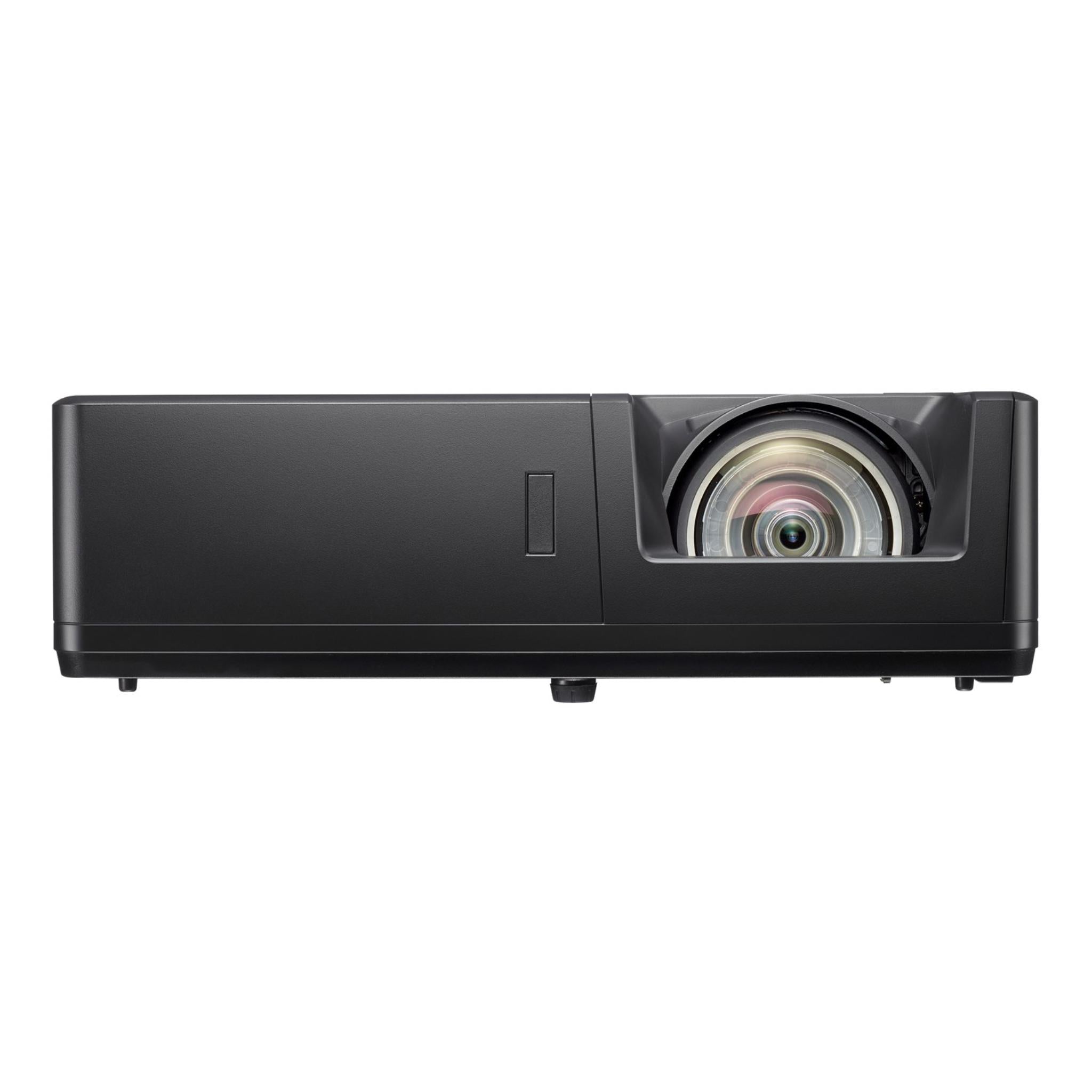
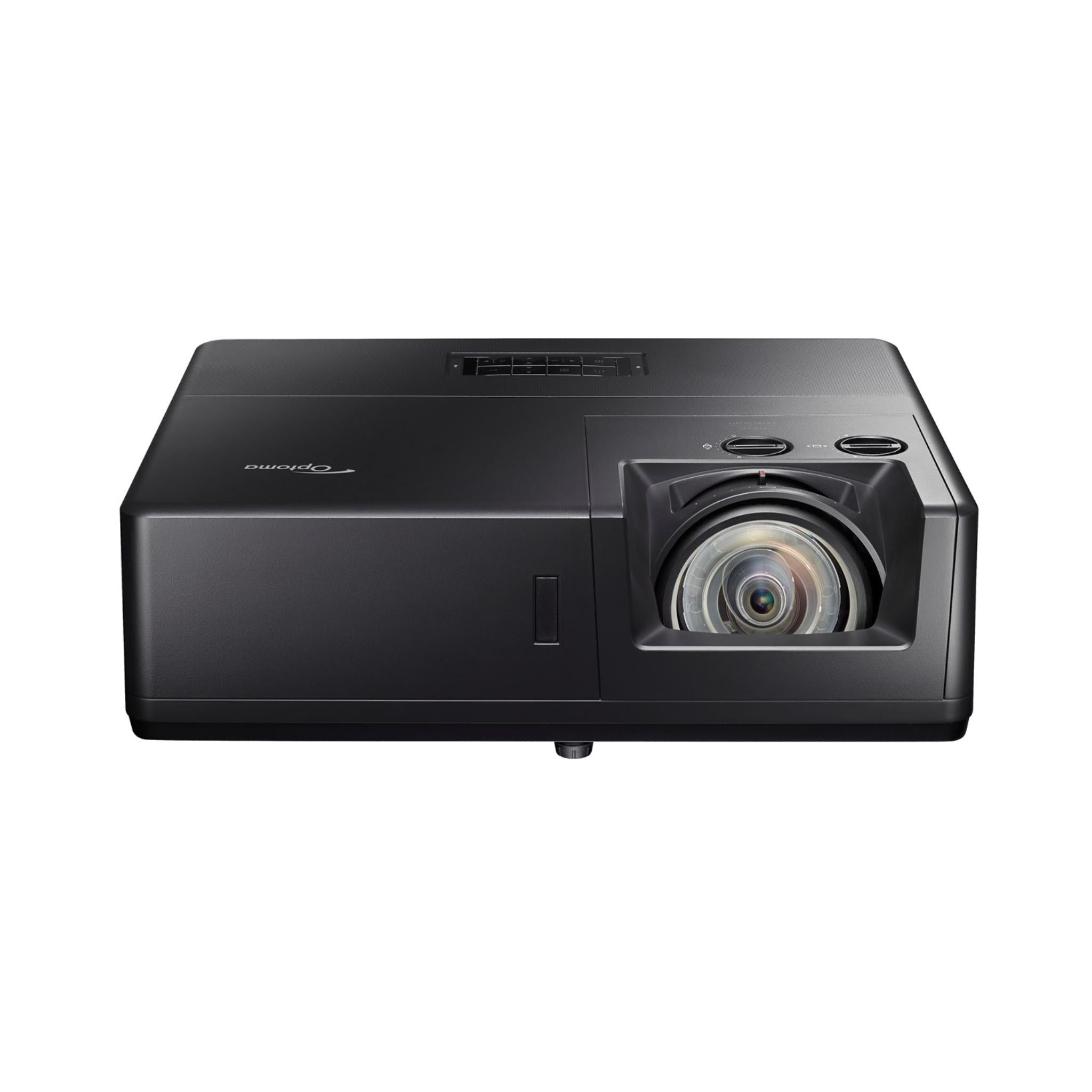
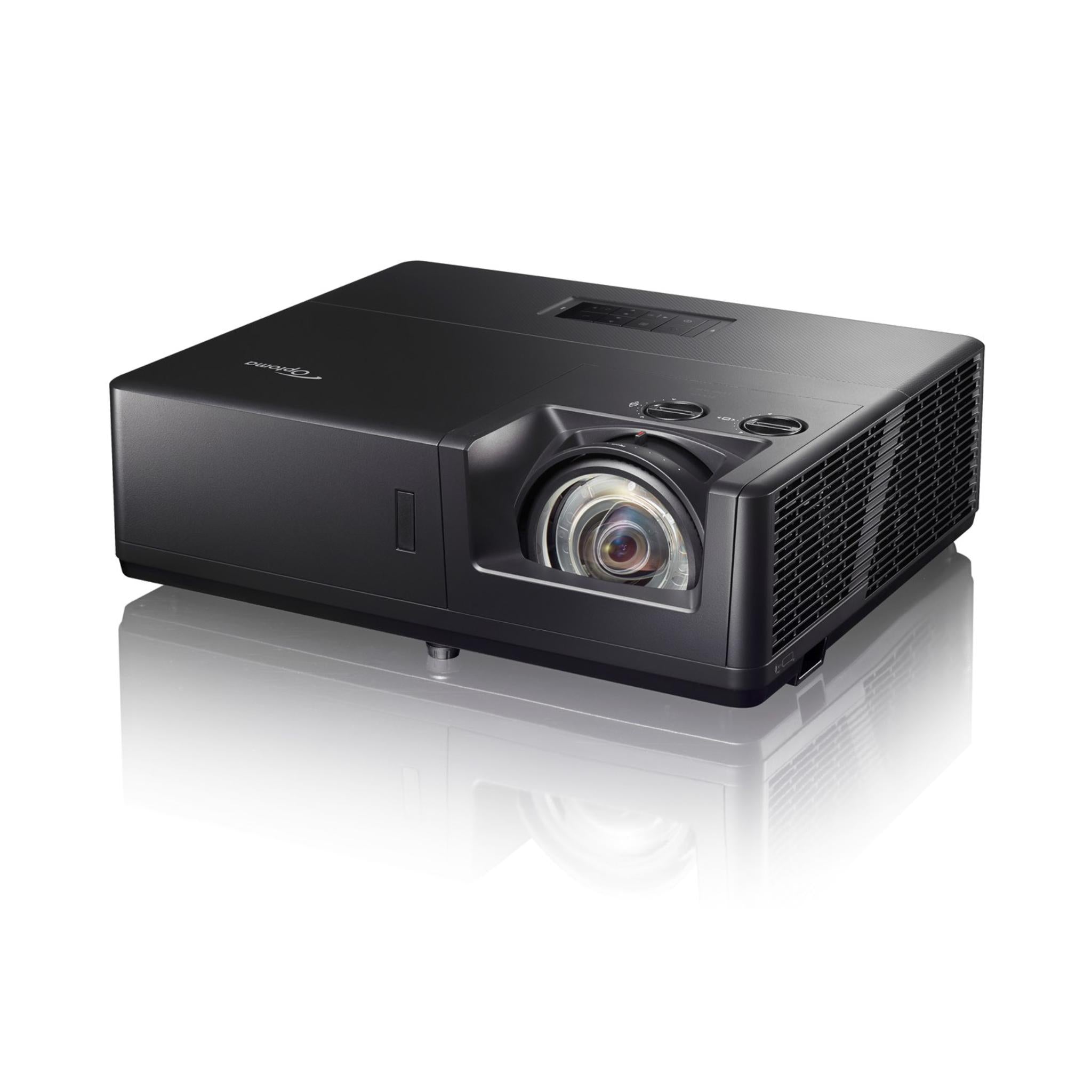

Optoma ZU607TST DLP Projector
Got Questions?
Email: support@simulatordirect.com
Phone: (714) 202-9416
Choose options
- Description
- Product Features
- What's Included
- Product Specifications
- Getting Started Guide
- Product Installation Guide
- FAQ's
- Shipping/Returns & Warranty Policy
Optoma ZU607TST DLP Projector
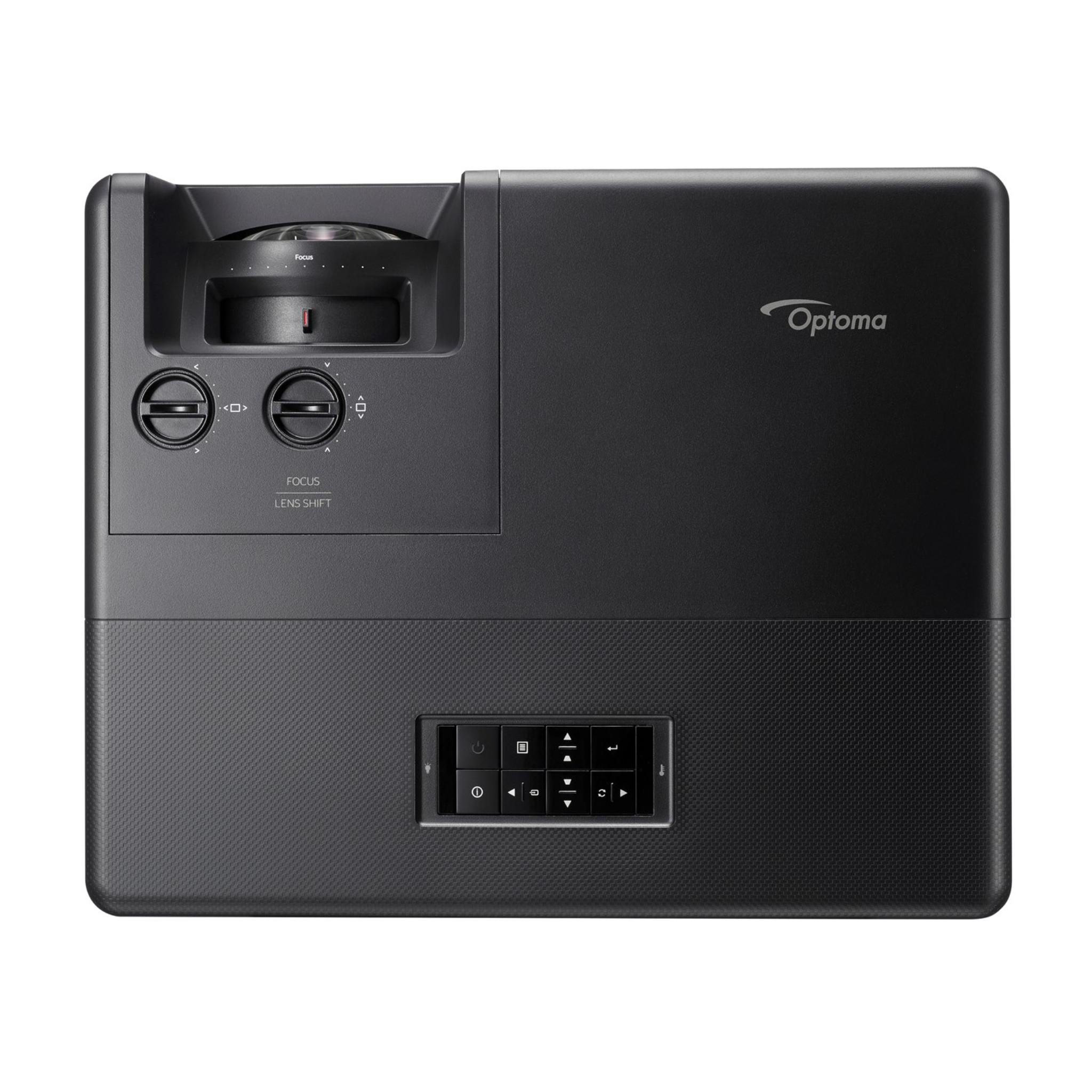
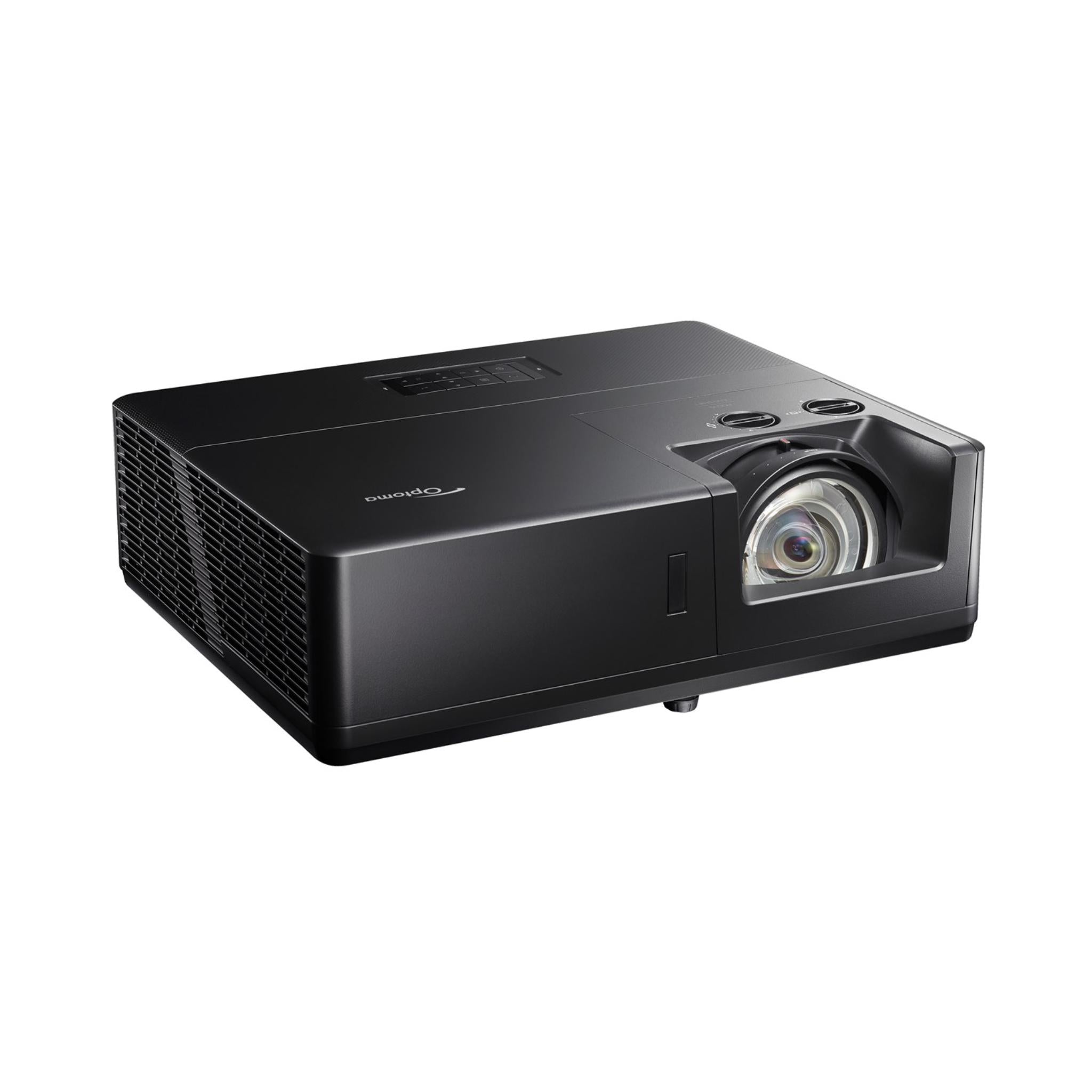
The Optoma ZU607TST is a high-brightness short throw laser projector designed for professional environments such as large venues, classrooms, lecture theatres, museums, houses of worship, digital signage, and immersive installations.

With 6,000 lumens and WUXGA resolution, it delivers crisp, vivid images with exceptional color accuracy, helping create clear and impactful presentations in virtually any environment.

Featuring a 30,000-hour DuraCore laser light source and an independently IP6X-certified dust-resistant optical engine, the ZU607TST supports 24/7 operation with low maintenance.

The short throw lens allows a large 100” image from just over a meter away, reducing shadows and improving viewer engagement. Manual horizontal and vertical lens shift provides flexible installation options.

Equipped with HDR10 and HLG compatibility, the ZU607TST enhances image depth and texture for lifelike visuals. HDBaseT 3.0 and LAN control capabilities simplify professional installations, providing a reliable “set-and-forget” solution for AV environments.

Built-in 15W speakers and versatile connectivity options complete a high-performance, low-maintenance package for demanding applications.
Product Features
| Feature | Details |
|---|---|
| Projection Type | High-brightness short-throw WUXGA laser projector designed for professional installations, including large venues, classrooms, lecture halls, museums, houses of worship, digital signage, and immersive spaces. |
| Brightness | 6,000 lumens, suitable for “lights on” viewing in many environments, as long as there is no direct sunlight on the screen. |
| Resolution | WUXGA, 1920 × 1200 native resolution. |
| Light Source | DuraCore laser light engine rated up to 30,000 hours of maintenance-free operation at full brightness. |
| Short-Throw Lens | 0.58:1 throw ratio projects a 100” image from just over 1 m / approximately 4 ft, reducing shadows and glare at the screen. |
| Lens Shift | Manual horizontal and vertical lens shift for easier image alignment without moving the projector. |
| HDR Support | Compatible with 4K, HDR10, and HLG signals for higher perceived contrast and more detail in bright and dark areas. |
| Contrast | Up to 300,000:1 dynamic contrast for deeper blacks and improved image depth. |
| Dust Resistance & 24/7 Use | IP6X-certified sealed optical engine designed for 24/7 operation with low maintenance. |
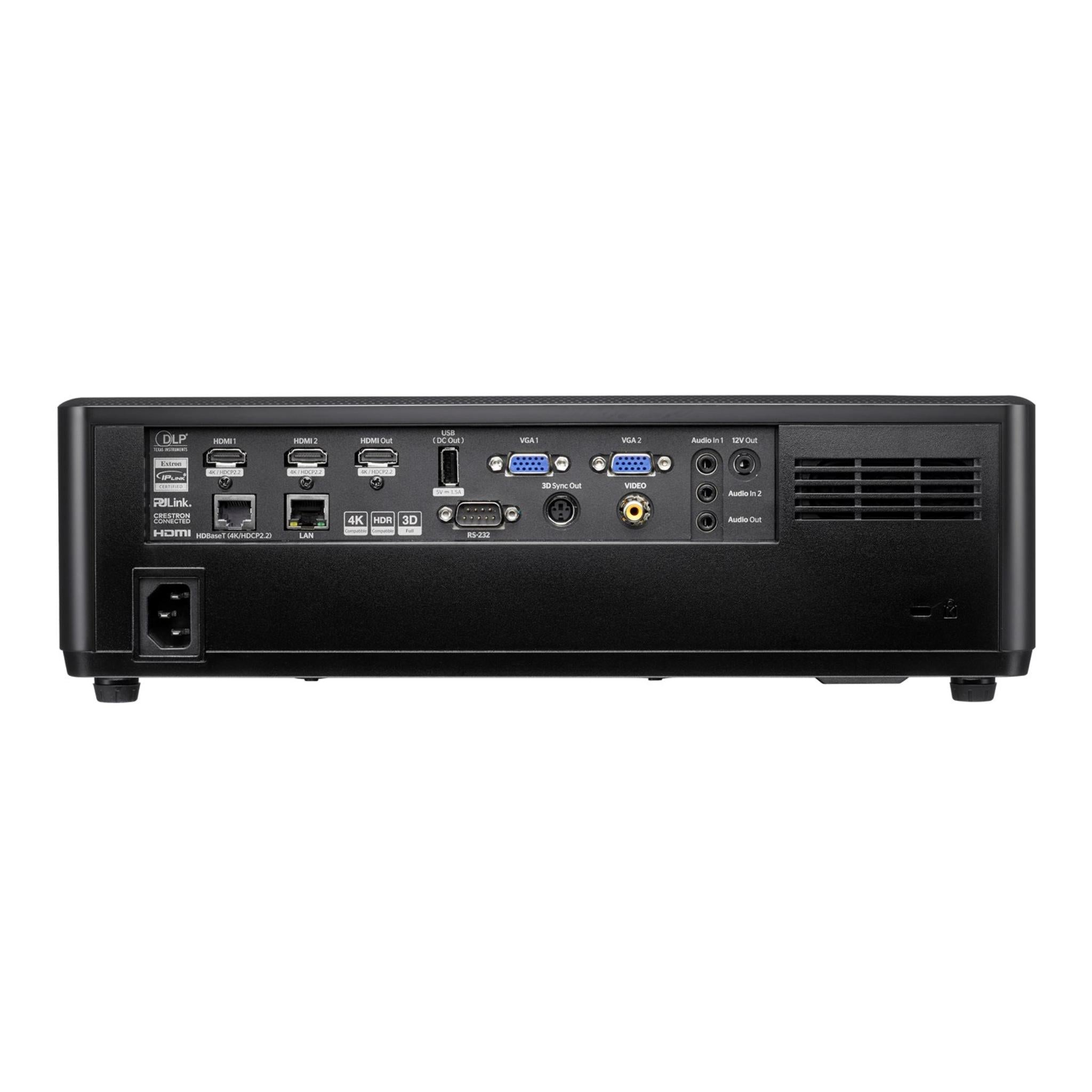
| Connectivity | Includes HDBaseT 3.0, HDMI, VGA, LAN, and RS232 for flexible AV integration and long-distance signal runs. |
| Integrated Audio | Built-in 15W speaker for onboard audio in smaller rooms or as backup to external sound systems. |
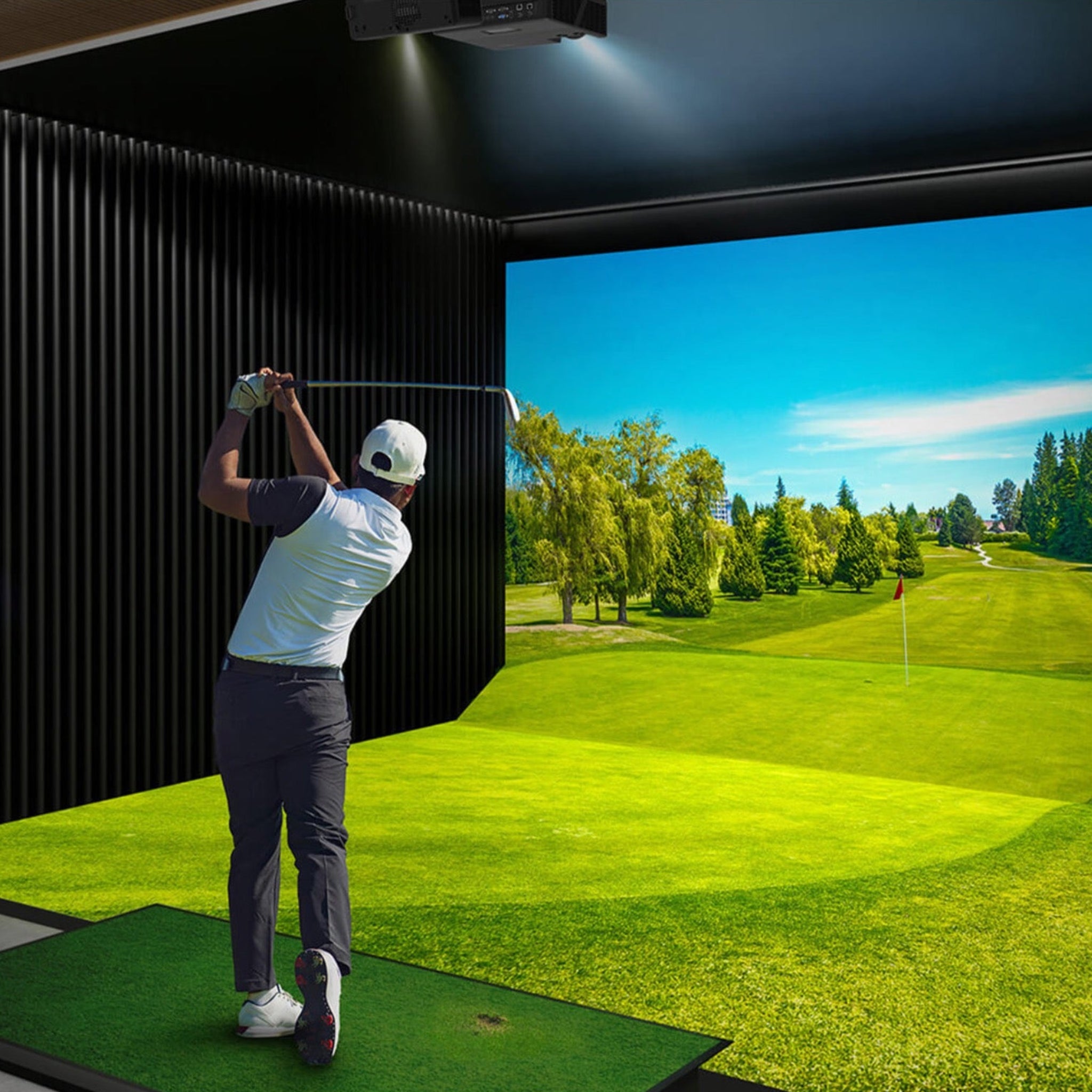
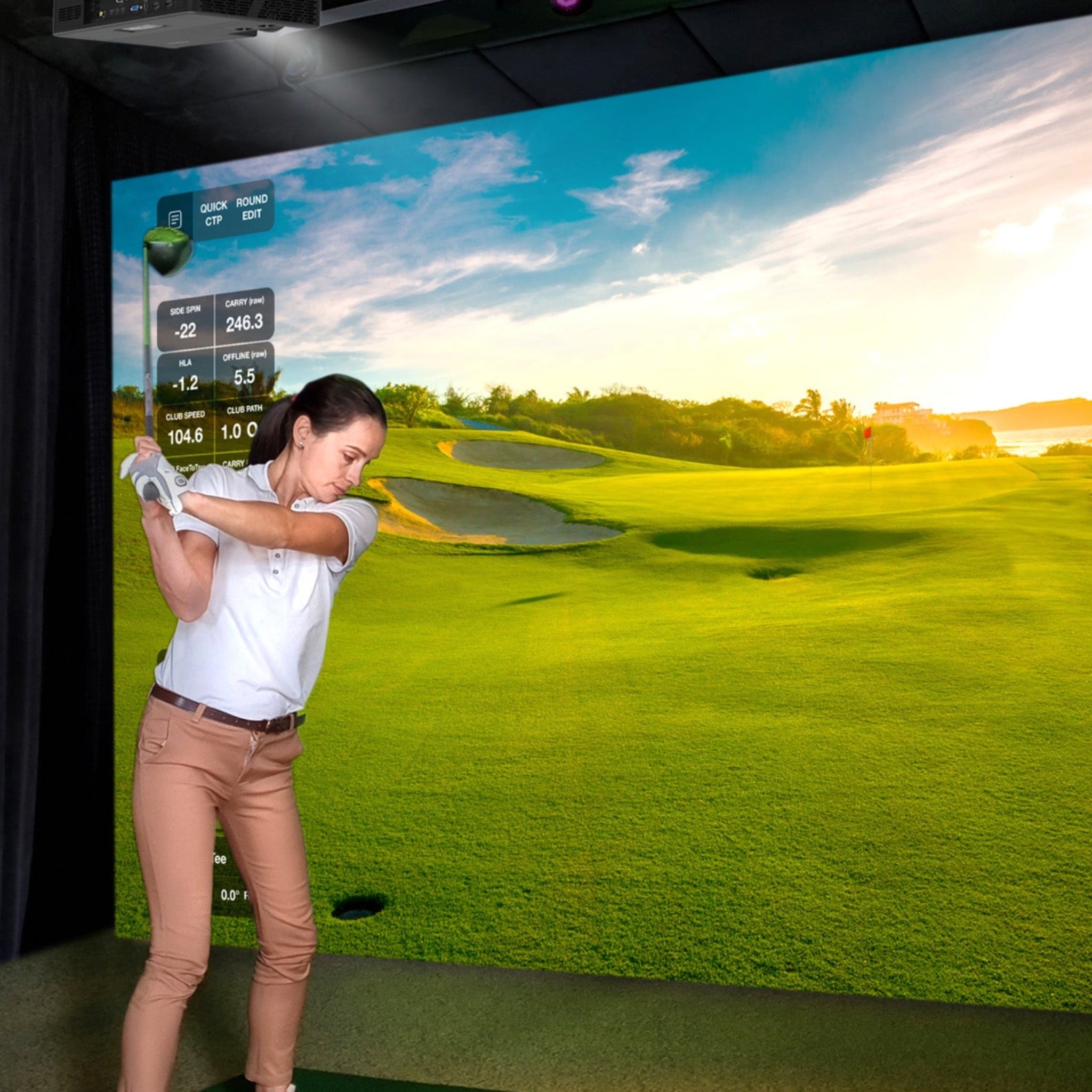
| Install Flexibility | Supports short-throw mounting for golf simulator bays, digital signage, and immersive setups where a large image is needed with limited throw distance. |
What’s Included
- ZU607TST projector.
- AC power cord.
- Remote control.
- 2 × AAA batteries for the remote.
- Basic user manual / quick start documentation.
Product Specifications
Display & Image
| Category | Specification |
|---|---|
| Display Technology | DLP |
| Native Resolution | WUXGA, 1920 × 1200 |
| Brightness | 6,000 lumens |
| Contrast Ratio | 300,000:1 dynamic |
| Native Aspect Ratio | 16:10 |
| Compatible Aspect Ratios | 4:3, 16:9, 16:10 |
| Keystone Correction, Horizontal | ±15° |
| Keystone Correction, Vertical | ±15°, with auto vertical keystone |
| Displayable Colors | 1.073 billion, 1073.4 million |
| Horizontal Scan Rate | 5 – 140 kHz |
| Vertical Scan Rate | 24 – 120 Hz |
| Uniformity | 85% |
| Screen Size, Diagonal | 0.76 – 7.62 m, 30” – 300” |
Light Source
| Category | Specification |
|---|---|
| Light Source Type | Laser, DuraCore laser engine |
| Laser Life | Up to 30,000 hours, maintenance-free at full brightness |
Optical / Lens
| Category | Specification |
|---|---|
| Throw Ratio | 0.58:1 short throw |
| Projection Distance | 0.38 – 3.75 m |
| Zoom Type | Fixed, no optical zoom |
| Focal Length | 8.51 mm |
| Lens Shift, Vertical | -100% to +110% |
| Lens Shift, Horizontal | ±4% |
| Native Offset | 100% |
| Lens Shift Availability | Yes, manual horizontal / vertical |
Connectivity
| Category | Specification |
|---|---|
| Inputs | 2 × HDMI 2.0, 2 × VGA, 1 × Composite video, 2 × 3.5 mm audio in, 1 × USB-A power 1.5A |
| Outputs | 1 × HDMI 2.0, 1 × 3.5 mm audio out, 1 × 3D sync, 1 × 12V trigger |
| Control | 1 × HDBaseT 4K, 1 × RJ45 LAN, 1 × RS232 |
| LAN, Wireless | No, wired LAN only |
General Features
| Category | Specification |
|---|---|
| Noise Level, Min | 33 dB |
| Noise Level, Max | 36 dB |
| 3D Support | Full 3D |
| Security | Security bar, Kensington® lock, password-protected interface |
| IP Rating | IP6X dust-resistant optical engine |
| OSD Languages | 25 languages, including English, Spanish, French, German, Italian, Portuguese, Chinese simplified/traditional, Japanese, and more. |
| 360° Operation | Yes |
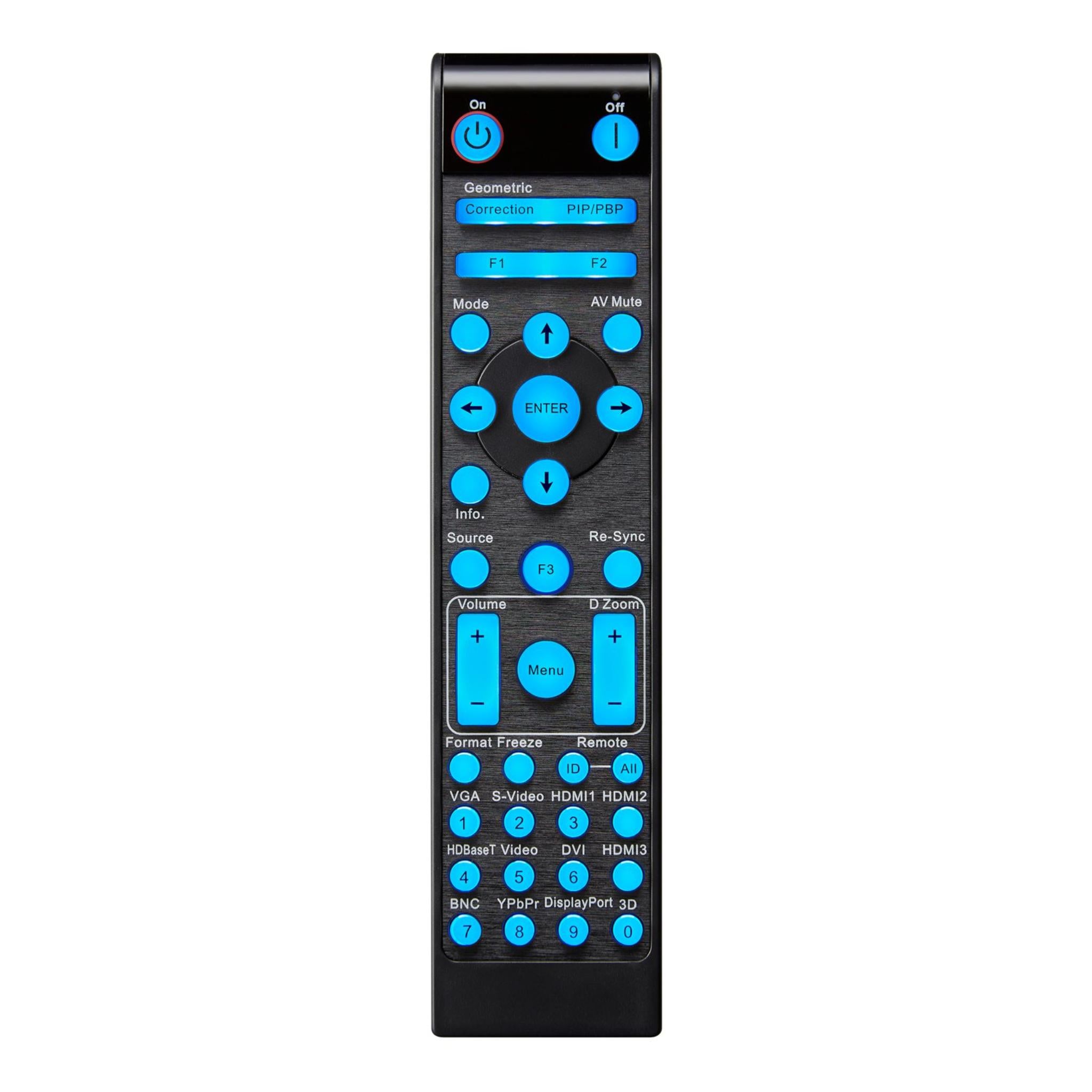
| Remote Control | Backlit ProAV remote |
| Speakers | 2 × 15W built-in |
| LAN Control | Yes, network control over RJ45 |
Power
| Category | Specification |
|---|---|
| Power Supply | Universal AC 100–240V ±10%, 50/60 Hz, PFC input |
| Power Consumption, Standby | < 0.5W |
| Power Consumption, Min | 240W |
| Power Consumption, Max | 366W |
Dimensions & Weight
| Category | Specification |
|---|---|
| Dimensions (W × D × H) | 374 × 302 × 117 mm |
| Net Weight | 6.3 kg |
| Gross Weight | 8.6 kg |
Getting Started Guide
- Unbox the projector, power cable, remote, and user manual.
- Position the projector at the recommended distance, approximately 0.38 m – 3.75 m, depending on the desired screen size.
- Connect the power supply and source devices using HDMI, VGA, or HDBaseT 3.0.
- Adjust manual lens shift for proper alignment.
- Power on the projector using the remote or control panel.
- Select the display mode, such as Standard, HDR, Game, or Golf Sim Picture Mode, as needed.
- Test image alignment, focus, and color accuracy, then save settings.
Product Installation Guide
Ceiling or Wall Mount
- Ensure the mount supports the projector weight and required throw distance.
- Connect all cables before mounting.
- Maintain proper ventilation and ambient conditions, typically 0°C–40°C with humidity below 80%.
- Use lens shift, keystone, and four-corner correction to align the image.
Tabletop or Shelf Setup
- Place the projector on a stable, level surface.
- Adjust lens shift and keystone for correct image placement.
- Avoid direct light on the projection surface for best contrast and image quality.
Network and Control Integration
- Connect LAN for use with AMX, Crestron RoomView, Extron IPLink, or Telnet.
- HDBaseT 3.0 supports uncompressed video, audio, and control over a single CAT-type cable up to 100 m.
Manual
Datasheets
CAD
Frequently Asked Questions
Shipping / Returns & Warranty Policy: Optoma
Shipping Policy
Simulator Direct processes and ships Optoma orders using trusted parcel and freight carriers to help ensure reliable delivery and product protection. Most Optoma products ship directly from Optoma’s U.S. distribution partners.
Shipping Methods & Charges
- Optoma products typically ship via FedEx Ground within the contiguous United States.
- Larger displays or multi-unit orders may ship via freight carriers.
- All shipping costs, including any required signature fee, are calculated based on destination, order size, and shipping method.
- These charges are clearly displayed in your cart and at checkout before you place your order.
- From time to time, qualifying Optoma orders may be eligible for free standard ground shipping.
- This may apply to certain high-value orders or specific interactive/commercial display panels.
- When free shipping is available, it will be clearly indicated on the product page and/or at checkout.
- Unless Free Shipping is explicitly shown at checkout for your address, standard shipping rates apply.
- Free shipping, when offered, is limited to the contiguous United States.
- Free shipping does not apply to Alaska, Hawaii, U.S. territories, or international destinations.
Lead Time & Processing
- Most Optoma orders are released to the warehouse and prepared for shipment within 1–3 business days, subject to product availability and order volume.
- Once shipped, typical FedEx Ground transit times within the contiguous United States are approximately 3–5 business days.
- Freight shipments may take slightly longer.
- All delivery times are estimates only.
- Actual transit times may vary due to carrier routing, weather, seasonal volume, or other factors outside our control.
- Tracking details will be provided by email once your order has shipped so you can monitor its progress.
Freight Deliveries & Special Services
- Larger or heavier Optoma products may ship on pallets via freight carriers.
- Freight deliveries are typically made to a commercial loading dock or curbside at residential addresses.
- If you require services such as lift gate, inside delivery, or a scheduled appointment, please contact support@simulatordirect.com before placing your order.
- This allows us to provide a quote and set expectations for delivery.
Return Policy
We want you to be satisfied with your Optoma purchase. Because Optoma products are electronics covered by the manufacturer’s Limited Warranty, returns and exchanges are subject to specific guidelines.
Eligibility
- Returns must be requested within 30 days of delivery.
- Items must be unused, in their original packaging, and in resellable condition.
- All returns must receive written authorization from Simulator Direct before being shipped back.
- Unauthorized returns may be refused or subject to additional fees.
- For non-defective Optoma items, returns are generally limited to unopened, unused products in factory-sealed packaging.
- Open-box returns may not be accepted or may incur higher restocking fees, depending on inspection and manufacturer approval.
Return Shipping & Restocking
- Return shipping costs for non-defective Optoma products are the responsibility of the customer.
- Non-defective returns may be subject to restocking fees of up to 35% of the product price, depending on condition and manufacturer requirements.
- Any applicable restocking fee for an Optoma return will be disclosed at the time return authorization is granted.
- High-value orders are processed shortly after purchase.
- Cancellations must be requested promptly to help avoid processing fees.
Defective or Dead-on-Arrival Items
- If your Optoma product arrives defective, dead on arrival, or damaged in transit, please contact support@simulatordirect.com as soon as possible.
- Please report the issue ideally within 7 days of delivery.
- Include your order number and photos of the issue and packaging.
- We will assist with troubleshooting and coordinate next steps with Optoma.
- Approved defective or DOA units are generally repaired or replaced under Optoma’s Limited Warranty rather than refunded.
- Warranty shipping responsibilities and service options follow Optoma’s published warranty terms.
Non-Returnable Items
- Special-order Optoma configurations.
- Products identified as non-returnable on the product page.
- Items that have been installed, heavily used, or modified.
- Products that do not qualify for standard returns may only qualify for warranty service, repair, or replacement where applicable.
Return Process
- Email support@simulatordirect.com with your order number, a description of the issue, and photos if the item is damaged.
- Wait for written authorization and return instructions.
- If approved, ship the product using the provided instructions.
- Product must be packed in original or equivalent protective packaging.
- All accessories and documentation must be included.
- Once the item is received, inspected, and approved by the supplier or manufacturer, any applicable refund will be processed to the original payment method.
- Refund timing is typically within 7–20 business days, depending on manufacturer processing times.
Order Changes & Cancellations
- If you need to change or cancel an Optoma order, please contact support@simulatordirect.com as soon as possible.
- Orders that have not yet entered processing or shipment may be adjusted or cancelled at no charge.
- Once an order has been processed, allocated, or shipped, changes or cancellations are no longer guaranteed.
- If fulfilled, the order will be handled under the standard return policy.
- Special-order Optoma products may be subject to cancellation fees if cancelled after the supplier has reserved or shipped stock on your behalf.
- Any such fees will be disclosed before we finalize the cancellation.
Warranty & Replacements
Optoma Limited Warranty
Optoma products purchased through Simulator Direct are covered by Optoma’s official Limited Warranty for products sold in the United States and Canada. Warranty length and coverage vary by product category.
- Some projectors and displays may include different parts-and-labor and light-source coverage.
- For the exact warranty term that applies to your specific model, please refer to:
- The warranty card or documentation included with your product.
- The product page on Optoma’s website.
- Optoma’s Limited Warranty page at support.optomausa.com.
Warranty Service & Shipping
- If your Optoma product appears to be defective during the warranty period, contact Simulator Direct or Optoma End User Support to begin a warranty claim.
- Optoma will determine eligibility for repair, replacement, on-site service, or advanced replacement, as applicable under their policy.
- Once Optoma approves a warranty claim, they will issue return instructions and an RMA (Return Merchandise Authorization) if needed.
- Products returned under warranty must be properly packaged and include:
- All required accessories.
- All required documentation.
- Proof of purchase.
Optoma U.S. Warranty Shipping Terms
- For eligible warranty claims within 30 days of purchase, Optoma typically covers two-way shipping for warranty service.
- For eligible warranty claims after 30 days of purchase, Optoma typically covers one-way shipping, with the customer responsible for the other leg of transit.
- Any advanced replacement or expedited shipping options, when available, are offered at Optoma’s discretion and may be subject to additional terms or fees.
What the Warranty Covers
- During the applicable warranty period and under normal use, Optoma will, at its option, repair or replace products or components found to be defective in materials or workmanship.
- Replacement units or parts may be new, refurbished, or re-manufactured, consistent with Optoma’s standard practices.
The warranty does not cover:
- Normal wear and tear.
- Damage from misuse or improper installation.
- Cosmetic damage.
- Damage caused by non-Optoma accessories or modifications.
- Damage resulting from environmental conditions or power issues outside the specifications listed in the product documentation.
Post-Warranty Service
- If your Optoma product requires service after the warranty period expires, Optoma or its authorized service centers may offer paid repair options.
- In post-warranty cases, the customer is responsible for all parts, labor, and shipping costs.
- If you have questions about whether your issue is covered under warranty, or need help starting a claim, please contact support@simulatordirect.com.
- We will assist you in coordinating with Optoma Support.

Newsletter
Exclusive Updates. Delivered Before Anyone Else.