
Skip to content

Cart

Your cart is empty

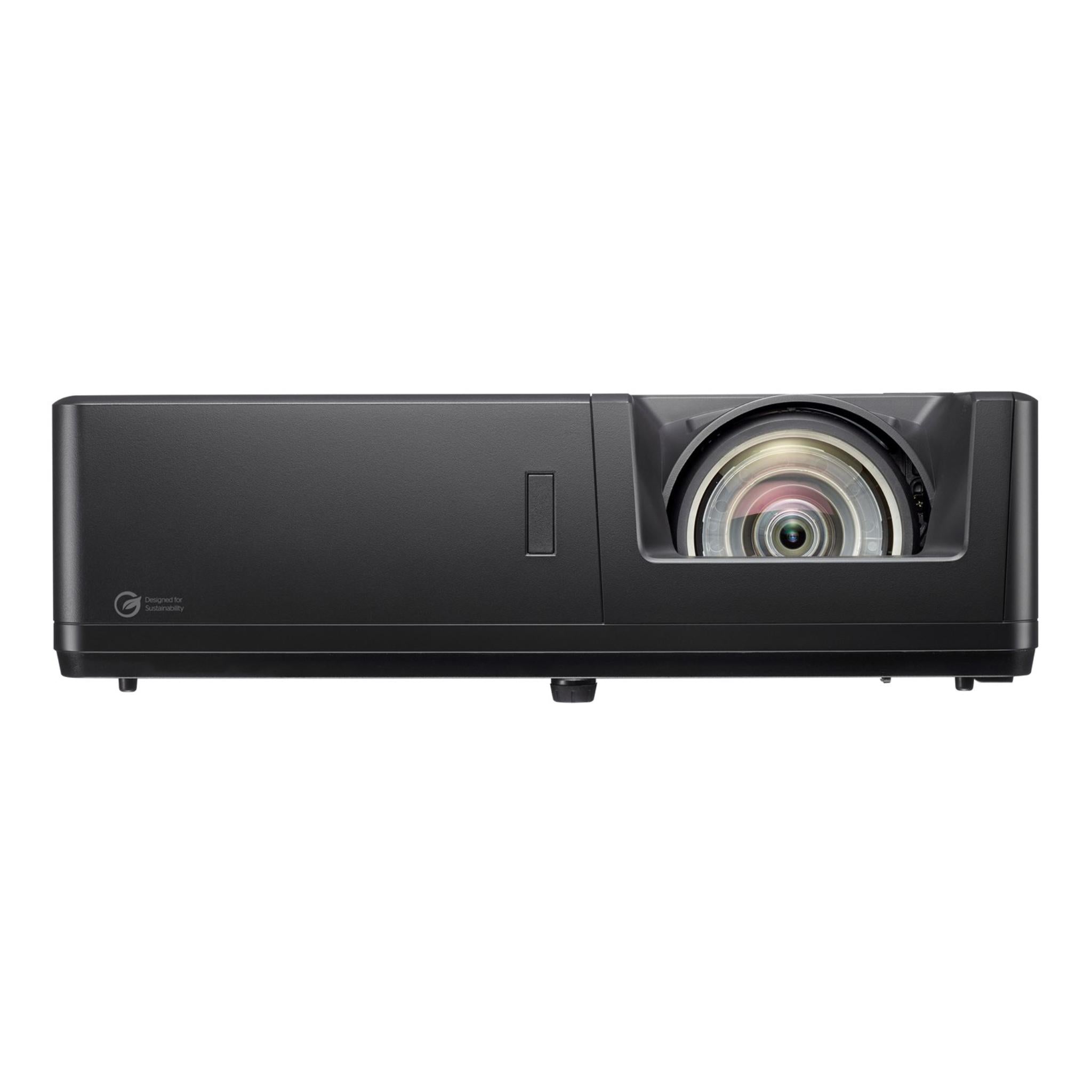
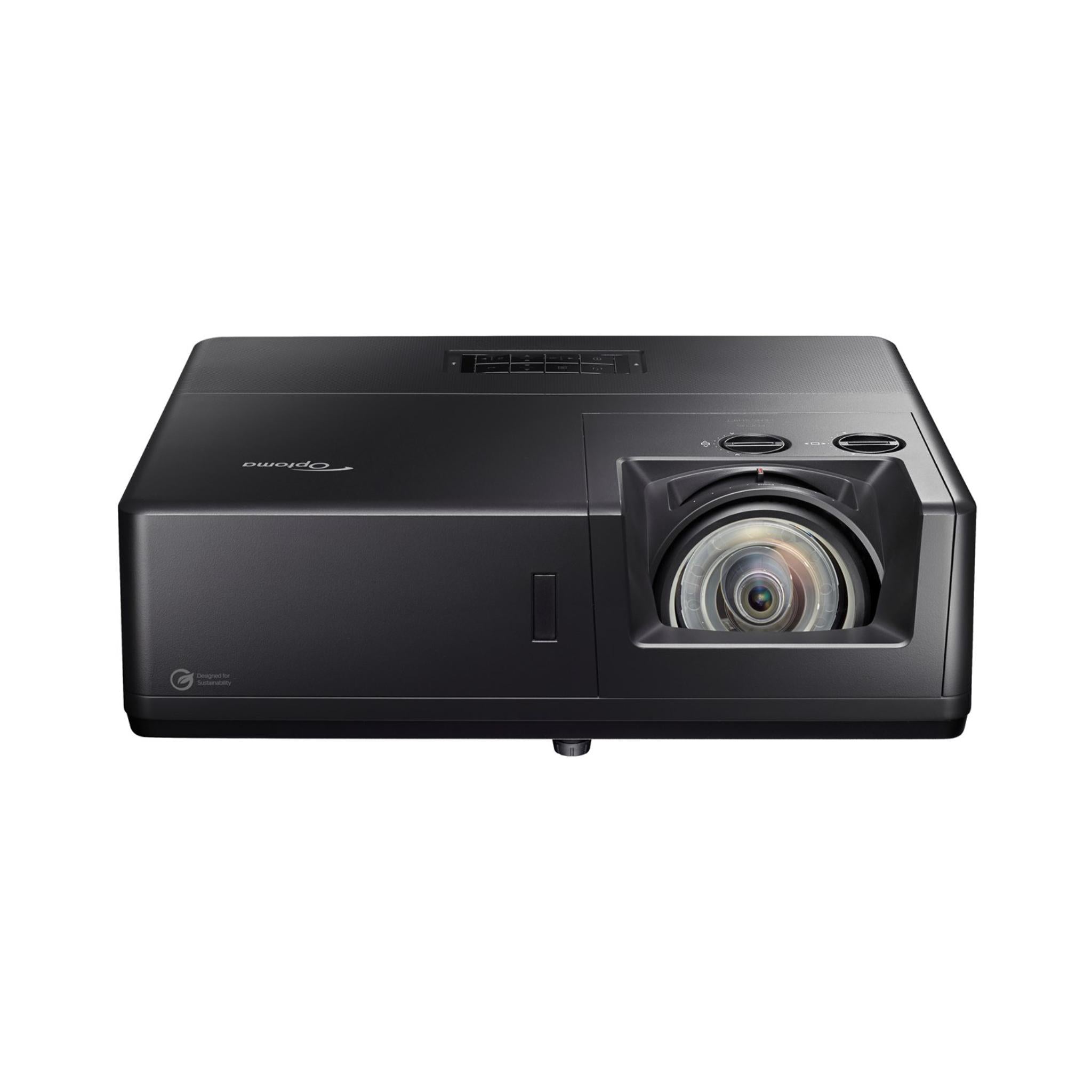
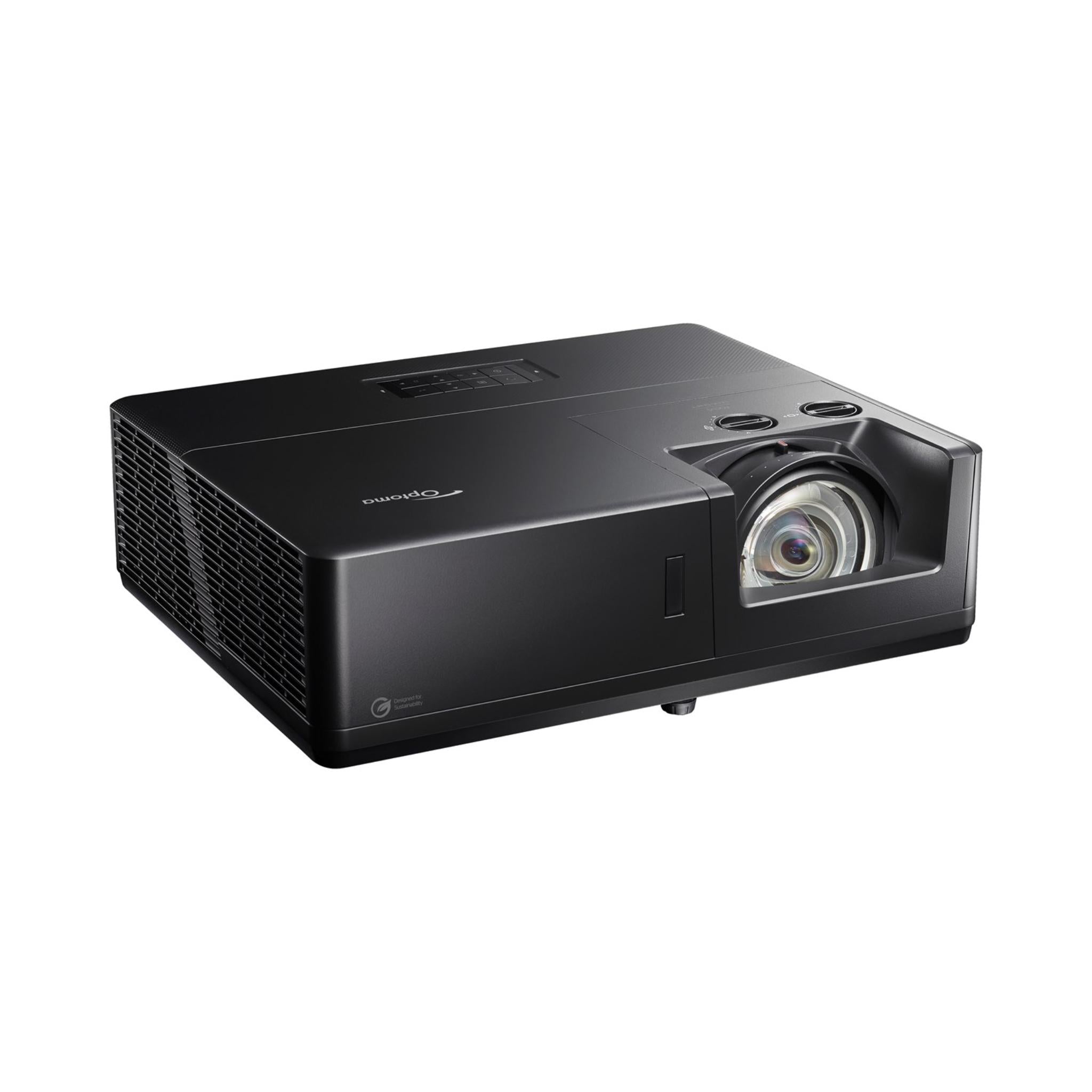
Optoma ZK608TST DLP Projector

Sale price$6,859.00

Got Questions?
Email: support@simulatordirect.com
Phone: (714) 202-9416

  • American Express
  • Apple Pay
  • Diners Club
  • Discover
  • Google Pay
  • Mastercard
  • PayPal
  • Shop Pay
  • Visa

Fast & Free Shipping On Eligible Items

Exclusions Apply

Lowest Price Guarantee

Found a better price? We’ll match it — Guaranteed.

Simulator Expertise

Talk to a Real Expert
(714) 202-9416
Mon–Sat 8AM–5PM PST

Description

Optoma ZK608TST DLP Projector

The Optoma ZK608TST is a high-performance 4K UHD short-throw laser projector engineered for professional environments where brightness, image quality, reliability, and low maintenance are essential.

Optoma ZK608TST DLP Projector

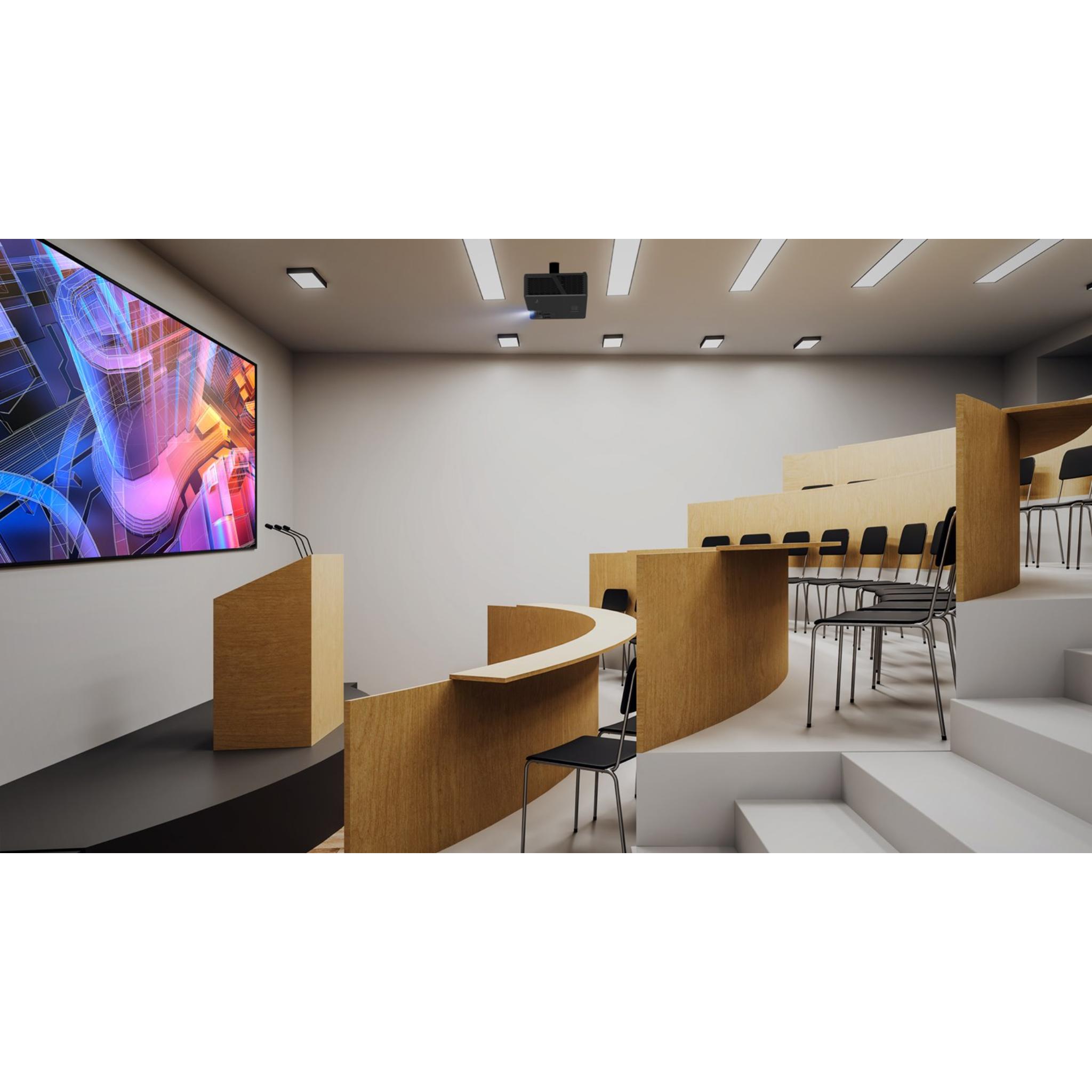
With 6,000 lumens, true 4K resolution, and compatibility with HDR10 and HLG, it delivers sharp, vivid images for large venues, lecture theatres, museums, digital signage, houses of worship, and immersive installations.

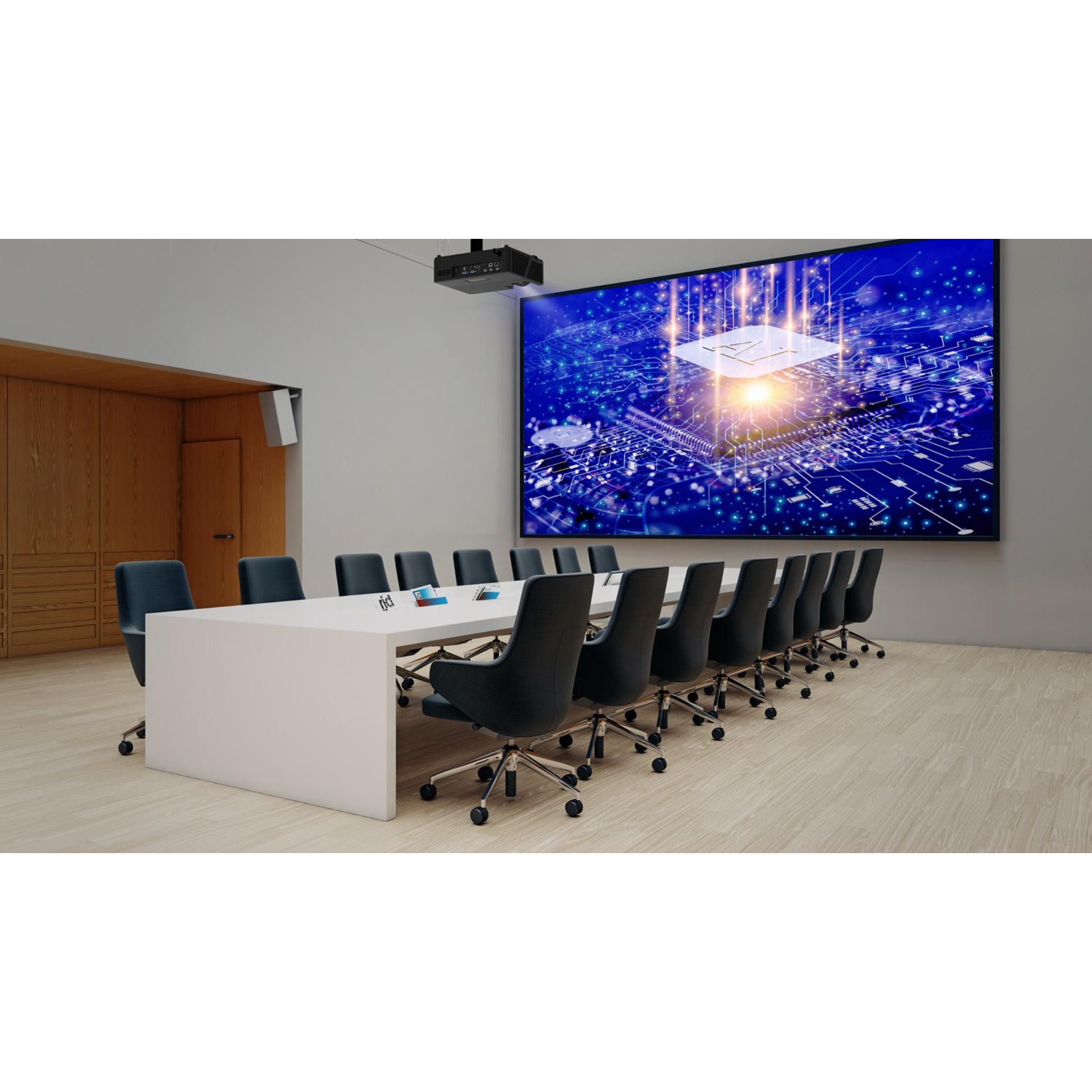
Optoma ZK608TST professional projector setup

Built for long-term reliability, the ZK608TST uses DuraCore laser technology with up to 30,000 hours of virtually maintenance-free operation. Its independently IP6X-certified optical engine helps protect against dust and supports demanding 24/7 operation.

Optoma ZK608TST flexible installation

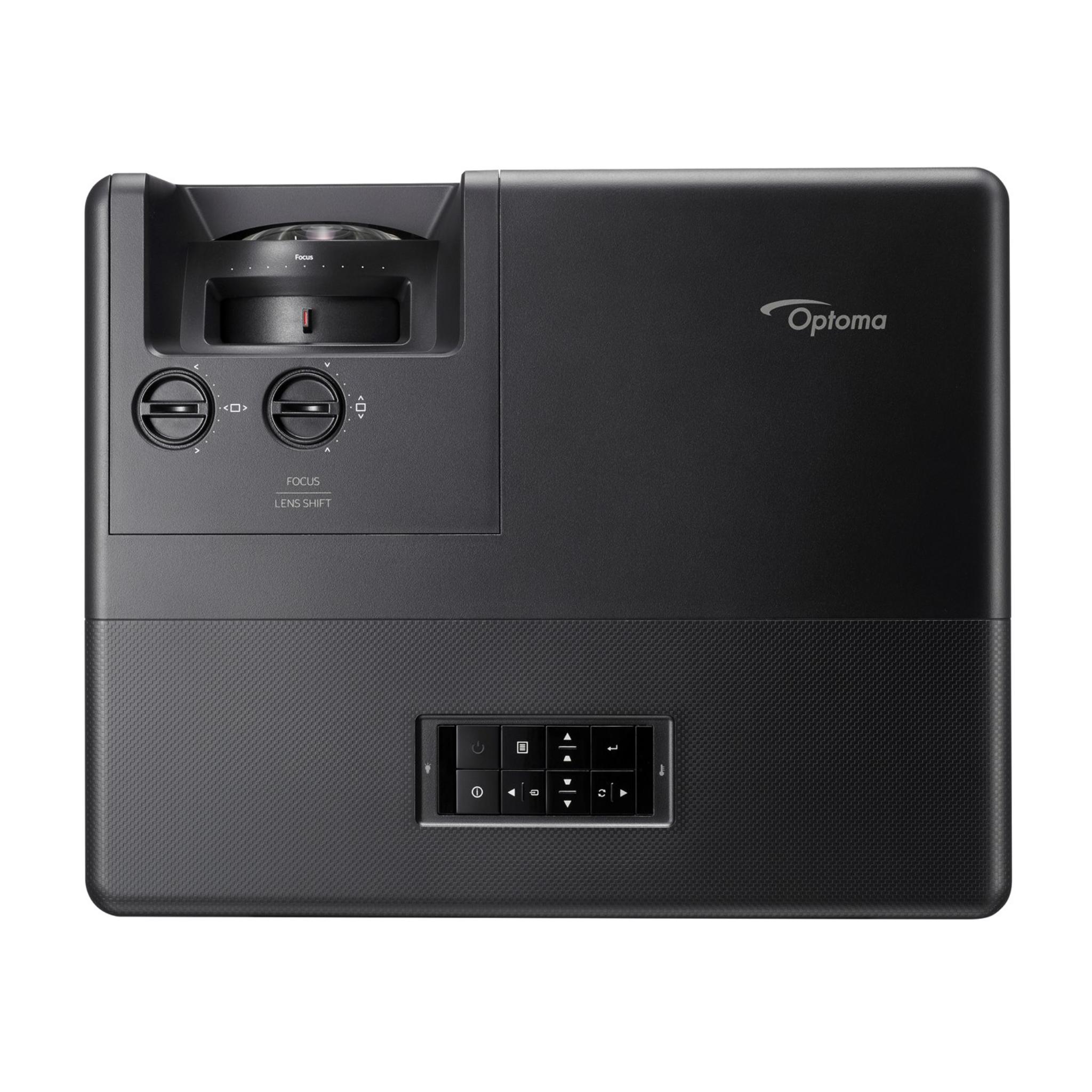
The short-throw lens, combined with manual horizontal and vertical lens shift, provides flexible installation options so the projector can adapt to complex spaces and different screen placements.

Optoma ZK608TST sustainability design

The chassis is designed with sustainability in mind, using up to 50% PCR post-consumer recycled plastics and packaging made with up to 97% recyclable materials. This eco-conscious design helps reduce environmental impact without compromising performance.

Optoma ZK608TST connectivity options

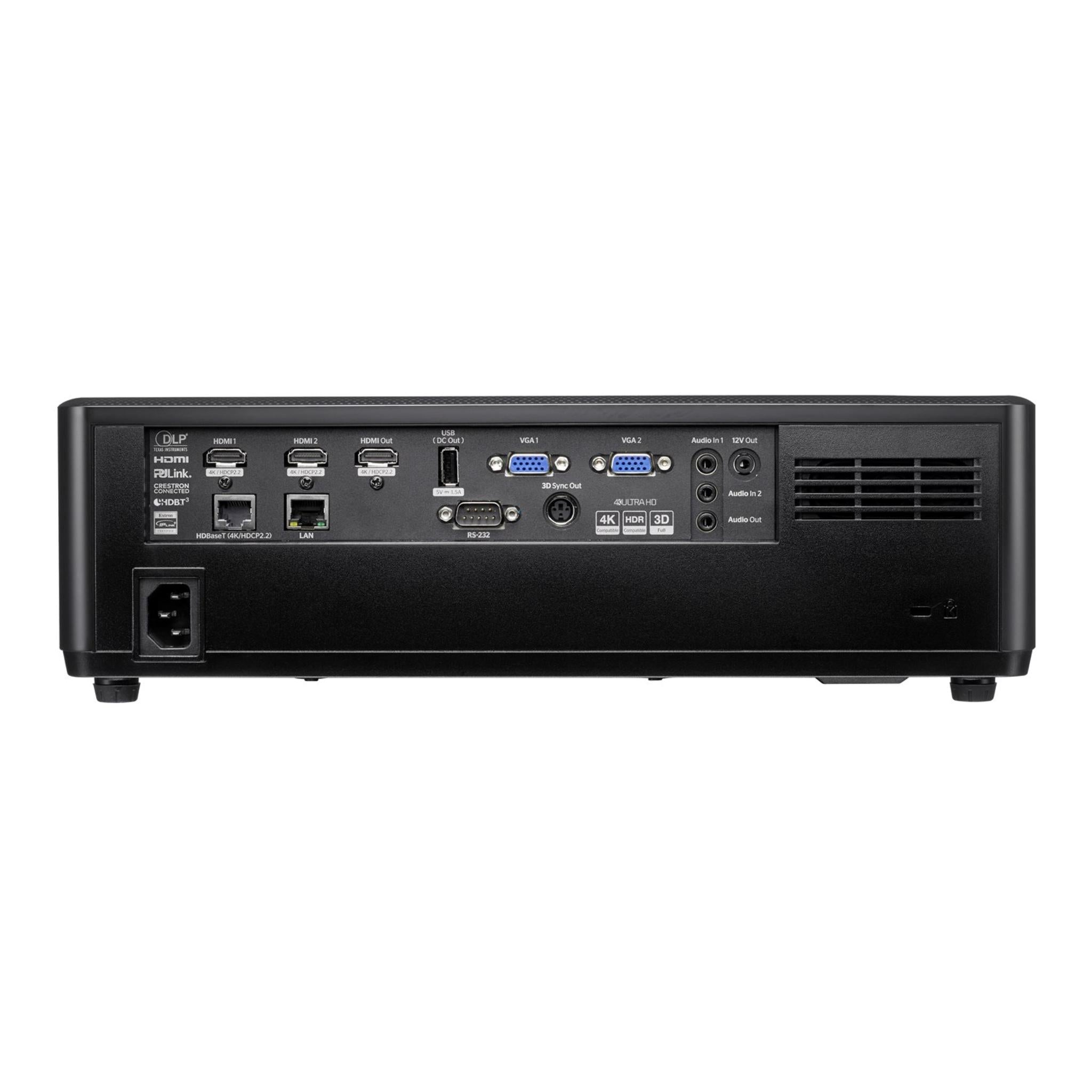
With flexible connectivity, including HDBaseT 3.0 for uncompressed video, RS232, LAN, and control through Optoma Management Suite, the ZK608TST offers a professional “set-up and forget” solution. Whether used for high-impact presentations, exhibitions, signage, or continuous commercial use, it delivers premium image quality and professional-grade reliability.


Product Features

Product Features

Feature Details
Projection Type High-brightness short-throw 4K UHD professional laser projector.
Brightness 6,000 lumens for large spaces and well-lit environments.
Resolution UHD 4K, 3840 × 2160.
Light Source DuraCore laser with up to 30,000 hours of virtually maintenance-free performance.
Throw Ratio 0.58:1 short-throw lens for large images from shorter distances.
Lens Shift Manual horizontal and vertical lens shift for flexible placement.
Contrast Ratio 300,000:1 dynamic contrast ratio.
Aspect Ratio Native 16:9, compatible with 4:3 and 16:9 formats.
Screen Size Range 30” – 300” diagonal.
Keystone Correction Horizontal ±15° and vertical ±15°.
HDR Support Compatible with HDR10 and HLG content.
IP Rating IP6X-certified dust-resistant optical engine for demanding use.
Built-In Audio Integrated speaker system for onboard sound.
Connectivity 2× HDMI 2.0, 2× VGA, audio inputs and outputs, HDMI out, 3D sync, 12V trigger, USB-A power, HDBaseT 3.0, RJ45 LAN, and RS232 control.
HDBaseT 3.0 Carries 4K video, audio, and control over a single cable for long-distance runs.
Operation Designed for 24/7 professional installations.
Eco Design Chassis made with up to 50% post-consumer recycled plastics; packaging up to 97% recyclable.
Typical Applications Large venues, classrooms, lecture halls, museums, houses of worship, digital signage, immersive environments, and simulation installs.


What's Included

What’s Included

  • ZK608TST projector.
  • AC power cord.
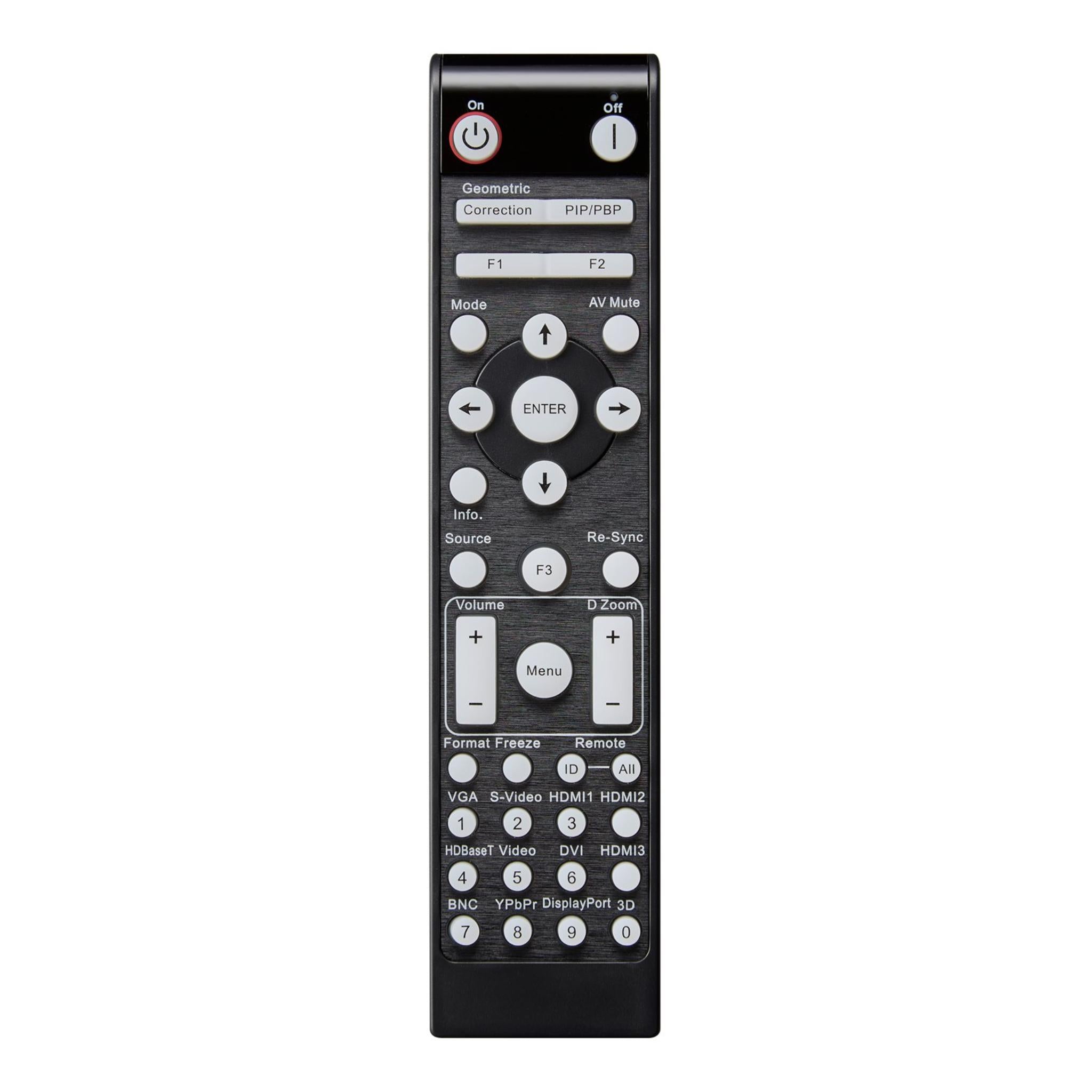
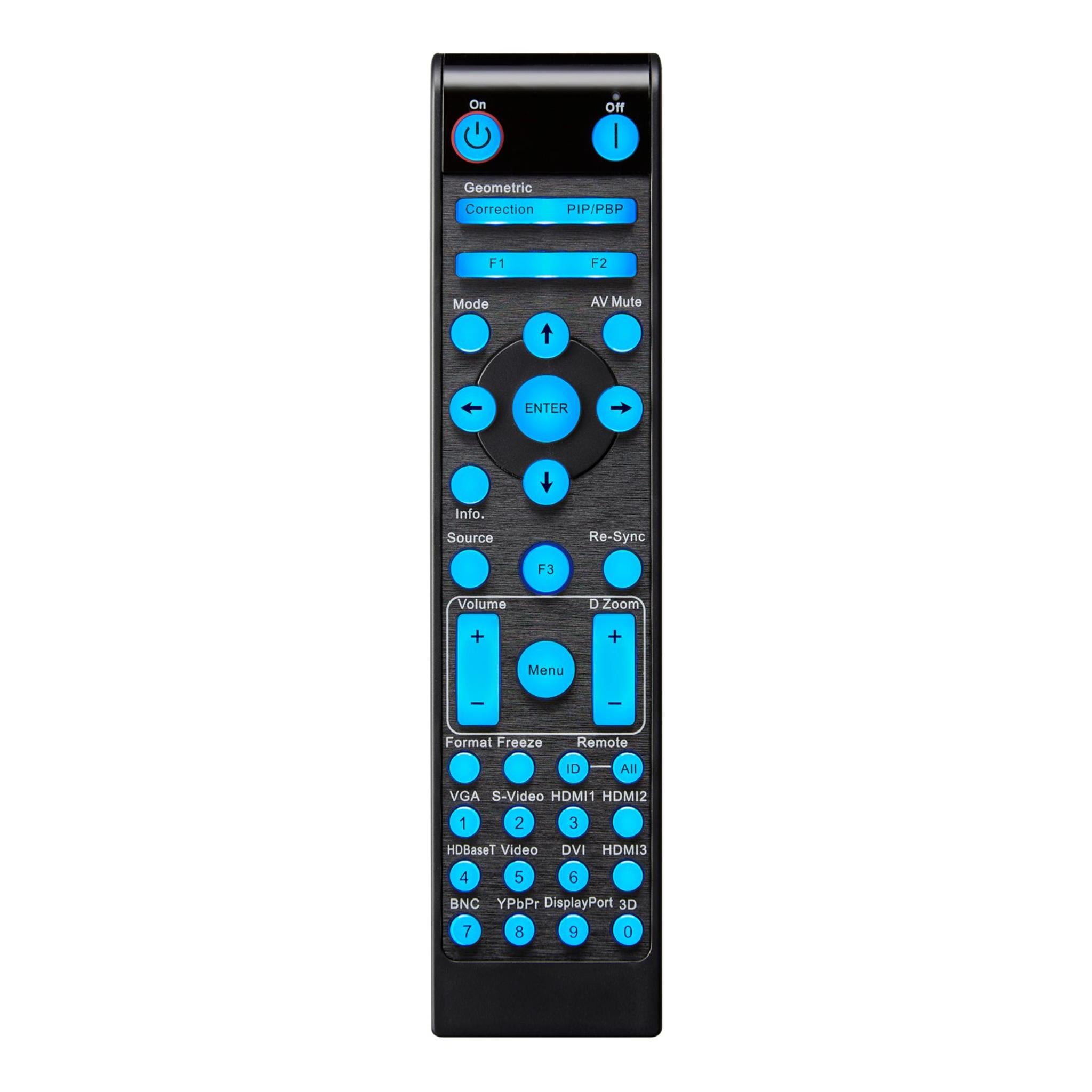
  • Remote control.
  • 2 × AAA batteries for the remote.
  • Basic user manual.


Product Specifications

Product Specifications

Display & Image

Spec Value
Display Technology DLP®
Native Resolution UHD 4K, 3840 × 2160
Brightness 6,000 lumens
Contrast Ratio 300,000:1 dynamic
Native Aspect Ratio 16:9
Compatible Aspect Ratios 4:3, 16:9
Keystone Correction Horizontal ±15°, vertical ±15°
Displayable Colors 1.073 billion
Horizontal Scan Rate 5–140 kHz
Vertical Scan Rate 24–120 Hz
Uniformity 85%
Screen Size 30” – 300” diagonal


Light Source

Spec Value
Light Source Type Laser, DuraCore
Laser Life Up to 30,000 hours


Optical / Lens

Spec Value
Throw Ratio 0.58:1 short throw
Projection Distance 14.96” – 147.64”, approx. 0.38 m – 3.75 m
Zoom Type Fixed, no optical zoom
Focal Length 8.51 mm
Native Offset 106%
Vertical Lens Shift -106% to 116%
Horizontal Lens Shift ±4%
Lens Shift Availability Yes, manual horizontal and vertical lens shift


Connectivity

Category Ports
Inputs 2 × HDMI 2.0, 2 × VGA, 2 × 3.5 mm audio in, 1 × USB-A power 1.5A
Outputs 1 × HDMI 2.0, 1 × 3.5 mm audio out, 1 × 3D sync, 1 × 12V trigger
Control 1 × HDBaseT 4K, 1 × RJ45 LAN, 1 × RS232
LAN Wired LAN control: Yes; Wireless LAN: No


General Features

Spec Value
Noise Level 33 dB minimum, 36 dB maximum
3D Support Full 3D capable
Security Security bar, Kensington® lock, password-protected interface
IP Rating IP6X dust-resistant optical engine
OSD / Languages 25 languages, including English, Spanish, French, German, Italian, Portuguese, Chinese, Japanese, and more.
360° Operation Yes, supports 360° installation
Remote Control Backlit ProAV remote
Speaker Configuration 2 × 15W integrated speakers


Power

Spec Value
Power Supply Universal AC 100–240V ±10%, 50/60 Hz, PFC input
Standby Power <0.5W
Power Consumption, Minimum 300W
Power Consumption, Maximum 366W


Dimensions & Weight

Spec Value
Dimensions (W × D × H) 14.72” × 11.89” × 4.61”, 374 × 302 × 117 mm
Net Weight 13.89 lb, approx. 6.3 kg
Gross Weight 18.96 lb, approx. 8.6 kg


Getting Started Guide

Getting Started Guide

  1. Unbox the projector, power supply, remote control, AC cord, and user manual.
  2. Position the projector at an appropriate distance, approximately 0.38 m – 3.75 m from the projection surface, depending on the desired screen size.
  3. Connect the external power supply to the projector and plug in the AC power cord.
  4. Connect your source device, such as a laptop, media player, or PC, to an HDMI input. For long-distance cable runs, use HDBaseT when applicable.
  5. Use the lens shift controls to center and align the image while reducing the need for keystone correction.
  6. Turn on the projector using the power button or remote, then select the required display mode, such as Standard, HDR, or Presentation.
  7. For audio, use the built-in speakers or connect external speakers through the 3.5 mm audio output if needed.
  8. Verify image geometry, focus, and color settings, then save your configuration for repeated use.


Product Installation Guide

Product Installation Guide

Ceiling or Wall Mount

  • Use a short-throw compatible ceiling or wall mount to ensure proper lens-to-screen distance.
  • Before final mounting, connect power and video cables to avoid strain on cables.
  • Ensure adequate ventilation. Do not block vents. Maintain ambient temperature between 0°C and 40°C and humidity below 80%.
  • Use lens shift and keystone correction to precisely align the image. Avoid extreme keystone correction when possible for optimal clarity.


Tabletop or Shelf Setup

  • Place the projector on a stable surface within the required throw-distance range.
  • Adjust lens shift and alignment manually. Make sure the projector is level and secure to prevent accidental movement.
  • Avoid bright direct light or sunlight on the projection surface for the best contrast and color performance.


Network and Control Integration

  • For installations requiring remote control or central management, connect through LAN/RJ45 for use with control systems such as AMX, Crestron RoomView, or Extron IPLink.
  • For long cable runs or simplified cable management, use HDBaseT 3.0 for video, audio, and control over a single CAT-type cable up to 100 m.
  • Ensure the projector is mounted in a location that allows easy access to control ports and ventilation.

Manual

Datasheets

CAD


Smart Fit Firmware Update Available

The Optoma ZK608TST now supports Optoma’s new Smart Fit / Custom Screen Type firmware feature, designed to make projector setup easier for non-standard screen sizes commonly used in golf simulator rooms, training bays, and immersive display environments.

With the Custom Screen Type function, you can add a custom resolution to the projector’s EDID table. This allows the projector and connected source device to better recognize your unique screen dimensions, helping you fill non-standard impact screens more accurately while reducing unwanted geometric distortion.

  • Ideal for non-standard simulator screens: Helps better match the projected image to custom impact screen sizes and aspect ratios.
  • Improved image fit: Allows you to maximize usable screen space without relying only on scaling or manual adjustments.
  • Reduced geometric distortion: Helps create a cleaner image shape when working with unique screen dimensions.
  • Maximized on-screen pixel density: Helps preserve image clarity by better aligning the projector output with the actual screen format.
  • Helpful for golf simulator builds: Especially useful when trying to fill wide, tall, or custom-sized impact screens that do not match standard 16:9 formats.

Firmware update requirements: A USB-A to USB-A cable and a Windows PC are required to complete the update.

Availability: Firmware can be downloaded through the Optoma product page or direct firmware link below.

ZK608TST


Custom Screen Type Feature Guide

FAQ's

Frequently Asked Questions

Q. What distance do I need to place the ZK608TST from the screen for a full-size image? Click to expand ▼

A. The projector supports a projection distance range from approximately 0.38 m to 3.75 m. Use the 0.58:1 throw ratio and your screen size requirements to determine exact placement.

Q. Can this projector run continuously 24/7? Click to expand ▼

A. Yes. It uses an IP6X-certified optical engine and DuraCore laser light source designed for 24/7 operation, making it suitable for demanding commercial or signage environments.

Q. How long does the laser light source last? Click to expand ▼

A. The laser light source lasts up to 30,000 hours, delivering many years of maintenance-free use under normal operation.

Q. Does it support HDR content? Click to expand ▼

A. Yes. The ZK608TST is compatible with HDR10 and HLG, allowing for enhanced contrast, vivid colors, and richer detail with compatible content.

Q. What control and connectivity options are available? Click to expand ▼

A. The ZK608TST includes 2 × HDMI 2.0, 2 × VGA, audio inputs, HDMI output, audio output, 3D sync, 12V trigger, HDBaseT 4K, RS232, LAN/RJ45, and USB-A power for external devices.

Q. Is the projector environmentally friendly? Click to expand ▼

A. The chassis uses up to 50% post-consumer recycled plastics, and the packaging is made with up to 97% recyclable materials, helping reduce the environmental footprint of the product lifecycle.

Q. Can it be installed in portrait mode or at an angle? Click to expand ▼

A. Yes. The ZK608TST supports portrait projection and 360° orientation, offering flexibility for signage, unusual installations, and creative display setups.

Shipping/Returns & Warranty Policy

Shipping / Returns & Warranty Policy: Optoma

Shipping Policy

Simulator Direct processes and ships Optoma orders using trusted parcel and freight carriers to help ensure reliable delivery and product protection. Most Optoma products ship directly from Optoma’s U.S. distribution partners.

Shipping Methods & Charges

  • Optoma products typically ship via FedEx Ground within the contiguous United States.
  • Larger displays or multi-unit orders may ship via freight carriers.
  • All shipping costs, including any required signature fee, are calculated based on destination, order size, and shipping method.
    • These charges are clearly displayed in your cart and at checkout before you place your order.
  • From time to time, qualifying Optoma orders may be eligible for free standard ground shipping.
    • This may apply to certain high-value orders or specific interactive/commercial display panels.
    • When free shipping is available, it will be clearly indicated on the product page and/or at checkout.
  • Unless Free Shipping is explicitly shown at checkout for your address, standard shipping rates apply.
  • Free shipping, when offered, is limited to the contiguous United States.
    • Free shipping does not apply to Alaska, Hawaii, U.S. territories, or international destinations.

Lead Time & Processing

  • Most Optoma orders are released to the warehouse and prepared for shipment within 1–3 business days, subject to product availability and order volume.
  • Once shipped, typical FedEx Ground transit times within the contiguous United States are approximately 3–5 business days.
  • Freight shipments may take slightly longer.
  • All delivery times are estimates only.
    • Actual transit times may vary due to carrier routing, weather, seasonal volume, or other factors outside our control.
  • Tracking details will be provided by email once your order has shipped so you can monitor its progress.

Freight Deliveries & Special Services

  • Larger or heavier Optoma products may ship on pallets via freight carriers.
  • Freight deliveries are typically made to a commercial loading dock or curbside at residential addresses.
  • If you require services such as lift gate, inside delivery, or a scheduled appointment, please contact support@simulatordirect.com before placing your order.
    • This allows us to provide a quote and set expectations for delivery.

Return Policy

We want you to be satisfied with your Optoma purchase. Because Optoma products are electronics covered by the manufacturer’s Limited Warranty, returns and exchanges are subject to specific guidelines.

Eligibility

  • Returns must be requested within 30 days of delivery.
  • Items must be unused, in their original packaging, and in resellable condition.
  • All returns must receive written authorization from Simulator Direct before being shipped back.
    • Unauthorized returns may be refused or subject to additional fees.
  • For non-defective Optoma items, returns are generally limited to unopened, unused products in factory-sealed packaging.
  • Open-box returns may not be accepted or may incur higher restocking fees, depending on inspection and manufacturer approval.

Return Shipping & Restocking

  • Return shipping costs for non-defective Optoma products are the responsibility of the customer.
  • Non-defective returns may be subject to restocking fees of up to 35% of the product price, depending on condition and manufacturer requirements.
  • Any applicable restocking fee for an Optoma return will be disclosed at the time return authorization is granted.
  • High-value orders are processed shortly after purchase.
    • Cancellations must be requested promptly to help avoid processing fees.

Defective or Dead-on-Arrival Items

  • If your Optoma product arrives defective, dead on arrival, or damaged in transit, please contact support@simulatordirect.com as soon as possible.
  • Please report the issue ideally within 7 days of delivery.
  • Include your order number and photos of the issue and packaging.
  • We will assist with troubleshooting and coordinate next steps with Optoma.
  • Approved defective or DOA units are generally repaired or replaced under Optoma’s Limited Warranty rather than refunded.
  • Warranty shipping responsibilities and service options follow Optoma’s published warranty terms.

Non-Returnable Items

  • Special-order Optoma configurations.
  • Products identified as non-returnable on the product page.
  • Items that have been installed, heavily used, or modified.
  • Products that do not qualify for standard returns may only qualify for warranty service, repair, or replacement where applicable.

Return Process

  1. Email support@simulatordirect.com with your order number, a description of the issue, and photos if the item is damaged.
  2. Wait for written authorization and return instructions.
  3. If approved, ship the product using the provided instructions.
    • Product must be packed in original or equivalent protective packaging.
    • All accessories and documentation must be included.
  4. Once the item is received, inspected, and approved by the supplier or manufacturer, any applicable refund will be processed to the original payment method.
    • Refund timing is typically within 7–20 business days, depending on manufacturer processing times.

Order Changes & Cancellations

  • If you need to change or cancel an Optoma order, please contact support@simulatordirect.com as soon as possible.
  • Orders that have not yet entered processing or shipment may be adjusted or cancelled at no charge.
  • Once an order has been processed, allocated, or shipped, changes or cancellations are no longer guaranteed.
    • If fulfilled, the order will be handled under the standard return policy.
  • Special-order Optoma products may be subject to cancellation fees if cancelled after the supplier has reserved or shipped stock on your behalf.
    • Any such fees will be disclosed before we finalize the cancellation.

Warranty & Replacements

Optoma Limited Warranty

Optoma products purchased through Simulator Direct are covered by Optoma’s official Limited Warranty for products sold in the United States and Canada. Warranty length and coverage vary by product category.

  • Some projectors and displays may include different parts-and-labor and light-source coverage.
  • For the exact warranty term that applies to your specific model, please refer to:
    • The warranty card or documentation included with your product.
    • The product page on Optoma’s website.
    • Optoma’s Limited Warranty page at support.optomausa.com.

Warranty Service & Shipping

  • If your Optoma product appears to be defective during the warranty period, contact Simulator Direct or Optoma End User Support to begin a warranty claim.
  • Optoma will determine eligibility for repair, replacement, on-site service, or advanced replacement, as applicable under their policy.
  • Once Optoma approves a warranty claim, they will issue return instructions and an RMA (Return Merchandise Authorization) if needed.
  • Products returned under warranty must be properly packaged and include:
    • All required accessories.
    • All required documentation.
    • Proof of purchase.

Optoma U.S. Warranty Shipping Terms

  • For eligible warranty claims within 30 days of purchase, Optoma typically covers two-way shipping for warranty service.
  • For eligible warranty claims after 30 days of purchase, Optoma typically covers one-way shipping, with the customer responsible for the other leg of transit.
  • Any advanced replacement or expedited shipping options, when available, are offered at Optoma’s discretion and may be subject to additional terms or fees.

What the Warranty Covers

  • During the applicable warranty period and under normal use, Optoma will, at its option, repair or replace products or components found to be defective in materials or workmanship.
  • Replacement units or parts may be new, refurbished, or re-manufactured, consistent with Optoma’s standard practices.

The warranty does not cover:

  • Normal wear and tear.
  • Damage from misuse or improper installation.
  • Cosmetic damage.
  • Damage caused by non-Optoma accessories or modifications.
  • Damage resulting from environmental conditions or power issues outside the specifications listed in the product documentation.

Post-Warranty Service

  • If your Optoma product requires service after the warranty period expires, Optoma or its authorized service centers may offer paid repair options.
  • In post-warranty cases, the customer is responsible for all parts, labor, and shipping costs.
  • If you have questions about whether your issue is covered under warranty, or need help starting a claim, please contact support@simulatordirect.com.
    • We will assist you in coordinating with Optoma Support.

Description

Optoma ZK608TST DLP Projector

The Optoma ZK608TST is a high-performance 4K UHD short-throw laser projector engineered for professional environments where brightness, image quality, reliability, and low maintenance are essential.

Optoma ZK608TST DLP Projector

With 6,000 lumens, true 4K resolution, and compatibility with HDR10 and HLG, it delivers sharp, vivid images for large venues, lecture theatres, museums, digital signage, houses of worship, and immersive installations.

Optoma ZK608TST professional projector setup

Built for long-term reliability, the ZK608TST uses DuraCore laser technology with up to 30,000 hours of virtually maintenance-free operation. Its independently IP6X-certified optical engine helps protect against dust and supports demanding 24/7 operation.

Optoma ZK608TST flexible installation

The short-throw lens, combined with manual horizontal and vertical lens shift, provides flexible installation options so the projector can adapt to complex spaces and different screen placements.

Optoma ZK608TST sustainability design

The chassis is designed with sustainability in mind, using up to 50% PCR post-consumer recycled plastics and packaging made with up to 97% recyclable materials. This eco-conscious design helps reduce environmental impact without compromising performance.

Optoma ZK608TST connectivity options

With flexible connectivity, including HDBaseT 3.0 for uncompressed video, RS232, LAN, and control through Optoma Management Suite, the ZK608TST offers a professional “set-up and forget” solution. Whether used for high-impact presentations, exhibitions, signage, or continuous commercial use, it delivers premium image quality and professional-grade reliability.


Product Features

Product Features

Feature Details
Projection Type High-brightness short-throw 4K UHD professional laser projector.
Brightness 6,000 lumens for large spaces and well-lit environments.
Resolution UHD 4K, 3840 × 2160.
Light Source DuraCore laser with up to 30,000 hours of virtually maintenance-free performance.
Throw Ratio 0.58:1 short-throw lens for large images from shorter distances.
Lens Shift Manual horizontal and vertical lens shift for flexible placement.
Contrast Ratio 300,000:1 dynamic contrast ratio.
Aspect Ratio Native 16:9, compatible with 4:3 and 16:9 formats.
Screen Size Range 30” – 300” diagonal.
Keystone Correction Horizontal ±15° and vertical ±15°.
HDR Support Compatible with HDR10 and HLG content.
IP Rating IP6X-certified dust-resistant optical engine for demanding use.
Built-In Audio Integrated speaker system for onboard sound.
Connectivity 2× HDMI 2.0, 2× VGA, audio inputs and outputs, HDMI out, 3D sync, 12V trigger, USB-A power, HDBaseT 3.0, RJ45 LAN, and RS232 control.
HDBaseT 3.0 Carries 4K video, audio, and control over a single cable for long-distance runs.
Operation Designed for 24/7 professional installations.
Eco Design Chassis made with up to 50% post-consumer recycled plastics; packaging up to 97% recyclable.
Typical Applications Large venues, classrooms, lecture halls, museums, houses of worship, digital signage, immersive environments, and simulation installs.


What's Included

What’s Included

  • ZK608TST projector.
  • AC power cord.
  • Remote control.
  • 2 × AAA batteries for the remote.
  • Basic user manual.


Product Specifications

Product Specifications

Display & Image

Spec Value
Display Technology DLP®
Native Resolution UHD 4K, 3840 × 2160
Brightness 6,000 lumens
Contrast Ratio 300,000:1 dynamic
Native Aspect Ratio 16:9
Compatible Aspect Ratios 4:3, 16:9
Keystone Correction Horizontal ±15°, vertical ±15°
Displayable Colors 1.073 billion
Horizontal Scan Rate 5–140 kHz
Vertical Scan Rate 24–120 Hz
Uniformity 85%
Screen Size 30” – 300” diagonal


Light Source

Spec Value
Light Source Type Laser, DuraCore
Laser Life Up to 30,000 hours


Optical / Lens

Spec Value
Throw Ratio 0.58:1 short throw
Projection Distance 14.96” – 147.64”, approx. 0.38 m – 3.75 m
Zoom Type Fixed, no optical zoom
Focal Length 8.51 mm
Native Offset 106%
Vertical Lens Shift -106% to 116%
Horizontal Lens Shift ±4%
Lens Shift Availability Yes, manual horizontal and vertical lens shift


Connectivity

Category Ports
Inputs 2 × HDMI 2.0, 2 × VGA, 2 × 3.5 mm audio in, 1 × USB-A power 1.5A
Outputs 1 × HDMI 2.0, 1 × 3.5 mm audio out, 1 × 3D sync, 1 × 12V trigger
Control 1 × HDBaseT 4K, 1 × RJ45 LAN, 1 × RS232
LAN Wired LAN control: Yes; Wireless LAN: No


General Features

Spec Value
Noise Level 33 dB minimum, 36 dB maximum
3D Support Full 3D capable
Security Security bar, Kensington® lock, password-protected interface
IP Rating IP6X dust-resistant optical engine
OSD / Languages 25 languages, including English, Spanish, French, German, Italian, Portuguese, Chinese, Japanese, and more.
360° Operation Yes, supports 360° installation
Remote Control Backlit ProAV remote
Speaker Configuration 2 × 15W integrated speakers


Power

Spec Value
Power Supply Universal AC 100–240V ±10%, 50/60 Hz, PFC input
Standby Power <0.5W
Power Consumption, Minimum 300W
Power Consumption, Maximum 366W


Dimensions & Weight

Spec Value
Dimensions (W × D × H) 14.72” × 11.89” × 4.61”, 374 × 302 × 117 mm
Net Weight 13.89 lb, approx. 6.3 kg
Gross Weight 18.96 lb, approx. 8.6 kg


Getting Started Guide

Getting Started Guide

  1. Unbox the projector, power supply, remote control, AC cord, and user manual.
  2. Position the projector at an appropriate distance, approximately 0.38 m – 3.75 m from the projection surface, depending on the desired screen size.
  3. Connect the external power supply to the projector and plug in the AC power cord.
  4. Connect your source device, such as a laptop, media player, or PC, to an HDMI input. For long-distance cable runs, use HDBaseT when applicable.
  5. Use the lens shift controls to center and align the image while reducing the need for keystone correction.
  6. Turn on the projector using the power button or remote, then select the required display mode, such as Standard, HDR, or Presentation.
  7. For audio, use the built-in speakers or connect external speakers through the 3.5 mm audio output if needed.
  8. Verify image geometry, focus, and color settings, then save your configuration for repeated use.


Product Installation Guide

Product Installation Guide

Ceiling or Wall Mount

  • Use a short-throw compatible ceiling or wall mount to ensure proper lens-to-screen distance.
  • Before final mounting, connect power and video cables to avoid strain on cables.
  • Ensure adequate ventilation. Do not block vents. Maintain ambient temperature between 0°C and 40°C and humidity below 80%.
  • Use lens shift and keystone correction to precisely align the image. Avoid extreme keystone correction when possible for optimal clarity.


Tabletop or Shelf Setup

  • Place the projector on a stable surface within the required throw-distance range.
  • Adjust lens shift and alignment manually. Make sure the projector is level and secure to prevent accidental movement.
  • Avoid bright direct light or sunlight on the projection surface for the best contrast and color performance.


Network and Control Integration

  • For installations requiring remote control or central management, connect through LAN/RJ45 for use with control systems such as AMX, Crestron RoomView, or Extron IPLink.
  • For long cable runs or simplified cable management, use HDBaseT 3.0 for video, audio, and control over a single CAT-type cable up to 100 m.
  • Ensure the projector is mounted in a location that allows easy access to control ports and ventilation.

Manual

Datasheets

CAD


Smart Fit Firmware Update Available

The Optoma ZK608TST now supports Optoma’s new Smart Fit / Custom Screen Type firmware feature, designed to make projector setup easier for non-standard screen sizes commonly used in golf simulator rooms, training bays, and immersive display environments.

With the Custom Screen Type function, you can add a custom resolution to the projector’s EDID table. This allows the projector and connected source device to better recognize your unique screen dimensions, helping you fill non-standard impact screens more accurately while reducing unwanted geometric distortion.

  • Ideal for non-standard simulator screens: Helps better match the projected image to custom impact screen sizes and aspect ratios.
  • Improved image fit: Allows you to maximize usable screen space without relying only on scaling or manual adjustments.
  • Reduced geometric distortion: Helps create a cleaner image shape when working with unique screen dimensions.
  • Maximized on-screen pixel density: Helps preserve image clarity by better aligning the projector output with the actual screen format.
  • Helpful for golf simulator builds: Especially useful when trying to fill wide, tall, or custom-sized impact screens that do not match standard 16:9 formats.

Firmware update requirements: A USB-A to USB-A cable and a Windows PC are required to complete the update.

Availability: Firmware can be downloaded through the Optoma product page or direct firmware link below.

ZK608TST


Custom Screen Type Feature Guide

FAQ's

Frequently Asked Questions

Q. What distance do I need to place the ZK608TST from the screen for a full-size image? Click to expand ▼

A. The projector supports a projection distance range from approximately 0.38 m to 3.75 m. Use the 0.58:1 throw ratio and your screen size requirements to determine exact placement.

Q. Can this projector run continuously 24/7? Click to expand ▼

A. Yes. It uses an IP6X-certified optical engine and DuraCore laser light source designed for 24/7 operation, making it suitable for demanding commercial or signage environments.

Q. How long does the laser light source last? Click to expand ▼

A. The laser light source lasts up to 30,000 hours, delivering many years of maintenance-free use under normal operation.

Q. Does it support HDR content? Click to expand ▼

A. Yes. The ZK608TST is compatible with HDR10 and HLG, allowing for enhanced contrast, vivid colors, and richer detail with compatible content.

Q. What control and connectivity options are available? Click to expand ▼

A. The ZK608TST includes 2 × HDMI 2.0, 2 × VGA, audio inputs, HDMI output, audio output, 3D sync, 12V trigger, HDBaseT 4K, RS232, LAN/RJ45, and USB-A power for external devices.

Q. Is the projector environmentally friendly? Click to expand ▼

A. The chassis uses up to 50% post-consumer recycled plastics, and the packaging is made with up to 97% recyclable materials, helping reduce the environmental footprint of the product lifecycle.

Q. Can it be installed in portrait mode or at an angle? Click to expand ▼

A. Yes. The ZK608TST supports portrait projection and 360° orientation, offering flexibility for signage, unusual installations, and creative display setups.

Shipping/Returns & Warranty Policy

Shipping / Returns & Warranty Policy: Optoma

Shipping Policy

Simulator Direct processes and ships Optoma orders using trusted parcel and freight carriers to help ensure reliable delivery and product protection. Most Optoma products ship directly from Optoma’s U.S. distribution partners.

Shipping Methods & Charges

  • Optoma products typically ship via FedEx Ground within the contiguous United States.
  • Larger displays or multi-unit orders may ship via freight carriers.
  • All shipping costs, including any required signature fee, are calculated based on destination, order size, and shipping method.
    • These charges are clearly displayed in your cart and at checkout before you place your order.
  • From time to time, qualifying Optoma orders may be eligible for free standard ground shipping.
    • This may apply to certain high-value orders or specific interactive/commercial display panels.
    • When free shipping is available, it will be clearly indicated on the product page and/or at checkout.
  • Unless Free Shipping is explicitly shown at checkout for your address, standard shipping rates apply.
  • Free shipping, when offered, is limited to the contiguous United States.
    • Free shipping does not apply to Alaska, Hawaii, U.S. territories, or international destinations.

Lead Time & Processing

  • Most Optoma orders are released to the warehouse and prepared for shipment within 1–3 business days, subject to product availability and order volume.
  • Once shipped, typical FedEx Ground transit times within the contiguous United States are approximately 3–5 business days.
  • Freight shipments may take slightly longer.
  • All delivery times are estimates only.
    • Actual transit times may vary due to carrier routing, weather, seasonal volume, or other factors outside our control.
  • Tracking details will be provided by email once your order has shipped so you can monitor its progress.

Freight Deliveries & Special Services

  • Larger or heavier Optoma products may ship on pallets via freight carriers.
  • Freight deliveries are typically made to a commercial loading dock or curbside at residential addresses.
  • If you require services such as lift gate, inside delivery, or a scheduled appointment, please contact support@simulatordirect.com before placing your order.
    • This allows us to provide a quote and set expectations for delivery.

Return Policy

We want you to be satisfied with your Optoma purchase. Because Optoma products are electronics covered by the manufacturer’s Limited Warranty, returns and exchanges are subject to specific guidelines.

Eligibility

  • Returns must be requested within 30 days of delivery.
  • Items must be unused, in their original packaging, and in resellable condition.
  • All returns must receive written authorization from Simulator Direct before being shipped back.
    • Unauthorized returns may be refused or subject to additional fees.
  • For non-defective Optoma items, returns are generally limited to unopened, unused products in factory-sealed packaging.
  • Open-box returns may not be accepted or may incur higher restocking fees, depending on inspection and manufacturer approval.

Return Shipping & Restocking

  • Return shipping costs for non-defective Optoma products are the responsibility of the customer.
  • Non-defective returns may be subject to restocking fees of up to 35% of the product price, depending on condition and manufacturer requirements.
  • Any applicable restocking fee for an Optoma return will be disclosed at the time return authorization is granted.
  • High-value orders are processed shortly after purchase.
    • Cancellations must be requested promptly to help avoid processing fees.

Defective or Dead-on-Arrival Items

  • If your Optoma product arrives defective, dead on arrival, or damaged in transit, please contact support@simulatordirect.com as soon as possible.
  • Please report the issue ideally within 7 days of delivery.
  • Include your order number and photos of the issue and packaging.
  • We will assist with troubleshooting and coordinate next steps with Optoma.
  • Approved defective or DOA units are generally repaired or replaced under Optoma’s Limited Warranty rather than refunded.
  • Warranty shipping responsibilities and service options follow Optoma’s published warranty terms.

Non-Returnable Items

  • Special-order Optoma configurations.
  • Products identified as non-returnable on the product page.
  • Items that have been installed, heavily used, or modified.
  • Products that do not qualify for standard returns may only qualify for warranty service, repair, or replacement where applicable.

Return Process

  1. Email support@simulatordirect.com with your order number, a description of the issue, and photos if the item is damaged.
  2. Wait for written authorization and return instructions.
  3. If approved, ship the product using the provided instructions.
    • Product must be packed in original or equivalent protective packaging.
    • All accessories and documentation must be included.
  4. Once the item is received, inspected, and approved by the supplier or manufacturer, any applicable refund will be processed to the original payment method.
    • Refund timing is typically within 7–20 business days, depending on manufacturer processing times.

Order Changes & Cancellations

  • If you need to change or cancel an Optoma order, please contact support@simulatordirect.com as soon as possible.
  • Orders that have not yet entered processing or shipment may be adjusted or cancelled at no charge.
  • Once an order has been processed, allocated, or shipped, changes or cancellations are no longer guaranteed.
    • If fulfilled, the order will be handled under the standard return policy.
  • Special-order Optoma products may be subject to cancellation fees if cancelled after the supplier has reserved or shipped stock on your behalf.
    • Any such fees will be disclosed before we finalize the cancellation.

Warranty & Replacements

Optoma Limited Warranty

Optoma products purchased through Simulator Direct are covered by Optoma’s official Limited Warranty for products sold in the United States and Canada. Warranty length and coverage vary by product category.

  • Some projectors and displays may include different parts-and-labor and light-source coverage.
  • For the exact warranty term that applies to your specific model, please refer to:
    • The warranty card or documentation included with your product.
    • The product page on Optoma’s website.
    • Optoma’s Limited Warranty page at support.optomausa.com.

Warranty Service & Shipping

  • If your Optoma product appears to be defective during the warranty period, contact Simulator Direct or Optoma End User Support to begin a warranty claim.
  • Optoma will determine eligibility for repair, replacement, on-site service, or advanced replacement, as applicable under their policy.
  • Once Optoma approves a warranty claim, they will issue return instructions and an RMA (Return Merchandise Authorization) if needed.
  • Products returned under warranty must be properly packaged and include:
    • All required accessories.
    • All required documentation.
    • Proof of purchase.

Optoma U.S. Warranty Shipping Terms

  • For eligible warranty claims within 30 days of purchase, Optoma typically covers two-way shipping for warranty service.
  • For eligible warranty claims after 30 days of purchase, Optoma typically covers one-way shipping, with the customer responsible for the other leg of transit.
  • Any advanced replacement or expedited shipping options, when available, are offered at Optoma’s discretion and may be subject to additional terms or fees.

What the Warranty Covers

  • During the applicable warranty period and under normal use, Optoma will, at its option, repair or replace products or components found to be defective in materials or workmanship.
  • Replacement units or parts may be new, refurbished, or re-manufactured, consistent with Optoma’s standard practices.

The warranty does not cover:

  • Normal wear and tear.
  • Damage from misuse or improper installation.
  • Cosmetic damage.
  • Damage caused by non-Optoma accessories or modifications.
  • Damage resulting from environmental conditions or power issues outside the specifications listed in the product documentation.

Post-Warranty Service

  • If your Optoma product requires service after the warranty period expires, Optoma or its authorized service centers may offer paid repair options.
  • In post-warranty cases, the customer is responsible for all parts, labor, and shipping costs.
  • If you have questions about whether your issue is covered under warranty, or need help starting a claim, please contact support@simulatordirect.com.
    • We will assist you in coordinating with Optoma Support.