

MOZA R3 Racing Wheel & Pedals for XBOX & PC
Got Questions?
Email: support@simulatordirect.com
Phone: (714) 202-9416
Choose options
- Description
- Product Features
- What's Included
- Product Specifications
- Getting Started Guide
- Product Installation Guide
- FAQ's
- Shipping/Returns & Warranty Policy
MOZA R3 Racing Wheel and Pedals for Xbox & PC
The MOZA R3 Racing Bundle is a high-performance direct-drive solution designed for PC sim racers who want exceptional steering precision, smooth force feedback, and an immersive driving experience.

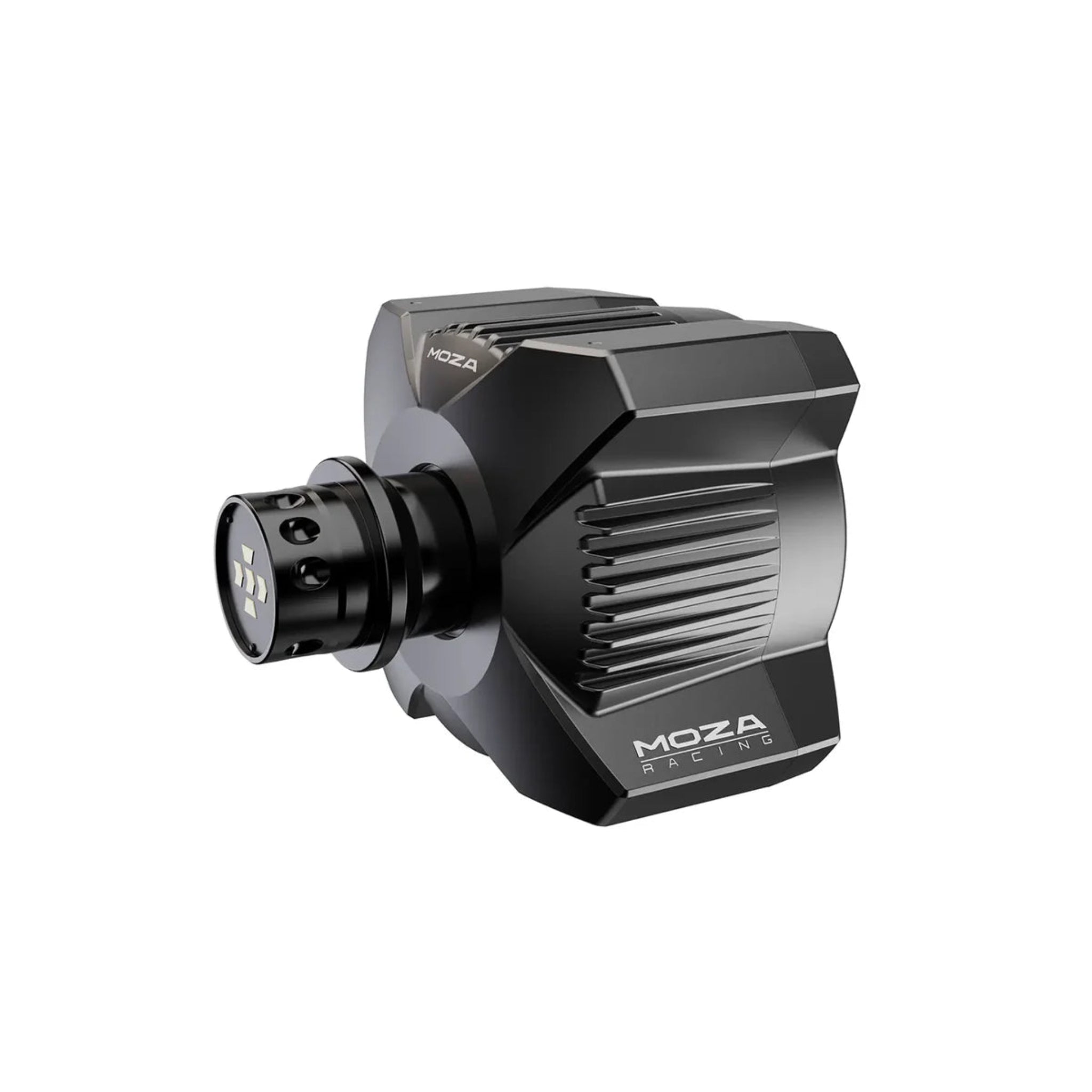
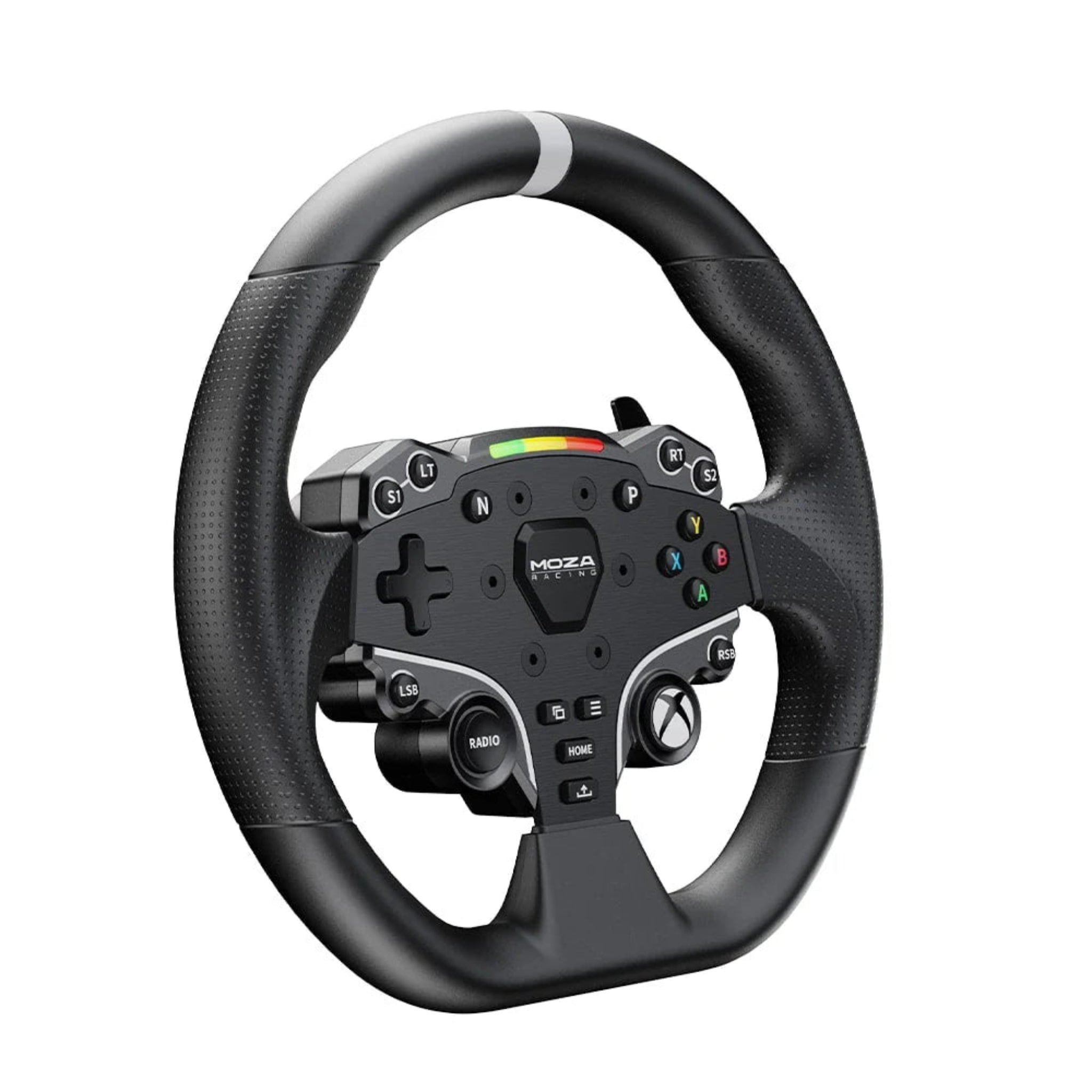
Step into true direct-drive racing without rebuilding your whole setup. The MOZA R3 Racing Bundle for Xbox & PC packs a compact 3.9 Nm direct-drive wheelbase, Xbox-licensed ESX steering wheel, and SR-P Lite pedals into one plug-and-play package, designed as the perfect entry point into serious sim racing.

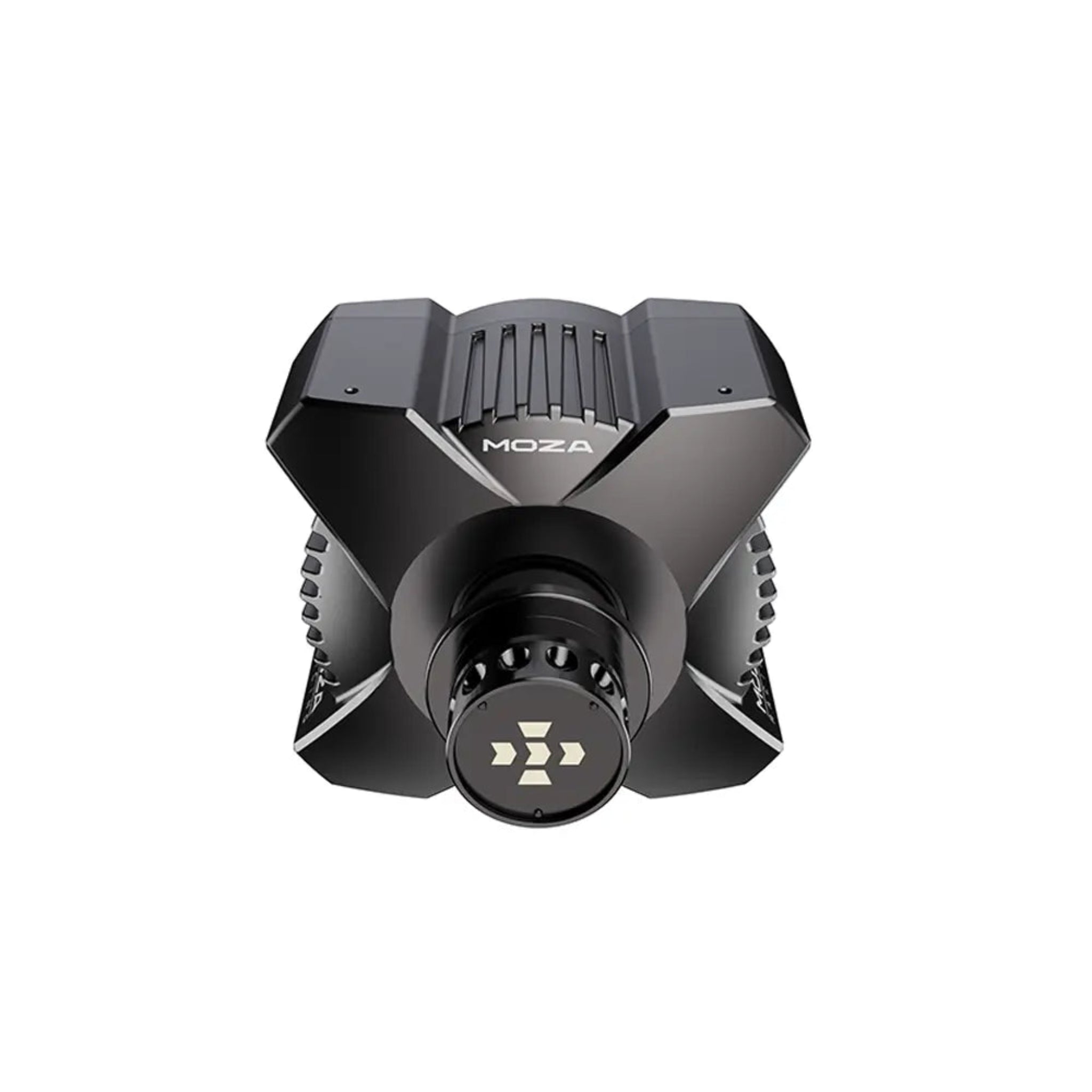
Unlike gear or belt-driven wheels, the R3’s direct-drive motor is mounted directly to the steering shaft, delivering clean, detailed force feedback so you can feel curbs, weight transfer, and grip changes in real time. The rigid X-shaped aluminum housing keeps everything solid while intelligent thermal management maintains performance over long sessions.
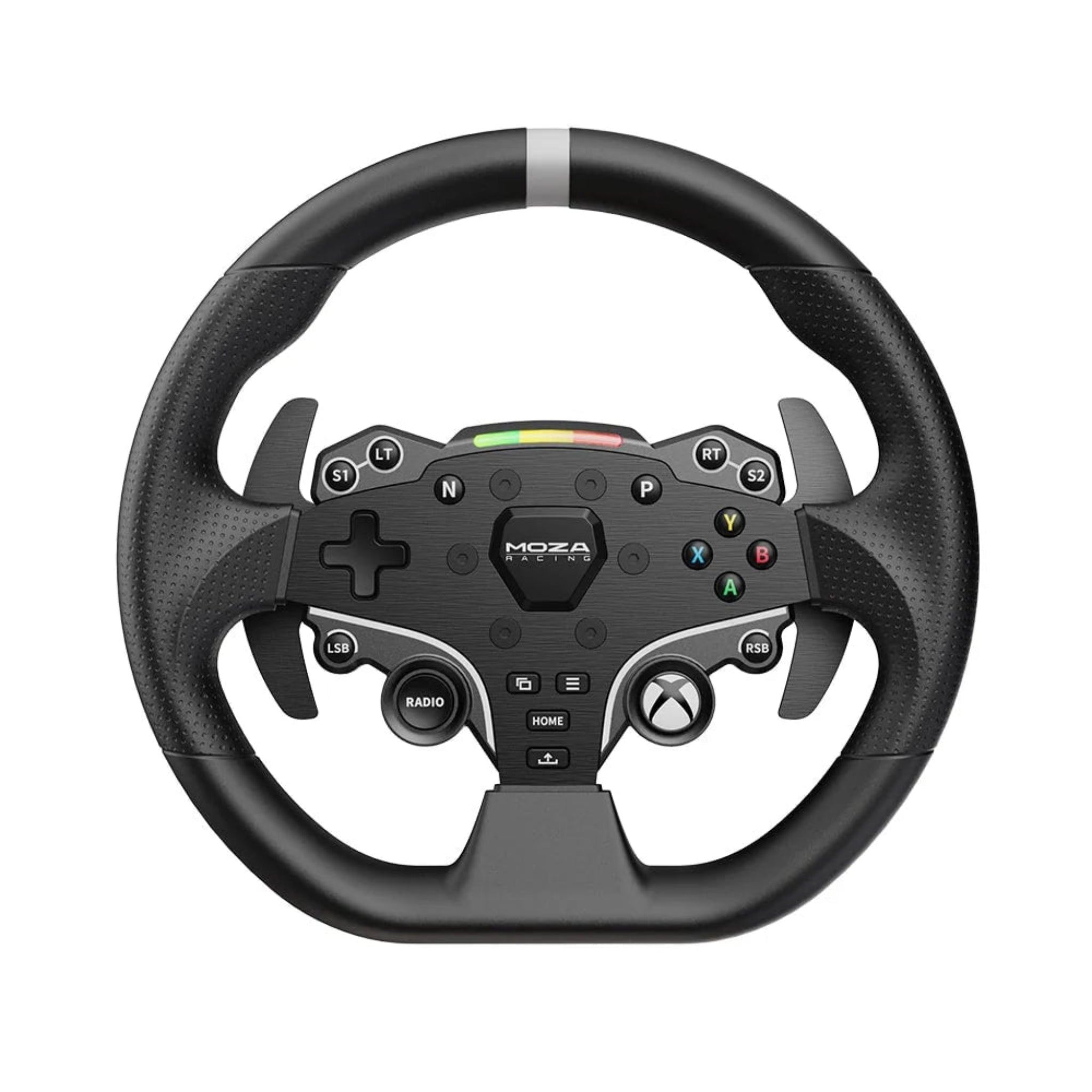
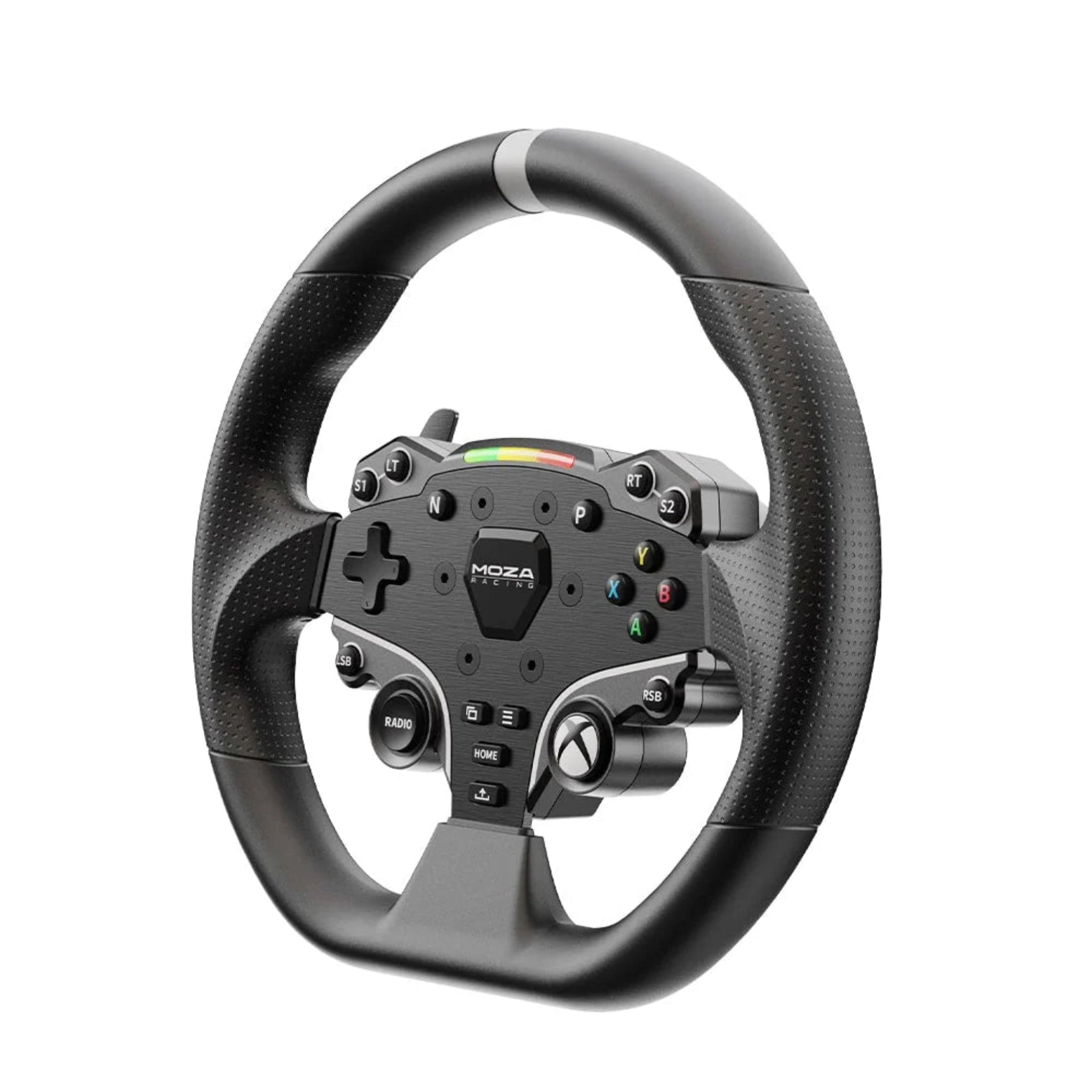
The ESX wheel brings console-friendly ergonomics with a 280 mm GT-style rim, grippy ISF PU handles, aluminum faceplate and paddles, plus 22 mappable buttons and an RGB rev LED bar so key controls and shift points are always at your fingertips. Paired with the SR-P Lite pedal set—built from high-strength steel with hall sensors and adjustable spacing—you get smooth throttle control and a confident, progressive brake feel right out of the box.


Official Xbox licensing means you can plug into Xbox Series X|S, Xbox One, or PC, select your favorite racer (Forza, F1, and more), and start driving within minutes. MOZA’s Pit House software and mobile app let you fine-tune force feedback, pedal curves, and profiles so the bundle can grow with you as your skills (and rig) evolve. Whether you’re upgrading from a basic wheel or jumping straight into your first direct-drive system, the R3 Racing Bundle delivers a powerful, compact, and future-ready foundation for your sim racing setup.
Product Features
|
Feature |
Details |
|---|---|
|
Direct Drive Wheelbase |
Compact R3 direct drive base with 3.9 Nm peak torque for precise, detailed force feedback that’s far stronger and smoother than typical gear or belt systems. |
|
Xbox & PC Ready |
Officially licensed for Xbox Series X|S and Xbox One, and fully compatible with Windows 10/11 PCs and major sim titles like Forza and F1 (for Xbox version). |
|
X-Shaped Aluminum Housing |
Innovative X-style chassis built from aviation-grade aluminum alloy for rigidity, durability, and efficient cooling in a compact footprint. |
|
High-Resolution Feedback |
15-bit encoder and 1000 Hz USB refresh rate translate tiny steering inputs and subtle force feedback details directly into your hands. |
|
ESX Steering Wheel |
280 mm GT-style wheel with an aluminum faceplate, ISF PU grips, 22 mappable buttons, and MOZA quick-release for fast swaps. |
|
RGB Rev LED Bar |
Integrated 10-LED RPM bar with fully adjustable colors and behavior through MOZA Pit House for at-a-glance shift cues. |
|
SR-P Lite Pedals |
Dual-pedal set (throttle & brake) built from high-strength steel with hall sensors, adjustable spacing, and configurable output curves. |
|
Tuning Software & App |
Adjust force feedback, pedal curves, button mappings, and profiles via MOZA Pit House on PC and the MOZA mobile app. |
|
Smart Thermal Management |
Efficient motor design and intelligent temperature control allow sustained driving sessions without noticeable performance drop-off. |
|
Desk Clamp Included |
Sturdy clamp included so you can mount the base to a desk or table—no cockpit required to start racing. |
|
Firmware Upgradable |
Online firmware updates keep your base, wheel, and pedals current with the latest features and improvements. |
What’s Included
-
R3 Direct Drive Wheelbase × 1
-
ESX Steering Wheel (Xbox licensed) × 1
-
SR-P Lite Pedal Set (2-pedal, no clutch) × 1
-
Table Clamp × 1
-
Power Adapter × 1
-
Power Cord × 1
-
USB Cable × 1
-
Toolkit (mounting hardware & basic tools) × 1
-
User Manual × 1
-
Warranty Card × 1
Product Specifications
R3 Direct Drive Wheelbase
|
Spec |
Value |
|---|---|
|
Drive Type |
Direct drive |
|
Peak Torque |
3.9 Nm |
|
Rated Power |
60 W |
|
Maximum Wheel Rotation |
Unlimited (no mechanical stop) |
|
Housing Material |
Aviation-grade aluminum alloy |
|
Color |
Black |
|
Input Voltage |
110–220 V AC → 12 V DC |
|
Encoder Resolution |
15-bit |
|
USB Refresh Rate |
1000 Hz |
|
App Support |
MOZA mobile app + MOZA Pit House on PC |
|
Quick Release |
Supported |
|
Ports |
Power, DC input, Pedal, USB, Dash |
|
Mounting |
4 bottom-mount holes; compatible with included table clamp |
|
Table Clamp |
Included |
|
Firmware Updates |
Online upgrade supported |
ESX Steering Wheel (X-Box)
|
Spec |
Value |
|---|---|
|
Grip Material |
ISF polyurethane (PU) |
|
Face Plate |
Aluminum alloy |
|
Paddle Material |
Aluminum alloy |
|
Diameter |
280 mm |
|
Buttons |
22 programmable buttons |
|
RPM LED Strip |
10 high-brightness RGB LEDs |
|
Telemetry |
Intelligent telemetry supported via MOZA software |
|
LED Customization |
Fully adjustable RPM and colors via MOZA Pit House |
|
Release System |
MOZA Quick Release |
SR-P Lite Pedals
|
Spec |
Value |
|---|---|
|
Main Material |
High-strength steel construction |
|
Plate Material |
High-strength steel |
|
Color |
Black |
|
Throttle Sensor |
Hall sensor (contactless) |
|
Pedal Spacing |
Adjustable |
|
Pedal Plate Height |
Adjustable |
|
Pedal Input Adjustment |
Supported in software |
|
Input Reversal |
Supported |
|
Output Curve Adjustment |
Supported via MOZA Pit House |
Getting Started Guide
-
Unbox and inspect
-
Carefully remove the wheelbase, wheel, pedals, clamp, and accessories from the packaging.
-
Check that all items listed in “What’s Included” are present and undamaged.
-
-
Choose your mounting surface
-
Decide whether you’ll use a desk/table or a dedicated sim rig.
-
Make sure the surface is sturdy and doesn’t flex when you apply steering or pedal force.
-
-
Attach the R3 base
-
Position the wheelbase where you want it on the desk.
-
Use the included table clamp to secure it tightly so it doesn’t move under load.
-
If mounting to a cockpit, align the base’s bottom holes with your rig’s pattern and bolt it down.
-
-
Install the ESX steering wheel
-
Slide the wheel onto the quick-release hub on the base.
-
Push it fully into place until you hear/feel it lock.
-
Verify there is no wobble or play.
-
-
Set up the pedals
-
Place the SR-P Lite pedals on the floor or pedal tray.
-
Adjust spacing and angle to your liking (wider for more comfort, closer for compact setups).
-
Ensure the base doesn’t slide—use a non-slip mat or hard surface if needed.
-
-
Connect all cables
-
Plug the pedal cable into the pedal port on the back of the R3 base.
-
Connect the power adapter to the base, then to a wall outlet or power strip.
-
Run the USB cable from the base to your Xbox or PC.
-
-
Power on the system
-
Turn on your console/PC first.
-
Power on the wheelbase (it may briefly calibrate and center the wheel).
-
-
Install MOZA Pit House (PC users)
-
On a Windows PC, download and install MOZA Pit House from the MOZA Racing site.
-
Launch it to confirm the base, wheel, and pedals are recognized.
-
-
Calibrate and tune controls
-
In Pit House (PC) or in-game settings (Xbox/PC), set your steering angle, force feedback strength, and pedal dead zones.
-
Create a profile for your favorite game (e.g., Forza, F1) so you can easily reload settings.
-
-
Launch your first game
-
Start a supported racing title, select the MOZA R3 or wheel in controller settings (if needed), and test steering, throttle, and brake inputs.
-
Do a few slow laps to get comfortable with the force feedback before jumping into full races.
-
Product Installation Guide
-
Planning your layout
-
Sit where you’ll drive and check that your arms are slightly bent with the wheel centered in front of you.
-
Make sure pedals can be placed so your legs are comfortable and not over-extended.
-
-
Desk clamp installation (no rig)
-
Slide the table clamp under the front edge of your desk and align it with the base.
-
Tighten the clamp screws evenly until the base is rock-solid with no movement.
-
Avoid clamping to thin glass or weak surfaces.
-
-
Cockpit installation (optional)
-
Position the base on your wheel deck.
-
Align the four mounting holes on the underside of the R3 with your cockpit’s pattern.
-
Use appropriate bolts/washers to secure it firmly.
-
-
Pedal mounting and alignment
-
On a rig, bolt the SR-P Lite pedals to your pedal tray using compatible holes or slots.
-
On a floor, use a non-slip mat or rug to prevent sliding.
-
Adjust spacing and plate height so your feet rest naturally with the brake centered under your stronger leg.
-
-
Cable routing & management
-
Run the pedal cable along the side or under your desk/rig to the wheelbase.
-
Use cable ties or clips to keep wires away from your feet and moving parts.
-
Connect power and USB cables last so you can bundle them neatly.
-
-
Electrical setup
-
Plug the power adapter into the base, then into a grounded outlet or surge protector.
-
Connect the USB cable directly to the console/PC rather than through an unpowered hub for best stability.
-
-
Firmware check (optional but recommended)
-
On PC, open MOZA Pit House and check for firmware updates for the base, wheel, and pedals.
-
Update if prompted, following on-screen instructions, then restart the base.
-
-
Fine-tuning controls
-
Use Pit House (PC) to adjust force feedback strength, damping, and pedal curves.
-
On Xbox, use in-game settings to adjust steering sensitivity, FFB, and dead zones to your preference.
-
-
Final safety checks
-
Turn the wheel from lock to lock and press both pedals to confirm nothing binds or hits cables.
-
Ensure the base and pedals don’t move when you apply strong brake or steering input.
-
-
Drive & iterate
-
Do short test sessions, then return to settings to tweak force feedback strength, pedal feel, and sensitivity until the wheel feels natural for you.
-
Videos
Product Manual and User Guides
Frequently Asked Questions
Q: Is the MOZA R3 Racing Bundle compatible with my system?
A: The Xbox & PC R3 bundle is officially licensed for Xbox Series X|S and Xbox One, and it also works with Windows 10/11 PCs. On Xbox it supports popular racers like Forza Horizon, Forza Motorsport, and F1, while on PC it works with most major sim titles. Just connect it via USB and select it in your game—no extra adapters needed.
Q: Does the R3 have enough force feedback for serious sim racing?
A: Yes. The R3’s 3.9 Nm direct drive motor provides much stronger and more detailed feedback than typical entry-level gear or belt-driven wheels. You’ll feel weight transfer, curbs, and grip changes clearly, which helps both immersion and consistency.
Q: What exactly is included in the bundle? Do I need anything else to start?
A: The bundle includes the R3 wheelbase, ESX steering wheel, SR-P Lite pedals, table clamp, power supply, USB and power cables, toolkit, user manual, and warranty card. All you need is an Xbox console or PC and a solid mounting surface (desk or rig) and you’re ready to drive.
Q: Can I customize force feedback and pedal sensitivity?
A: Definitely. On PC, MOZA Pit House lets you adjust force feedback strength, filters, steering angle, pedal dead zones, and output curves. On Xbox, you can also tune many settings directly inside supported games. That makes it easy to build profiles that match your driving style and each title.
Q: What is the warranty for the R3 Racing Bundle?
A: According to MOZA’s warranty policy for this bundle: the R3 wheelbase main body is typically covered for 24 months, its power supply for 12 months, and related cables for 6 months. The ES steering wheel main body and SR-P Lite pedals usually carry a 12-month warranty, with pedal cables often covered for 6 months. Table clamps and some accessories are not covered. Customers are generally responsible for shipping the product back if a warranty claim is approved; full terms are available in MOZA’s official warranty policy.
Shipping Policy
Simulator Direct fulfills MOZA Racing products through authorized ASI distribution warehouses located throughout the United States. Orders ship directly from ASI’s facilities using trusted freight and parcel carriers to help ensure secure delivery and product protection.
Because MOZA Racing products are typically large, heavy, or freight-class items, shipping methods and timelines may differ from standard parcel shipments.
Shipping Methods & Charges
- ASI Partner products generally ship via freight carriers.
- Select smaller items may ship via standard parcel services when applicable.
- Shipping method and cost may vary based on product size, product weight, destination, and available carrier options.
- Any applicable shipping charges will be displayed at checkout or confirmed before order fulfillment when required.
Processing Time & Order Handling
- Most ASI Partner orders ship same business day or next business day, depending on inventory location and order cutoff time.
- General warehouse cutoff times:
- East Coast warehouses: Orders placed before 2:00 PM PST may ship same day.
- Los Angeles warehouse: Orders placed before 12:00 PM PST may ship same day.
- Other U.S. warehouses: Orders placed before 4:00 PM PST may ship same day.
- Orders not shipped the same day will typically ship the next business day.
- ASI Partner warehouses operate Monday–Friday and are closed on weekends and major holidays.
Inventory Availability & Backorders
Inventory availability is maintained through ASI Partner’s distribution network and may vary by warehouse.
- Inventory data is accessible through ASI systems, but it is not live and typically updates once per day.
- An item may appear available but sell out before an order is processed.
- Simulator Direct may confirm availability manually before finalizing an order when necessary.
If an item becomes unavailable after order placement:
- Simulator Direct will notify the customer.
- Options may include holding the order, partial shipment if supported, or cancellation with refund.
- Estimated restock timelines will be communicated when available.
Tracking & Delivery
- Tracking information will be provided by email once your order ships.
- Freight deliveries are typically curbside delivery unless otherwise arranged.
- If special delivery services are required, please contact support@simulatordirect.com before placing the order.
- Examples may include lift gate service, inside delivery, or scheduled delivery appointment.
- Availability and added costs must be confirmed before fulfillment.
Return Policy
Returns for ASI Partner-fulfilled products follow ASI Partner’s official return policy.
Because ASI Partner operates as a distribution provider rather than a retail storefront, return eligibility, restocking fees, and return shipping costs may vary by product and circumstance.
Return Authorization & Conditions
- All returns require prior written authorization from Simulator Direct.
- Unauthorized returns may be refused or returned to the sender.
- Items must be returned in original packaging, unused, and in resalable condition unless otherwise approved.
- Certain items may be non-returnable due to size, customization, or manufacturer restrictions.
- Special return approvals may be granted on a case-by-case basis and are subject to ASI Partner’s acceptance.
Return Shipping & Fees
- Customers are responsible for all return shipping costs unless the return is due to an error or defect.
- Original shipping charges are non-refundable.
- Restocking fees may apply per ASI Partner’s return policy.
- Carrier fees associated with refused deliveries, storage, or re-routing may be deducted from the refund.
- Refunds are issued only after ASI Partner receives, inspects, and approves the returned item.
Damaged or Incorrect Items
If your order arrives damaged or incorrect:
- Contact support@simulatordirect.com promptly.
- Provide your order number, photos of the damage or issue, and a description.
- Simulator Direct will coordinate directly with ASI Partner to resolve the issue in accordance with their policies.
Order Changes & Cancellations
Orders are processed quickly once submitted.
- Orders not yet shipped may be eligible for cancellation or modification.
- Orders that have shipped or entered fulfillment may be subject to return policies and applicable fees.
- Late-stage cancellations may incur shipping or handling charges.
- Please contact support immediately if changes are needed.
Questions or Assistance
For any ASI Partner-related shipping, returns, or order questions, contact:
support@simulatordirect.com
We will coordinate directly with ASI Partner on your behalf to help ensure a smooth experience.

Newsletter
Exclusive Updates. Delivered Before Anyone Else.