Skip to content

Cart

Your cart is empty

MOZA FSR2 Formula Wheel

Sale price$649.00

Got Questions?
Email: support@simulatordirect.com
Phone: (714) 202-9416

  • American Express
  • Apple Pay
  • Diners Club
  • Discover
  • Google Pay
  • Mastercard
  • PayPal
  • Shop Pay
  • Visa

Fast & Free Shipping On Eligible Items

Exclusions Apply

Lowest Price Guarantee

Found a better price? We’ll match it — Guaranteed.

Simulator Expertise

Talk to a Real Expert
(714) 202-9416
Mon–Sat 8AM–5PM PST

Description

MOZA FSR2 Formula Wheel

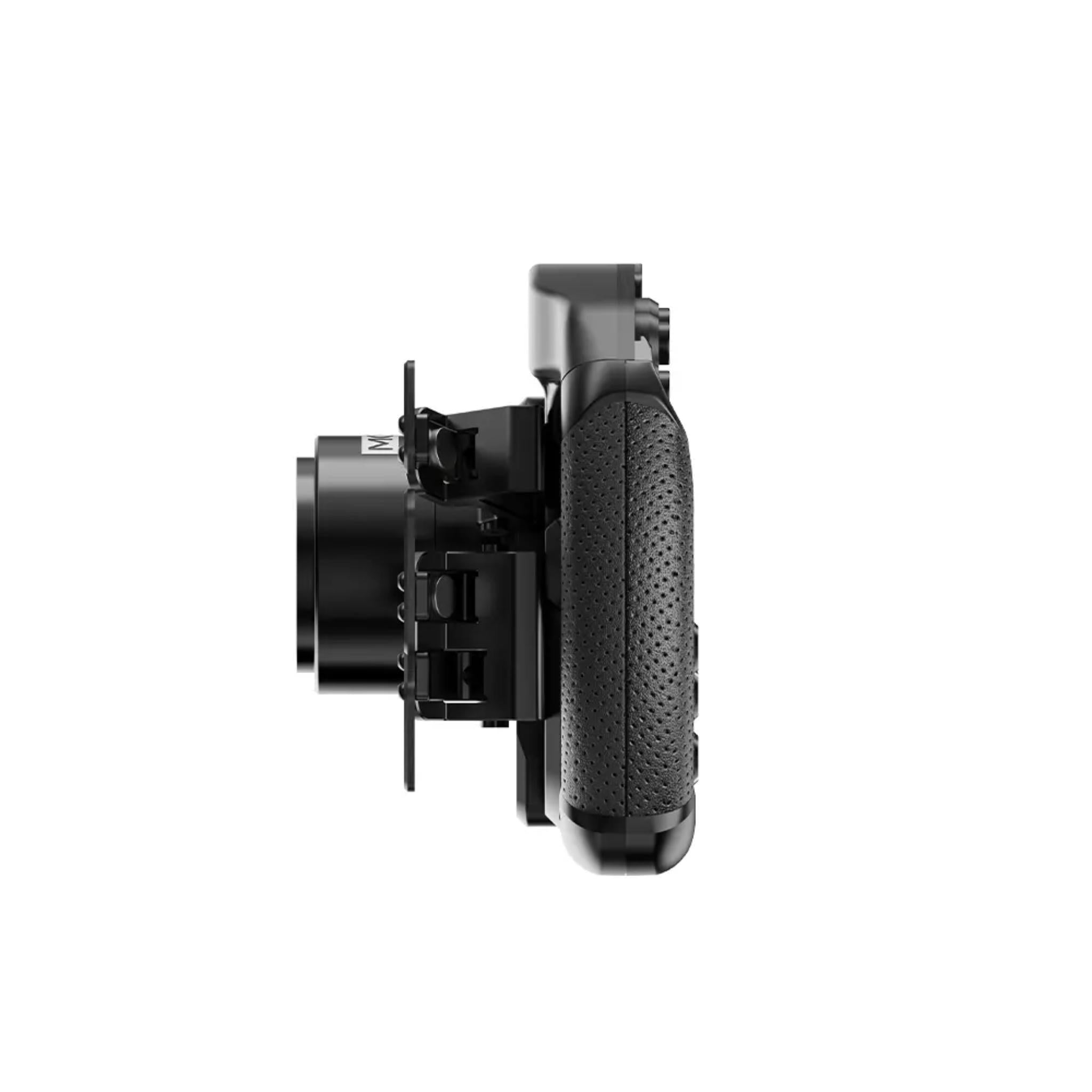
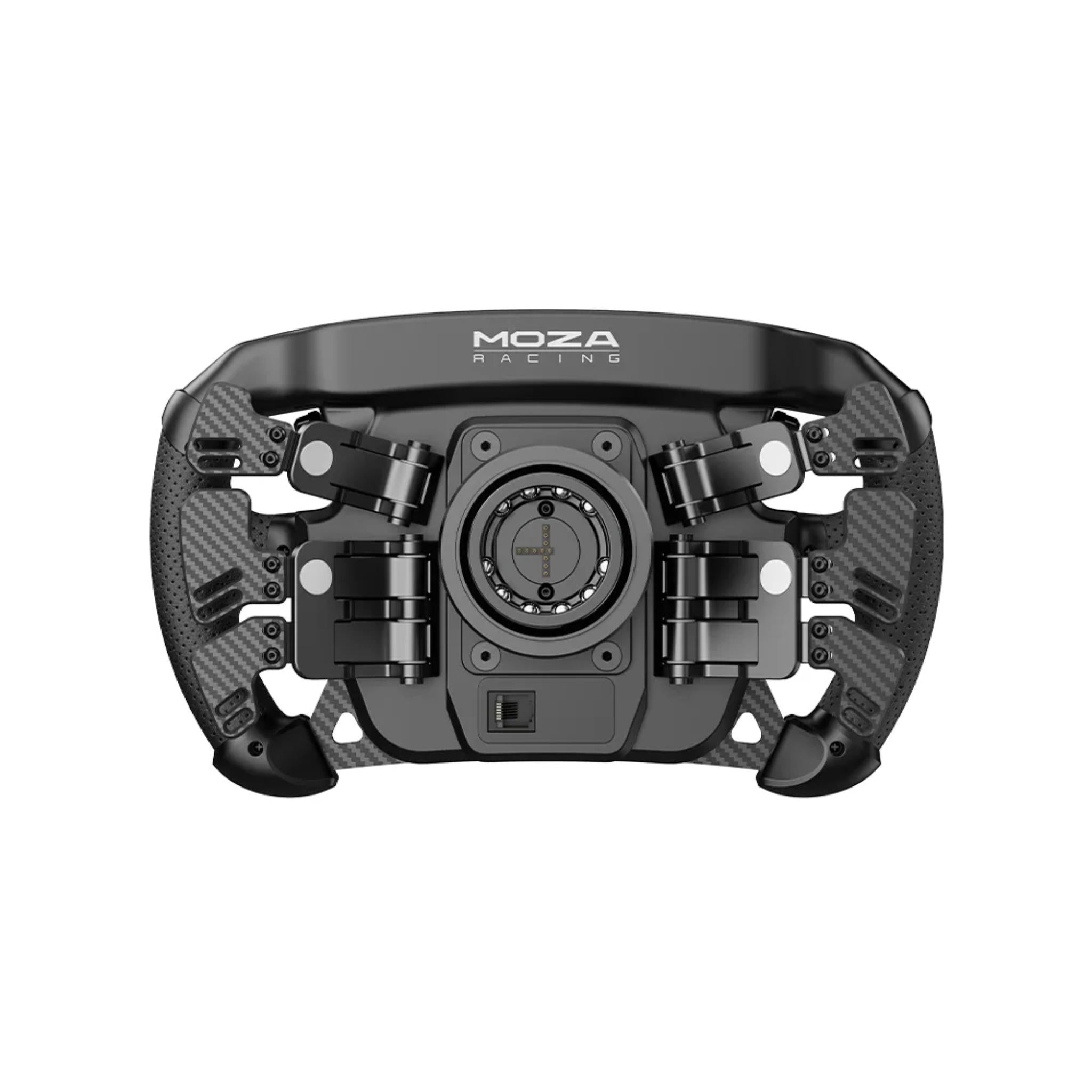
Step up your sim racing setup with the MOZA FSR2 Formula Wheel, a high-performance 280mm formula-style wheel designed for serious racers.


Combining precision engineering, a carbon fiber frame, and advanced controls, the FSR2 offers a realistic, race-ready experience that puts every function at your fingertips.


Equipped with a 4.3-inch full-color touchscreen, six programmable paddles, and RGB signal lights, this wheel delivers customizable control, real-time telemetry, and instant access to settings — all designed to keep you focused on the track.


Its aerospace-grade aluminum back plate, quick-release system, and compatibility with both MOZA and select third-party bases ensure seamless integration and professional-grade durability.


Whether you’re chasing podiums in Formula-style sims or refining your racing setup, the FSR2 provides unmatched control, ergonomics, and immersion.


Product Features

Product Features 


Feature

Details

Wheel Type

280 mm formula-style steering wheel

Display

4.3” touchscreen LCD (480p, 16.7M colors, 60 Hz)

Customizable UI

Fully customizable dashboards via MOZA Pit House; share/download community designs

RGB Indicators

10-LED RPM/shift bar + 6 RGB flag/signal lights with 16.7M color options

Processor

1.3 GHz quad-core processor for low-latency rendering

Paddles

6-paddle design: magnetic shifters, dual-clutch, plus two extra function paddles (ideal for DRS/KERS/extra mappings)

Materials

5 mm 3K twill carbon fiber front, CNC aluminum rear housing, perforated microfiber leather grips

Controls

10 short-travel backlit buttons, 5 rotary encoders, 3 thumb encoders, 2× 7-way switches

Lighting

Independently adjustable colors for buttons, shift lights & signal LEDs (16.7M colors)

Quick Release

All-aluminum MOZA QR for fast, solid wheel swaps

Ecosystem

Works with all MOZA wheelbases; compatible with 3rd-party bases via MOZA Hub kit

Telemetry

Smart telemetry & RPM LEDs fully configurable in MOZA Pit House


What's Included

What’s Included


  • MOZA FSR2 Formula Wheel ×1

  • Toolkit ×1

  • MOZA Sticker ×1


Product Specifications

Product Specifications


Category

Spec

Wheel Diameter

280 mm formula-style wheel

Back Plate

Aerospace-grade aluminum alloy

Face Plate

5 mm 3K twill carbon fiber

Grip Material

Perforated microfiber leather

Display

4.3” touchscreen LCD, 480p, 60 Hz, 16.7M colors

UI System

Fully customizable dashboard layouts via MOZA Pit House

Backlit Buttons

10 short-travel backlit buttons (16.7M color options)

Rotary Encoders

2 standard rotary encoders

Thumb Encoders

3 thumb encoders for on-the-fly adjustments

7-Way Switches

2 × 7-way multi-position switches

Signal/Flag LEDs

6 RGB side-mounted flag/signal LEDs (16.7M colors)

Shift Light Bar

10 RGB top-mounted shift indicator LEDs

Paddles

Magnetic carbon-fiber shift paddles + magnetic dual-clutch paddles

Extra Paddles

Additional pair of function paddles (ideal for DRS/KERS/extra bindings)

Processor

1.3 GHz quad-core processor

Telemetry

Smart telemetry supported, RPM LEDs fully adjustable

Quick Release

All-aluminum MOZA quick-release system

Communication

Wireless or conductive slip-ring (depending on base)

Compatibility

All MOZA wheelbases; 3rd-party bases via MOZA Universal Hub kit


Getting Started Guide

Getting Started Guide


  1. Unbox & inspect


    • Carefully remove the FSR2 wheel, toolkit, and sticker from the box.

    • Check for visible damage; keep packaging until you confirm everything works.


  2. Mount to your wheelbase


    • Center your MOZA (or compatible) wheelbase.

    • Align the quick-release splines and push the wheel onto the base until it locks with an audible click.


  3. Connect to your PC / console


    • Connect your wheelbase to your PC (and console if supported by your base).

    • Ensure the base firmware is up-to-date via MOZA Pit House.


  4. Install MOZA Pit House


    • Download and install MOZA Pit House from MOZA’s official site.

    • Launch the software and confirm the FSR2 is detected.


  5. Calibrate the wheel & inputs


    • In Pit House, run the wheel centering and calibration routine.

    • Test buttons, encoders, paddles, and clutch bite point.


  6. Choose a dashboard layout


    • Pick a pre-built UI or load a custom community layout for the 4.3” screen.


  7. Set RPM & flag lights


    • Customize LED colors, brightness, and RPM thresholds to your car/sim combo.


  8. Map controls in your sim


    • In your racing title (iRacing, ACC, etc.), bind shifting, clutch, DRS, KERS, brake bias, and menu functions to your preferred buttons/encoders.


  9. Save profiles


    • Create separate profiles in Pit House for different sims or cars so you can swap quickly.


Product Installation Guide

Product Installation Guide


  1. Rig & base preparation


    • Firmly mount your wheelbase to your cockpit or wheel stand according to the base manufacturer’s instructions.

    • Ensure there is no flex or play in the base mount.


  2. Quick-release installation


    • If your base uses a separate MOZA quick-release hub, install it first per MOZA’s instructions.

    • Confirm there is no wobble after tightening all screws.


  3. Attach the FSR2 wheel


    • Align the FSR2 with the quick-release, keeping the wheel centered.

    • Push inward until the QR locks. Gently pull to confirm a secure connection.


  4. Cable management (for 3rd-party bases)


    • If using a MOZA Universal Hub with a non-MOZA base, connect the required USB/data cables.

    • Route cables away from your legs and moving pedal assemblies.


  5. Software & firmware setup


    • Install MOZA Pit House, then check for firmware updates for your wheel and base.

    • Apply updates one at a time and power-cycle if prompted.


  6. In-game configuration


    • Set your steering rotation and FFB in each sim according to MOZA’s recommended values for your base.

    • Bind all FSR2 inputs and test on track.


  7. Final check


    • Perform a short test session to verify: no flex in the wheel, QR is locked, LEDs & display respond, and inputs are correct.

    • Make any final tweaks to LED timing or dash layouts in Pit House.


Videos


Product Manual and User Guides


FAQ's

Frequently Asked Questions 


Q: What wheelbases are compatible with the MOZA FSR2 Formula Wheel?

A: The FSR2 is compatible with all current MOZA wheelbases and can also be used with many third-party wheelbases via the MOZA Universal Hub kit, giving you flexibility if you already own a non-MOZA base.


Q: Does the 4.3” touchscreen work in all racing games?

A: The touchscreen itself is driven by MOZA Pit House and displays dashboards, live telemetry, and race data provided by the MOZA ecosystem. Most popular PC sims are supported; functionality can vary slightly by title and update, but you’ll get RPM, speed, gears, and key telemetry in the majority of supported games.


Q: Can I customize the dashboard layout on the screen?

A: Yes. The FSR2 supports a fully customizable UI system. Through MOZA Pit House you can choose from pre-made layouts or design your own, and even download community dashboards from MOZA’s dash community.


Q: What are the extra paddles used for?

A: In addition to the standard magnetic shift paddles and dual-clutch paddles, the FSR2 adds two extra paddles often assigned to DRS, KERS, or mode changes. You can bind them to any supported function in your sim.


Q: Does the FSR2 support dual-clutch launch control?

A: Yes. The dual magnetic clutch paddles can be configured in Pit House for bite-point style launches, making it easier to get clean starts in formula and GT cars.


Q: Is this wheel suitable only for formula cars?

A: While it’s a formula-style 280 mm wheel, many drivers also use it for prototypes and GT racing because of its compact diameter, rich telemetry display, and extensive inputs. It’s ideal anywhere you want quick steering and an F1-style control layout.


Q: What’s included in the box?

A: You’ll receive the MOZA FSR2 Formula Wheel, a toolkit for mounting/adjustments, and a MOZA sticker. Wheelbase, hub, and accessories are sold separately unless purchased as part of a bundle.

Shipping/Returns & Warranty Policy

Shipping Policy

Simulator Direct fulfills MOZA Racing products through authorized ASI distribution warehouses located throughout the United States. Orders ship directly from ASI’s facilities using trusted freight and parcel carriers to help ensure secure delivery and product protection.

Because MOZA Racing products are typically large, heavy, or freight-class items, shipping methods and timelines may differ from standard parcel shipments.

Shipping Methods & Charges

  • ASI Partner products generally ship via freight carriers.
  • Select smaller items may ship via standard parcel services when applicable.
  • Shipping method and cost may vary based on product size, product weight, destination, and available carrier options.
  • Any applicable shipping charges will be displayed at checkout or confirmed before order fulfillment when required.

Processing Time & Order Handling

  • Most ASI Partner orders ship same business day or next business day, depending on inventory location and order cutoff time.
  • General warehouse cutoff times:
    • East Coast warehouses: Orders placed before 2:00 PM PST may ship same day.
    • Los Angeles warehouse: Orders placed before 12:00 PM PST may ship same day.
    • Other U.S. warehouses: Orders placed before 4:00 PM PST may ship same day.
  • Orders not shipped the same day will typically ship the next business day.
  • ASI Partner warehouses operate Monday–Friday and are closed on weekends and major holidays.

Inventory Availability & Backorders

Inventory availability is maintained through ASI Partner’s distribution network and may vary by warehouse.

  • Inventory data is accessible through ASI systems, but it is not live and typically updates once per day.
  • An item may appear available but sell out before an order is processed.
  • Simulator Direct may confirm availability manually before finalizing an order when necessary.

If an item becomes unavailable after order placement:

  • Simulator Direct will notify the customer.
  • Options may include holding the order, partial shipment if supported, or cancellation with refund.
  • Estimated restock timelines will be communicated when available.

Tracking & Delivery

  • Tracking information will be provided by email once your order ships.
  • Freight deliveries are typically curbside delivery unless otherwise arranged.
  • If special delivery services are required, please contact support@simulatordirect.com before placing the order.
    • Examples may include lift gate service, inside delivery, or scheduled delivery appointment.
    • Availability and added costs must be confirmed before fulfillment.

Return Policy

Returns for ASI Partner-fulfilled products follow ASI Partner’s official return policy.

Because ASI Partner operates as a distribution provider rather than a retail storefront, return eligibility, restocking fees, and return shipping costs may vary by product and circumstance.

Return Authorization & Conditions

  • All returns require prior written authorization from Simulator Direct.
  • Unauthorized returns may be refused or returned to the sender.
  • Items must be returned in original packaging, unused, and in resalable condition unless otherwise approved.
  • Certain items may be non-returnable due to size, customization, or manufacturer restrictions.
  • Special return approvals may be granted on a case-by-case basis and are subject to ASI Partner’s acceptance.

Return Shipping & Fees

  • Customers are responsible for all return shipping costs unless the return is due to an error or defect.
  • Original shipping charges are non-refundable.
  • Restocking fees may apply per ASI Partner’s return policy.
  • Carrier fees associated with refused deliveries, storage, or re-routing may be deducted from the refund.
  • Refunds are issued only after ASI Partner receives, inspects, and approves the returned item.

Damaged or Incorrect Items

If your order arrives damaged or incorrect:

  • Contact support@simulatordirect.com promptly.
  • Provide your order number, photos of the damage or issue, and a description.
  • Simulator Direct will coordinate directly with ASI Partner to resolve the issue in accordance with their policies.

Order Changes & Cancellations

Orders are processed quickly once submitted.

  • Orders not yet shipped may be eligible for cancellation or modification.
  • Orders that have shipped or entered fulfillment may be subject to return policies and applicable fees.
  • Late-stage cancellations may incur shipping or handling charges.
  • Please contact support immediately if changes are needed.

Questions or Assistance

For any ASI Partner-related shipping, returns, or order questions, contact:

support@simulatordirect.com

We will coordinate directly with ASI Partner on your behalf to help ensure a smooth experience.

Description

MOZA FSR2 Formula Wheel

Step up your sim racing setup with the MOZA FSR2 Formula Wheel, a high-performance 280mm formula-style wheel designed for serious racers.


Combining precision engineering, a carbon fiber frame, and advanced controls, the FSR2 offers a realistic, race-ready experience that puts every function at your fingertips.


Equipped with a 4.3-inch full-color touchscreen, six programmable paddles, and RGB signal lights, this wheel delivers customizable control, real-time telemetry, and instant access to settings — all designed to keep you focused on the track.


Its aerospace-grade aluminum back plate, quick-release system, and compatibility with both MOZA and select third-party bases ensure seamless integration and professional-grade durability.


Whether you’re chasing podiums in Formula-style sims or refining your racing setup, the FSR2 provides unmatched control, ergonomics, and immersion.


Product Features

Product Features 


Feature

Details

Wheel Type

280 mm formula-style steering wheel

Display

4.3” touchscreen LCD (480p, 16.7M colors, 60 Hz)

Customizable UI

Fully customizable dashboards via MOZA Pit House; share/download community designs

RGB Indicators

10-LED RPM/shift bar + 6 RGB flag/signal lights with 16.7M color options

Processor

1.3 GHz quad-core processor for low-latency rendering

Paddles

6-paddle design: magnetic shifters, dual-clutch, plus two extra function paddles (ideal for DRS/KERS/extra mappings)

Materials

5 mm 3K twill carbon fiber front, CNC aluminum rear housing, perforated microfiber leather grips

Controls

10 short-travel backlit buttons, 5 rotary encoders, 3 thumb encoders, 2× 7-way switches

Lighting

Independently adjustable colors for buttons, shift lights & signal LEDs (16.7M colors)

Quick Release

All-aluminum MOZA QR for fast, solid wheel swaps

Ecosystem

Works with all MOZA wheelbases; compatible with 3rd-party bases via MOZA Hub kit

Telemetry

Smart telemetry & RPM LEDs fully configurable in MOZA Pit House


What's Included

What’s Included


  • MOZA FSR2 Formula Wheel ×1

  • Toolkit ×1

  • MOZA Sticker ×1


Product Specifications

Product Specifications


Category

Spec

Wheel Diameter

280 mm formula-style wheel

Back Plate

Aerospace-grade aluminum alloy

Face Plate

5 mm 3K twill carbon fiber

Grip Material

Perforated microfiber leather

Display

4.3” touchscreen LCD, 480p, 60 Hz, 16.7M colors

UI System

Fully customizable dashboard layouts via MOZA Pit House

Backlit Buttons

10 short-travel backlit buttons (16.7M color options)

Rotary Encoders

2 standard rotary encoders

Thumb Encoders

3 thumb encoders for on-the-fly adjustments

7-Way Switches

2 × 7-way multi-position switches

Signal/Flag LEDs

6 RGB side-mounted flag/signal LEDs (16.7M colors)

Shift Light Bar

10 RGB top-mounted shift indicator LEDs

Paddles

Magnetic carbon-fiber shift paddles + magnetic dual-clutch paddles

Extra Paddles

Additional pair of function paddles (ideal for DRS/KERS/extra bindings)

Processor

1.3 GHz quad-core processor

Telemetry

Smart telemetry supported, RPM LEDs fully adjustable

Quick Release

All-aluminum MOZA quick-release system

Communication

Wireless or conductive slip-ring (depending on base)

Compatibility

All MOZA wheelbases; 3rd-party bases via MOZA Universal Hub kit


Getting Started Guide

Getting Started Guide


  1. Unbox & inspect


    • Carefully remove the FSR2 wheel, toolkit, and sticker from the box.

    • Check for visible damage; keep packaging until you confirm everything works.


  2. Mount to your wheelbase


    • Center your MOZA (or compatible) wheelbase.

    • Align the quick-release splines and push the wheel onto the base until it locks with an audible click.


  3. Connect to your PC / console


    • Connect your wheelbase to your PC (and console if supported by your base).

    • Ensure the base firmware is up-to-date via MOZA Pit House.


  4. Install MOZA Pit House


    • Download and install MOZA Pit House from MOZA’s official site.

    • Launch the software and confirm the FSR2 is detected.


  5. Calibrate the wheel & inputs


    • In Pit House, run the wheel centering and calibration routine.

    • Test buttons, encoders, paddles, and clutch bite point.


  6. Choose a dashboard layout


    • Pick a pre-built UI or load a custom community layout for the 4.3” screen.


  7. Set RPM & flag lights


    • Customize LED colors, brightness, and RPM thresholds to your car/sim combo.


  8. Map controls in your sim


    • In your racing title (iRacing, ACC, etc.), bind shifting, clutch, DRS, KERS, brake bias, and menu functions to your preferred buttons/encoders.


  9. Save profiles


    • Create separate profiles in Pit House for different sims or cars so you can swap quickly.


Product Installation Guide

Product Installation Guide


  1. Rig & base preparation


    • Firmly mount your wheelbase to your cockpit or wheel stand according to the base manufacturer’s instructions.

    • Ensure there is no flex or play in the base mount.


  2. Quick-release installation


    • If your base uses a separate MOZA quick-release hub, install it first per MOZA’s instructions.

    • Confirm there is no wobble after tightening all screws.


  3. Attach the FSR2 wheel


    • Align the FSR2 with the quick-release, keeping the wheel centered.

    • Push inward until the QR locks. Gently pull to confirm a secure connection.


  4. Cable management (for 3rd-party bases)


    • If using a MOZA Universal Hub with a non-MOZA base, connect the required USB/data cables.

    • Route cables away from your legs and moving pedal assemblies.


  5. Software & firmware setup


    • Install MOZA Pit House, then check for firmware updates for your wheel and base.

    • Apply updates one at a time and power-cycle if prompted.


  6. In-game configuration


    • Set your steering rotation and FFB in each sim according to MOZA’s recommended values for your base.

    • Bind all FSR2 inputs and test on track.


  7. Final check


    • Perform a short test session to verify: no flex in the wheel, QR is locked, LEDs & display respond, and inputs are correct.

    • Make any final tweaks to LED timing or dash layouts in Pit House.


Videos


Product Manual and User Guides


FAQ's

Frequently Asked Questions 


Q: What wheelbases are compatible with the MOZA FSR2 Formula Wheel?

A: The FSR2 is compatible with all current MOZA wheelbases and can also be used with many third-party wheelbases via the MOZA Universal Hub kit, giving you flexibility if you already own a non-MOZA base.


Q: Does the 4.3” touchscreen work in all racing games?

A: The touchscreen itself is driven by MOZA Pit House and displays dashboards, live telemetry, and race data provided by the MOZA ecosystem. Most popular PC sims are supported; functionality can vary slightly by title and update, but you’ll get RPM, speed, gears, and key telemetry in the majority of supported games.


Q: Can I customize the dashboard layout on the screen?

A: Yes. The FSR2 supports a fully customizable UI system. Through MOZA Pit House you can choose from pre-made layouts or design your own, and even download community dashboards from MOZA’s dash community.


Q: What are the extra paddles used for?

A: In addition to the standard magnetic shift paddles and dual-clutch paddles, the FSR2 adds two extra paddles often assigned to DRS, KERS, or mode changes. You can bind them to any supported function in your sim.


Q: Does the FSR2 support dual-clutch launch control?

A: Yes. The dual magnetic clutch paddles can be configured in Pit House for bite-point style launches, making it easier to get clean starts in formula and GT cars.


Q: Is this wheel suitable only for formula cars?

A: While it’s a formula-style 280 mm wheel, many drivers also use it for prototypes and GT racing because of its compact diameter, rich telemetry display, and extensive inputs. It’s ideal anywhere you want quick steering and an F1-style control layout.


Q: What’s included in the box?

A: You’ll receive the MOZA FSR2 Formula Wheel, a toolkit for mounting/adjustments, and a MOZA sticker. Wheelbase, hub, and accessories are sold separately unless purchased as part of a bundle.

Shipping/Returns & Warranty Policy

Shipping Policy

Simulator Direct fulfills MOZA Racing products through authorized ASI distribution warehouses located throughout the United States. Orders ship directly from ASI’s facilities using trusted freight and parcel carriers to help ensure secure delivery and product protection.

Because MOZA Racing products are typically large, heavy, or freight-class items, shipping methods and timelines may differ from standard parcel shipments.

Shipping Methods & Charges

  • ASI Partner products generally ship via freight carriers.
  • Select smaller items may ship via standard parcel services when applicable.
  • Shipping method and cost may vary based on product size, product weight, destination, and available carrier options.
  • Any applicable shipping charges will be displayed at checkout or confirmed before order fulfillment when required.

Processing Time & Order Handling

  • Most ASI Partner orders ship same business day or next business day, depending on inventory location and order cutoff time.
  • General warehouse cutoff times:
    • East Coast warehouses: Orders placed before 2:00 PM PST may ship same day.
    • Los Angeles warehouse: Orders placed before 12:00 PM PST may ship same day.
    • Other U.S. warehouses: Orders placed before 4:00 PM PST may ship same day.
  • Orders not shipped the same day will typically ship the next business day.
  • ASI Partner warehouses operate Monday–Friday and are closed on weekends and major holidays.

Inventory Availability & Backorders

Inventory availability is maintained through ASI Partner’s distribution network and may vary by warehouse.

  • Inventory data is accessible through ASI systems, but it is not live and typically updates once per day.
  • An item may appear available but sell out before an order is processed.
  • Simulator Direct may confirm availability manually before finalizing an order when necessary.

If an item becomes unavailable after order placement:

  • Simulator Direct will notify the customer.
  • Options may include holding the order, partial shipment if supported, or cancellation with refund.
  • Estimated restock timelines will be communicated when available.

Tracking & Delivery

  • Tracking information will be provided by email once your order ships.
  • Freight deliveries are typically curbside delivery unless otherwise arranged.
  • If special delivery services are required, please contact support@simulatordirect.com before placing the order.
    • Examples may include lift gate service, inside delivery, or scheduled delivery appointment.
    • Availability and added costs must be confirmed before fulfillment.

Return Policy

Returns for ASI Partner-fulfilled products follow ASI Partner’s official return policy.

Because ASI Partner operates as a distribution provider rather than a retail storefront, return eligibility, restocking fees, and return shipping costs may vary by product and circumstance.

Return Authorization & Conditions

  • All returns require prior written authorization from Simulator Direct.
  • Unauthorized returns may be refused or returned to the sender.
  • Items must be returned in original packaging, unused, and in resalable condition unless otherwise approved.
  • Certain items may be non-returnable due to size, customization, or manufacturer restrictions.
  • Special return approvals may be granted on a case-by-case basis and are subject to ASI Partner’s acceptance.

Return Shipping & Fees

  • Customers are responsible for all return shipping costs unless the return is due to an error or defect.
  • Original shipping charges are non-refundable.
  • Restocking fees may apply per ASI Partner’s return policy.
  • Carrier fees associated with refused deliveries, storage, or re-routing may be deducted from the refund.
  • Refunds are issued only after ASI Partner receives, inspects, and approves the returned item.

Damaged or Incorrect Items

If your order arrives damaged or incorrect:

  • Contact support@simulatordirect.com promptly.
  • Provide your order number, photos of the damage or issue, and a description.
  • Simulator Direct will coordinate directly with ASI Partner to resolve the issue in accordance with their policies.

Order Changes & Cancellations

Orders are processed quickly once submitted.

  • Orders not yet shipped may be eligible for cancellation or modification.
  • Orders that have shipped or entered fulfillment may be subject to return policies and applicable fees.
  • Late-stage cancellations may incur shipping or handling charges.
  • Please contact support immediately if changes are needed.

Questions or Assistance

For any ASI Partner-related shipping, returns, or order questions, contact:

support@simulatordirect.com

We will coordinate directly with ASI Partner on your behalf to help ensure a smooth experience.