


MOZA AB9 FFB BASE
Got Questions?
Email: support@simulatordirect.com
Phone: (714) 202-9416
Choose options
- Description
- Product Features
- What's Included
- Product Specifications
- Getting Started Guide
- Product Installation Guide
- FAQ's
- Shipping/Returns & Warranty Policy
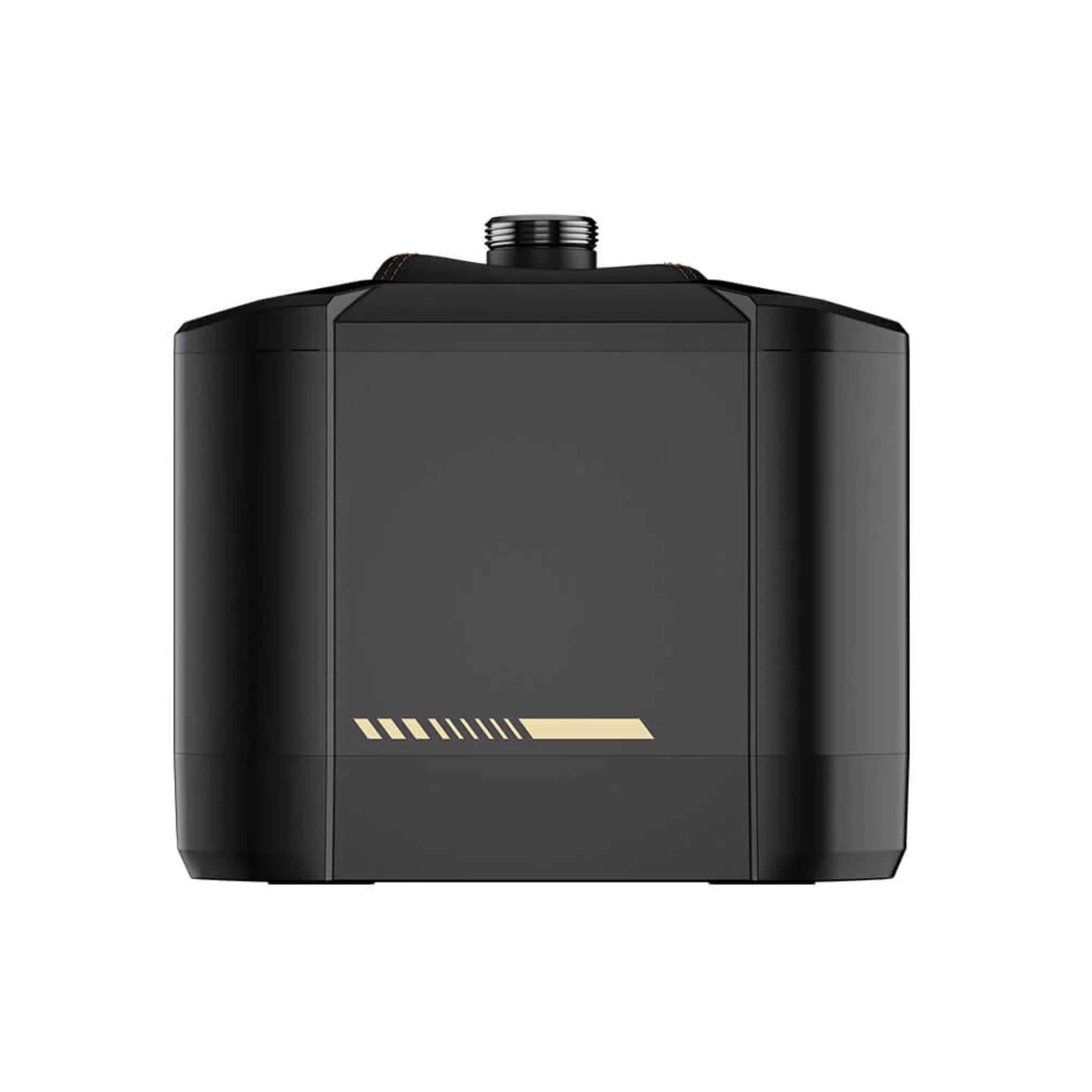
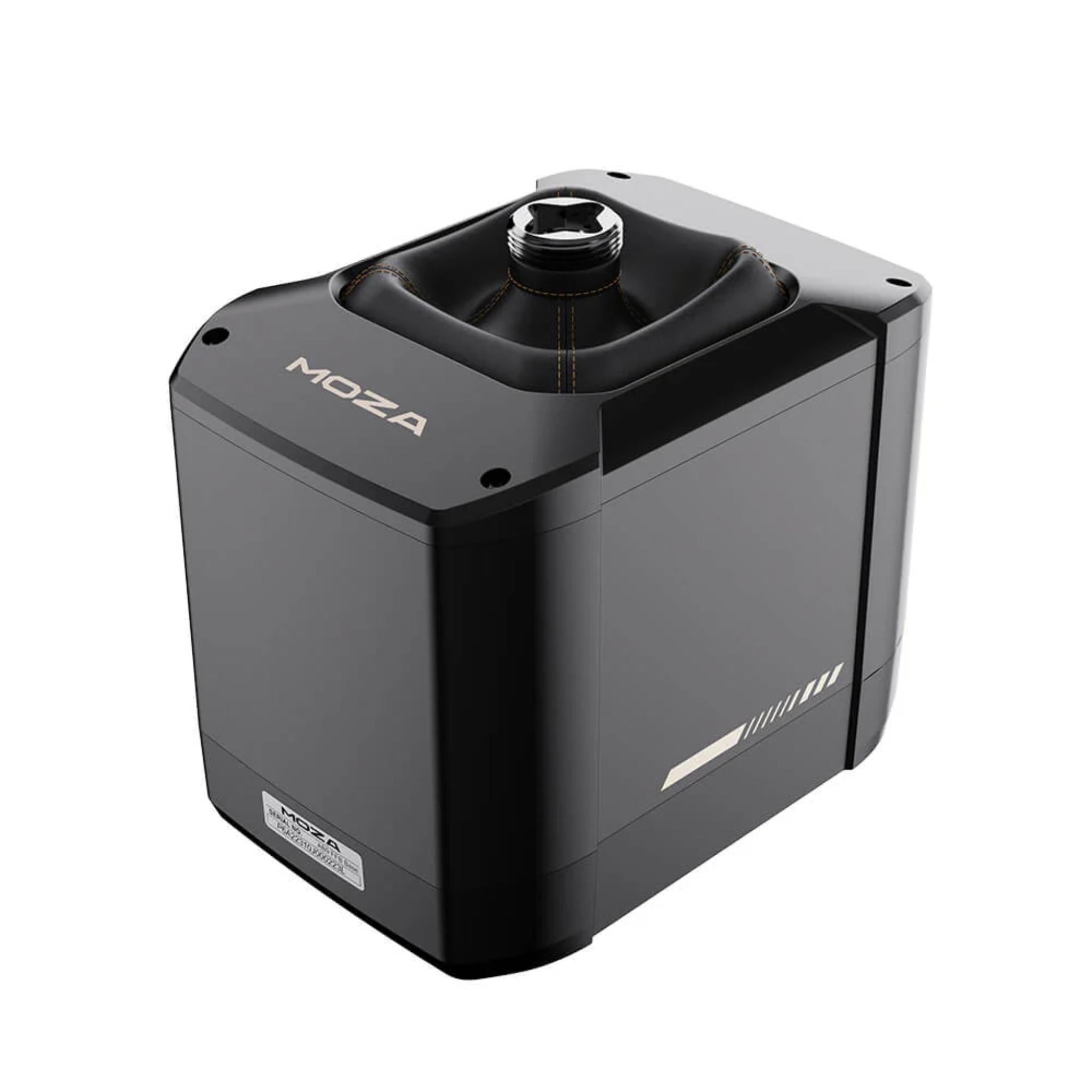
MOZA AB9 FFB BASE
Experience the pinnacle of flight simulation with the MOZA AB9 Base, engineered for unmatched realism and precision.

Equipped with dual high-performance servo motors delivering up to 12Nm of peak torque, the AB9 replicates the dynamic feedback of real aircraft, including taxiing, takeoff, landing, and turbulence.

Featuring MOZA’s proprietary MCLS Force Feedback Technology and a high-resolution encoder, it delivers ultra-smooth, responsive control for an immersive flight experience.


Constructed from aviation-grade aluminum alloy with a quiet, fanless design, the AB9 ensures long-lasting durability and seamless operation.

The intuitive MOZA Cockpit Control Software allows full customization of force feedback intensity, response curves, and user profiles.

Compatible with leading flight simulation games and third-party flight sticks, the AB9 Base offers versatility, precision, and professional-grade performance for both enthusiasts and serious flight trainers.

Product Features
|
Feature |
Details |
|---|---|
|
Dual-servo force-feedback base |
Two high-performance servo motors delivering up to 12 Nm peak torque for powerful, detailed force feedback. |
|
12 Nm peak torque |
High torque range captures everything from light trim forces to heavy loading in high-G or high-speed scenarios. |
|
MCLS force-feedback algorithm |
MOZA Control Loading System (MCLS) models flight resistance and force changes across an adjustable ±20° travel range. |
|
High-resolution encoder |
High-resolution position sensing for smooth, accurate response and low cogging/torque ripple. |
|
Quiet, fanless design |
Sealed, fanless construction keeps operating noise very low—ideal for long flights and shared spaces. |
|
Aviation-grade aluminum housing |
Chassis built from aviation-grade aluminum alloy with automotive-grade finishes for strength and thermal stability. |
|
MOZA Cockpit Control Software |
PC software to adjust overall strength, damping, response curves, and save/share custom profiles per aircraft or sim. |
|
Open ecosystem |
Supports MOZA flight sticks and third-party grips through optional adapters and 5-pin data interfaces. |
|
Flexible mounting |
Compatible with desktop clamp or rig mounting for cockpits and sim rigs; clamp and adapters sold separately. |
|
PC flight sim support |
Works with major PC flight titles: MSFS 2020/2024, DCS, X-Plane, IL-2, War Thunder, Star Citizen, and others. |
|
Status indicator LED |
Base indicator light shows power/connection status at a glance. |
|
High USB refresh rate |
1000 Hz USB polling for fast, low-latency response. |
What’s Included
-
MOZA AB9 FFB Base × 1
Power cable, data cable, and mounting hardware supplied as required by MOZA; flight stick, clamp, and mount adapter sold separately.
Product Specifications
Core Specs
|
Category |
Spec |
|---|---|
|
Product Name |
MOZA AB9 FFB Base |
|
Supported Platform |
PC (Windows) |
|
Peak Torque |
12 N·m |
|
Torque System |
Dual servo motors with MCLS force-feedback algorithm |
|
Maximum Limit Angle |
±20° adjustable travel |
|
Main Body Material |
Aviation-grade aluminum alloy |
|
USB Refresh Rate |
1000 Hz |
|
Base Indicator Light |
Yes – displays base status |
Power & Connectivity
|
Category |
Spec |
|---|---|
|
Rated Voltage |
110–220 V AC → >36 V DC |
|
Rated Current |
6 A |
|
Rated Power |
216 W |
|
Connection Ports |
Power, data, throttle, rudder pedals, and other peripherals (multi-port I/O) |
|
Installation Methods |
Desktop mount or rig mount (table clamp optional) |
|
Desktop Clamp |
Optional accessory (sold separately) |
Dimensions
|
Category |
Spec |
|---|---|
|
Dimensions (L × H × W) |
Approx. 227.9 mm × 157 mm × 204.5 mm |
Getting Started Guide
-
Unbox and inspect the base
-
Remove the AB9 base from the box and check the housing, ports, and shaft for any visible damage.
-
Keep all packaging until you’ve confirmed everything works.
-
-
Decide on your mounting method
-
Choose between desktop clamp mounting or rig (cockpit) mounting, depending on your setup and accessories.
-
-
Attach your flight stick (without power)
-
With the base powered off, attach a compatible MOZA flightstick (e.g., MH16) or third-party grip via the appropriate adapter.
-
Make sure the connector and mounting bolts are firmly seated.
-
-
Position the base in your cockpit
-
Place the base where it’s comfortable relative to your seat, pedals, and display—usually centered and slightly forward of your lap.
-
Ensure you have enough clearance for the full ±20° travel.
-
-
Secure the base
-
Using either a desk clamp or cockpit mount, loosely secure the base, test your reach, then fully tighten the hardware so the base cannot shift under full force.
-
-
Connect power and USB
-
Connect the power cable to the base and a suitable outlet (110–220 V AC).
-
Connect the data/USB cable from the base to your PC.
-
-
Install MOZA Cockpit Control Software
-
Download and install MOZA Cockpit from MOZA’s website or the link on the product page.
-
Launch the software and confirm the AB9 is recognized.
-
-
Update firmware (if prompted)
-
In MOZA Cockpit, check for firmware updates for the base.
-
Apply updates following the on-screen instructions.
-
-
Run basic calibration
-
Center the stick and follow any calibration prompts in MOZA Cockpit.
-
Verify full travel is detected and that forces feel smooth across the range.
-
-
Create your first profile
-
Set a starting force level, damping, and response curve for your primary sim (e.g., MSFS or DCS).
-
Save the profile so you can recall it later.
-
Bind controls in your flight sim
-
Open your flight sim (MSFS, X-Plane, DCS, etc.), assign axes and buttons, and test in a simple flight.
Product Installation Guide
-
Prepare your mounting surface
-
Ensure your desk or cockpit mounting plate is solid and free of flex.
-
For aluminum-profile rigs, confirm you have appropriate T-nuts/bolts for the AB9 footprint.
-
-
Plan ergonomics
-
Sit in your usual flying position and decide on height, distance, and angle for the base.
-
Make sure full stick travel will not hit your seat, throttle, or keyboard tray.
-
-
Desktop clamp installation (if using clamp)
-
Attach the optional Flight Base Table Clamp to the base according to MOZA’s instructions.
-
Place the assembly on the edge of your desk and tighten the clamp screws gradually until secure.
-
-
Rig installation (cockpit mount)
-
Align the base mounting holes with your cockpit’s plate or profile channels.
-
Insert bolts and washers, then lightly tighten to test position.
-
Once satisfied, fully tighten all mounting bolts.
-
-
Install the flight stick
-
Attach your MOZA or supported third-party stick to the shaft, using the specified bolts and connector.
-
Verify that the grip is aligned straight and does not rotate under load.
-
-
Connect peripherals
-
Plug in optional devices like throttle quadrants or rudder pedals to the appropriate ports (if using the base as a hub), or directly to your PC depending on your setup.
-
-
Cable routing
-
Route power and data cables along your rig frame, away from moving pedals or seat rails.
-
Use cable clips or ties to secure and avoid cable strain.
-
-
Power-on and driver check
-
Power on the base, then your PC.
-
Confirm the device appears correctly in MOZA Cockpit and in Windows devices/game controllers.
-
-
Force-feedback tuning
-
In MOZA Cockpit, set overall force strength and damping.
-
Start with moderate forces; gradually increase until you find a comfortable but informative level for your main aircraft types.
-
-
Game-specific configuration
-
For each simulator (MSFS, DCS, X-Plane, etc.), fine-tune sensitivity curves, dead zones, and FFB integrations (where applicable).
-
Save separate MOZA profiles for “Airliner,” “GA,” “Helicopter,” or “Combat” if you fly multiple categories.
-
-
Final safety check
-
Move the stick through its full range under power and listen for any abnormal noises.
-
Confirm the base and mount don’t flex or shift when full torque is applied.
-
Product Manual and User Guides
Frequently Asked Questions
Q: What flight simulators does the AB9 Base support?
A: The AB9 is compatible with most major PC flight simulators, including Microsoft Flight Simulator 2020/2024, X-Plane 10/11/12, DCS World, IL-2 Sturmovik, War Thunder, Star Citizen, and others. It is not currently compatible with consoles such as Xbox or PlayStation.
Q: Does the AB9 include a flight stick?
A: No. The AB9 Base is sold on its own. You’ll need to add a compatible flight stick—such as the MOZA MH16 Flightstick, MA3X Side Stick, or a supported third-party grip with the appropriate adapter.
Q: How does the AB9 base differ from a typical non-FFB joystick base?
A: Unlike standard joystick bases that use static springs, the AB9 uses dual servo motors, 12 Nm peak torque, and MCLS control loading to simulate real flight forces—control stiffness at speed, trim forces, turbulence, and more. This makes the controls feel more like a real aircraft and helps you “fly by feel.”
Q: Is the AB9 noisy during use?
A: No. The base uses a sealed, fanless design and smooth servo control, which keeps mechanical noise very low. It’s suitable for long sessions, late-night flying, or shared spaces where you want to minimize noise.
Q: Can I mount the AB9 in my existing cockpit?
A: Yes. The AB9 supports desktop clamping and hard mounting to sim rigs, and its mounting pattern is designed to work with many common cockpits and DIY platforms. You may need the Flight Base Table Clamp or Flight Base Mount Adapter depending on your setup.
Q: Does the AB9 work with non-MOZA flight hardware?
A: Yes, within limits. As long as the flight stick or extension uses compatible interfaces (such as the correct 5-pin data cable and mechanical mount), it can work with the AB9 via the appropriate adapter. Always check compatibility with MOZA or the grip manufacturer before purchasing.
Q: Do I need MOZA Cockpit software to use the AB9?
A: The base will be detected by Windows, but MOZA Cockpit is strongly recommended. It lets you update firmware, adjust force-feedback strength and curves, create per-aircraft profiles, and generally get the best performance out of the base.
Shipping Policy
Simulator Direct fulfills MOZA Racing products through authorized ASI distribution warehouses located throughout the United States. Orders ship directly from ASI’s facilities using trusted freight and parcel carriers to help ensure secure delivery and product protection.
Because MOZA Racing products are typically large, heavy, or freight-class items, shipping methods and timelines may differ from standard parcel shipments.
Shipping Methods & Charges
- ASI Partner products generally ship via freight carriers.
- Select smaller items may ship via standard parcel services when applicable.
- Shipping method and cost may vary based on product size, product weight, destination, and available carrier options.
- Any applicable shipping charges will be displayed at checkout or confirmed before order fulfillment when required.
Processing Time & Order Handling
- Most ASI Partner orders ship same business day or next business day, depending on inventory location and order cutoff time.
- General warehouse cutoff times:
- East Coast warehouses: Orders placed before 2:00 PM PST may ship same day.
- Los Angeles warehouse: Orders placed before 12:00 PM PST may ship same day.
- Other U.S. warehouses: Orders placed before 4:00 PM PST may ship same day.
- Orders not shipped the same day will typically ship the next business day.
- ASI Partner warehouses operate Monday–Friday and are closed on weekends and major holidays.
Inventory Availability & Backorders
Inventory availability is maintained through ASI Partner’s distribution network and may vary by warehouse.
- Inventory data is accessible through ASI systems, but it is not live and typically updates once per day.
- An item may appear available but sell out before an order is processed.
- Simulator Direct may confirm availability manually before finalizing an order when necessary.
If an item becomes unavailable after order placement:
- Simulator Direct will notify the customer.
- Options may include holding the order, partial shipment if supported, or cancellation with refund.
- Estimated restock timelines will be communicated when available.
Tracking & Delivery
- Tracking information will be provided by email once your order ships.
- Freight deliveries are typically curbside delivery unless otherwise arranged.
- If special delivery services are required, please contact support@simulatordirect.com before placing the order.
- Examples may include lift gate service, inside delivery, or scheduled delivery appointment.
- Availability and added costs must be confirmed before fulfillment.
Return Policy
Returns for ASI Partner-fulfilled products follow ASI Partner’s official return policy.
Because ASI Partner operates as a distribution provider rather than a retail storefront, return eligibility, restocking fees, and return shipping costs may vary by product and circumstance.
Return Authorization & Conditions
- All returns require prior written authorization from Simulator Direct.
- Unauthorized returns may be refused or returned to the sender.
- Items must be returned in original packaging, unused, and in resalable condition unless otherwise approved.
- Certain items may be non-returnable due to size, customization, or manufacturer restrictions.
- Special return approvals may be granted on a case-by-case basis and are subject to ASI Partner’s acceptance.
Return Shipping & Fees
- Customers are responsible for all return shipping costs unless the return is due to an error or defect.
- Original shipping charges are non-refundable.
- Restocking fees may apply per ASI Partner’s return policy.
- Carrier fees associated with refused deliveries, storage, or re-routing may be deducted from the refund.
- Refunds are issued only after ASI Partner receives, inspects, and approves the returned item.
Damaged or Incorrect Items
If your order arrives damaged or incorrect:
- Contact support@simulatordirect.com promptly.
- Provide your order number, photos of the damage or issue, and a description.
- Simulator Direct will coordinate directly with ASI Partner to resolve the issue in accordance with their policies.
Order Changes & Cancellations
Orders are processed quickly once submitted.
- Orders not yet shipped may be eligible for cancellation or modification.
- Orders that have shipped or entered fulfillment may be subject to return policies and applicable fees.
- Late-stage cancellations may incur shipping or handling charges.
- Please contact support immediately if changes are needed.
Questions or Assistance
For any ASI Partner-related shipping, returns, or order questions, contact:
support@simulatordirect.com
We will coordinate directly with ASI Partner on your behalf to help ensure a smooth experience.

Newsletter
Exclusive Updates. Delivered Before Anyone Else.