
Skip to content

Cart

Your cart is empty

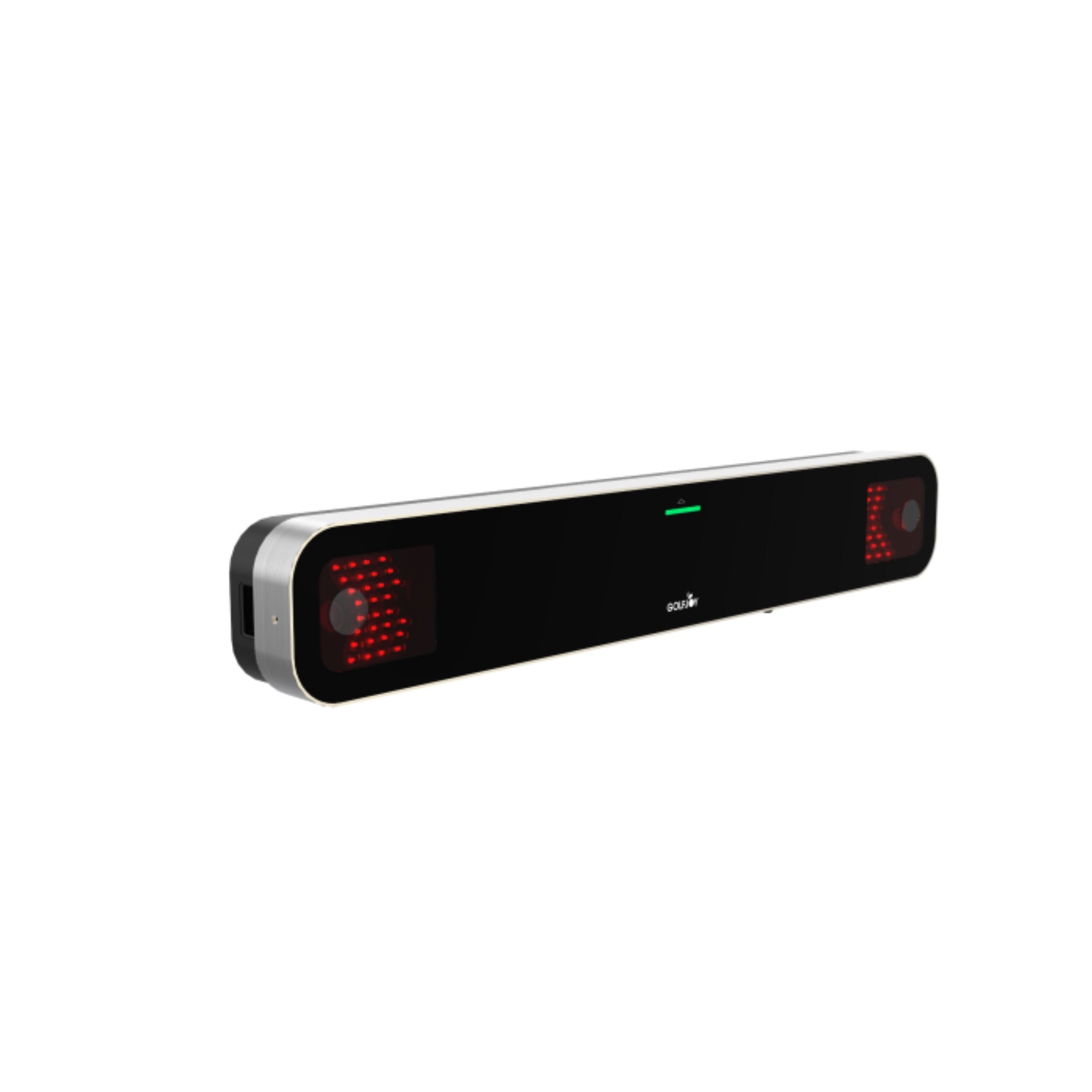
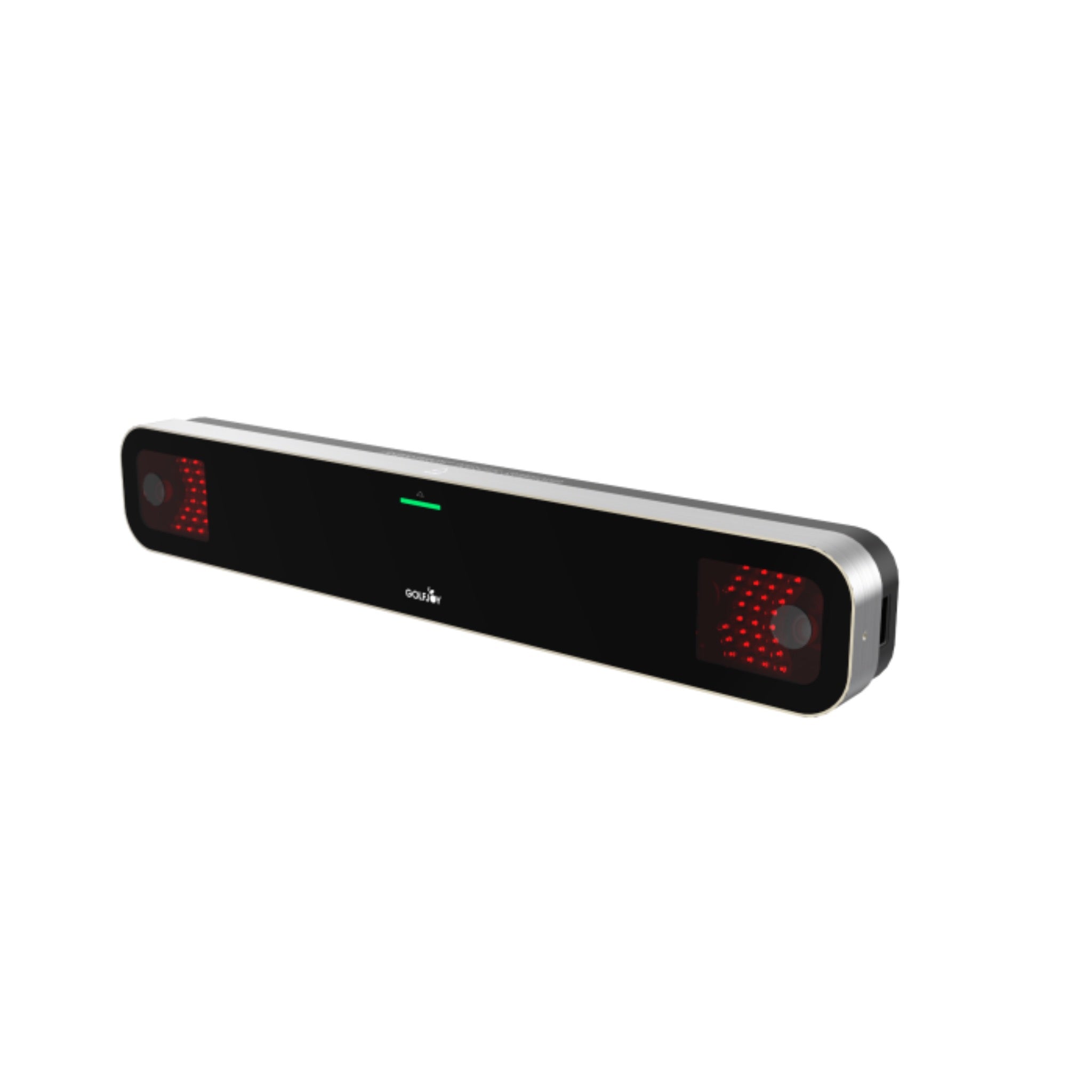
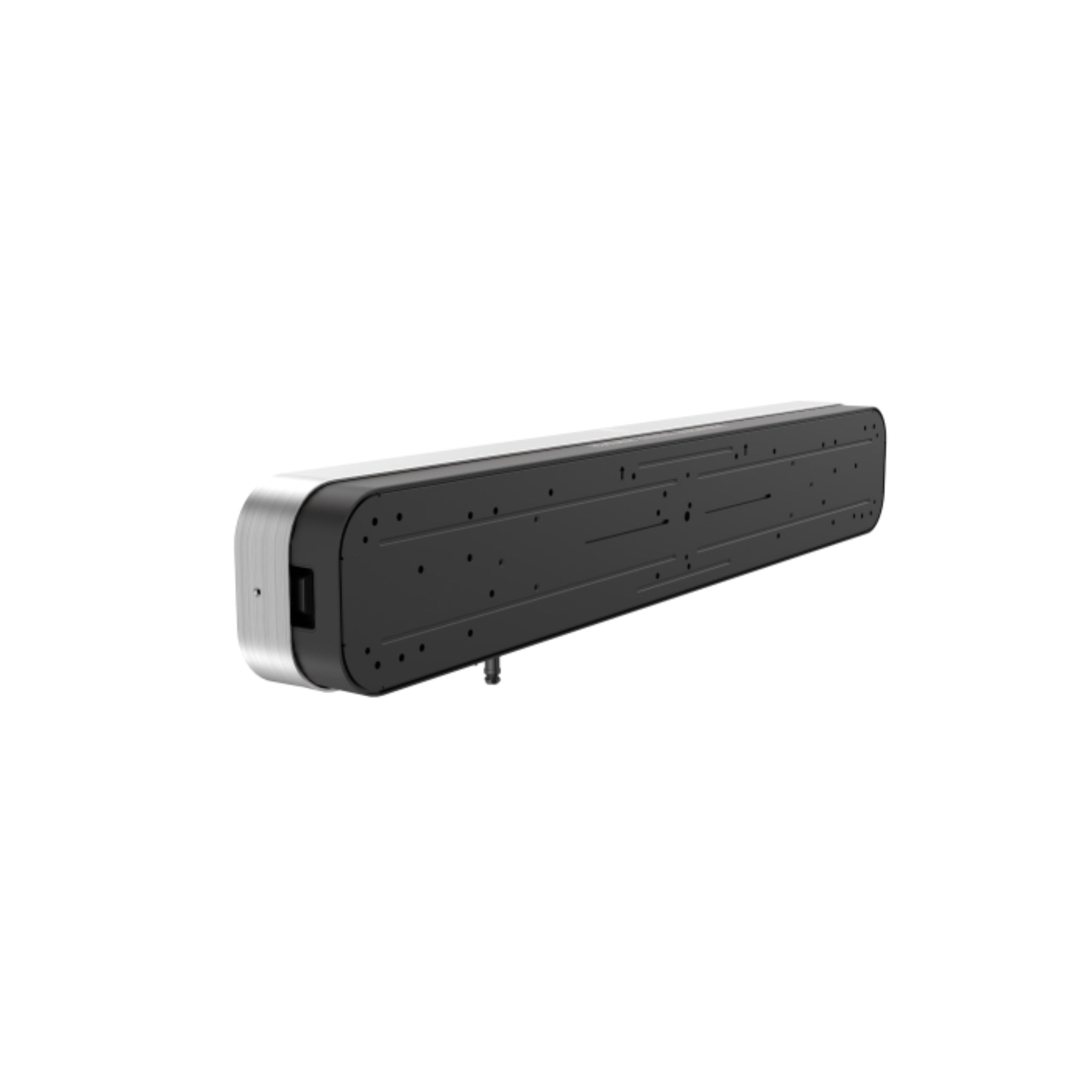
GOLFJOY GR2 Launch Monitor

Sale price$6,999.00

Got Questions?
Email: support@simulatordirect.com
Phone: (714) 202-9416

Launch Monitor Unit:
  • American Express
  • Apple Pay
  • Diners Club
  • Discover
  • Google Pay
  • Mastercard
  • PayPal
  • Shop Pay
  • Visa

Fast & Free Shipping On Eligible Items

Exclusions Apply

Lowest Price Guarantee

Found a better price? We’ll match it — Guaranteed.

Simulator Expertise

Talk to a Real Expert
(714) 202-9416
Mon–Sat 8AM–5PM PST

Description

GOLFJOY GR2 Overhead Launch Monitor

The GOLFJOY GR2 is a premium overhead launch monitor built for golfers who want a clean, permanent simulator setup with detailed ball, club, and shot data. Mounted above the hitting area, the GR2 keeps the floor clear while tracking your swing with a dual-camera system and AI-powered analysis.

Designed for serious home golf simulator rooms, coaching studios, commercial bays, and fitting environments, the GR2 gives players fast feedback on the numbers that matter most. It can track ball data, club data, and shot trajectory data so you can better understand carry distance, spin, launch, club path, face angle, shot shape, and more.

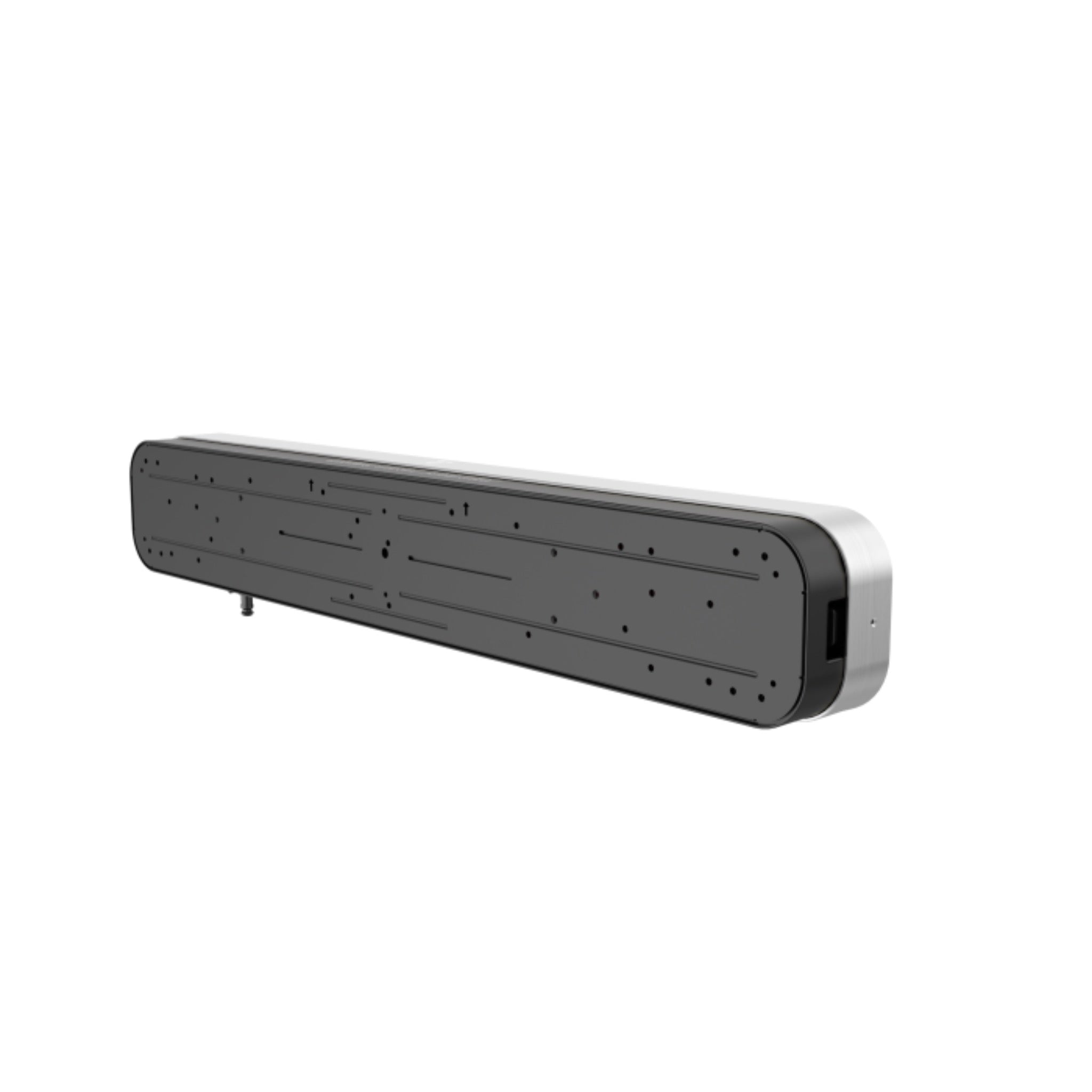
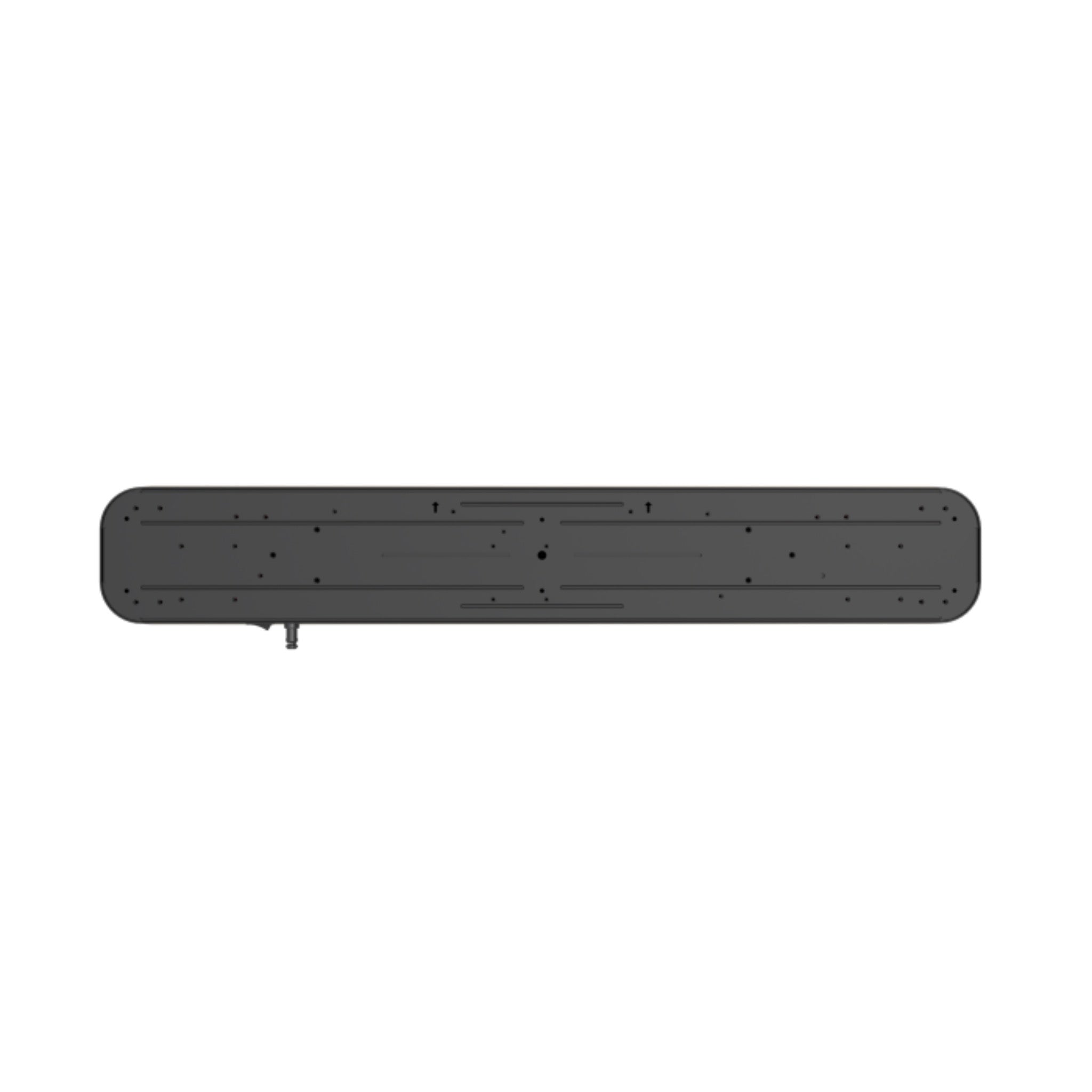
The GR2 is built for a polished simulator bay with a slim overhead form factor and durable aluminum housing. Because it mounts above the hitting area, it works well for both right-handed and left-handed golfers without needing to move the unit between players.

The system includes 1 month of GOLFJOY software trial access and is compatible with popular golf simulator software options such as GSPro, E6, and Creative Golf, giving customers flexibility when building out their simulator experience.


Product Features

Product Features

Feature Benefit
Overhead Launch Monitor Design Keeps the hitting area clean and uncluttered while allowing both right- and left-handed golfers to use the same hitting zone.
Dual-Camera Tracking Uses two cameras to track club and ball activity at impact for accurate simulator feedback and shot analysis.
AI-Powered Analysis Processes shot information quickly so golfers can review performance, identify patterns, and make smarter practice adjustments.
Up to 32 Key Golf Metrics Tracks a wide range of ball, club, and trajectory data to help golfers better understand their swing and ball flight.
Extended Hitting Zone Provides more room for natural setup and shot execution compared to smaller hitting-zone systems.
Club Data with Stickers Included club stickers allow the system to capture detailed club metrics for deeper swing analysis.
No Marked Balls Required Tracks ball metrics using standard unmarked golf balls, helping keep your simulator setup simple and convenient.
Third-Party Software Compatible Works with GOLFJOY software and compatible third-party simulator software such as GSPro, E6, and Creative Golf.
Bluetooth & WiFi Connectivity Provides modern connection options for supported setup and software workflows.
Professional Simulator Look The overhead mount and slim housing create a polished, built-in feel for home simulator rooms and commercial bays.


What's Included

What’s Included

  • GOLFJOY GR2 Launch Monitor.
  • GOLFJOY software trial access for 1 month.
  • Calibration chart.
  • Power cable, adapter, and connector.
  • Ethernet LAN cable.
  • 500 club stickers.


Product Specifications

Product Specifications

Launch Monitor Overview

Category Specification
Product Type Overhead golf launch monitor
Tracking System Dual-camera tracking with AI-powered analysis
Mounting Style Overhead mount above the hitting area
Right / Left Handed Use Supports both right- and left-handed golfers from the same hitting zone
Club Data Club stickers required for included club metrics
Ball Tracking Tracks ball metrics using unmarked golf balls
Connectivity Bluetooth and WiFi
Software Requirement PC required for simulator software use

Physical Specifications

Category Specification
Dimensions 3.94” H × 3.60” W × 39.37” L
Weight 6.75 lb
Construction Durable aluminum housing

Room & Mounting Requirements

Category Requirement
Mounting Height Overhead mounted approximately 108.5”–122” above the hitting surface
GR2 to Hitting Area Mounts approximately 3.62 ft in front of the hitting area
GR2 to Tee Distance Fixed at 43.3”–47.2”
Minimum Ceiling Height 9.0’–10.2’
Dynamic Platform Recommendation 9.5’–10.2’ ceiling height recommended for best performance with dynamic platforms
Installation Type Permanent or semi-permanent overhead simulator installation

Club Metrics

Metric Type Measured Data
Club Data Club speed, club path, face angle, face to path, attack angle, dynamic loft, smash factor, dynamic lie, and closure rate.

Note: Club metrics require the included club stickers to be applied according to GOLFJOY setup instructions.

Ball Metrics

Metric Type Measured Data
Ball Data Ball speed, back spin, side spin, spin rate, spin axis, launch direction, and launch angle.

Trajectory Metrics

Metric Type Measured Data
Shot & Trajectory Data Carry distance, total distance, roll distance, gap, deviation, center line, curve, apex, landing angle, hang time, side carry, target line carry, curve carry, carry percentage, roll percentage, and deviation angle.

Software Compatibility

Software Details
GOLFJOY Native Software Includes 1 month of trial access to GOLFJOY software.
GOLFJOY 4K Compatible with GOLFJOY’s premium software environment.
GSPro Compatible with GSPro for customers who want realistic simulator course play.
E6 Compatible with E6 software where supported by the customer’s software license and setup.
Creative Golf Compatible with Creative Golf software where supported by the customer’s software license and setup.

Software licenses may be sold separately unless specifically included in the selected package. Please confirm which software license you need before purchasing.

PC Requirements

Category Requirement
Operating System 64-bit Windows 10 or higher
Processor Intel i5-10600 or higher recommended
Graphics Card NVIDIA GeForce RTX 3050 or higher recommended. AMD GPUs are not supported.
Memory Minimum 16 GB system RAM


Getting Started Guide

Getting Started Guide

  1. Confirm your simulator room dimensions.
    • Verify that your ceiling height, hitting area, tee location, and enclosure layout meet the GR2 mounting requirements.
    • Plan for the GR2 to be mounted above the hitting area and approximately 3.62 ft in front of the hitting position.
  2. Confirm your PC compatibility.
    • Use a compatible Windows PC with a supported NVIDIA graphics card.
    • Make sure the PC meets or exceeds the recommended processor, RAM, and graphics requirements for your chosen software.
  3. Choose your simulator software.
    • Use GOLFJOY native software, or connect with compatible third-party software such as GSPro, E6, or Creative Golf.
    • Software subscriptions or licenses may be sold separately unless clearly included in your selected package.
  4. Plan your mounting location.
    • Measure carefully from the GR2 location to the tee position.
    • Make sure the unit is centered and securely mounted according to GOLFJOY installation guidance.
  5. Apply club stickers if using club data.
    • Club metrics require the included club stickers.
    • Follow GOLFJOY instructions for sticker placement so the system can properly read club data.
  6. Connect power, LAN, and software.
    • Connect the required power and data cables.
    • Install and configure the appropriate software on your simulator PC.
  7. Calibrate and test.
    • Use the included calibration chart and follow the setup process to align the unit.
    • Hit test shots to confirm ball data, club data, and shot direction are being captured correctly.
Shipping, Returns & Support Notes

Shipping, Returns & Support Notes

Policy Area Details
Manufacturer Direct Item This product ships directly from the manufacturer or supplier. It may ship separately from other items in your order.
Shipping Area GOLFJOY products ship to U.S. addresses only.
Expedited Shipping Manufacturer Direct items are not eligible for expedited shipping.
Separate Shipments If your order includes both Manufacturer Direct and in-stock items, they may arrive in separate shipments with separate tracking.
Cancellations If the order can be canceled before it is too far into processing, a 5% cancellation fee may apply. If cancellation is no longer possible, the item will follow the applicable return policy.
Returns GolfJoy products may be returnable within 30 days of delivery if they are in like-new condition with all original components. A return authorization must be approved before anything is shipped back.
Return Shipping Return shipping costs are the customer’s responsibility unless otherwise approved for a qualifying issue.
Restocking Fee Manufacturer Direct items may be subject to restocking fees depending on the product condition, manufacturer policy, and return approval.
Product Support For setup, calibration, software, or warranty-related issues, manufacturer support may be required in addition to order support from Simulator Direct.


FAQ's

Frequently Asked Questions

Q. Is the GOLFJOY GR2 a floor-mounted or overhead launch monitor? Click to expand ▼

A. The GR2 is an overhead launch monitor. It mounts above the hitting area, keeping the floor clear and allowing both right- and left-handed golfers to use the same hitting zone.

Q. Does the GR2 track both ball and club data? Click to expand ▼

A. Yes. The GR2 tracks ball data, club data, and trajectory data. Club metrics require the included club stickers to be applied according to the setup instructions.

Q. Do I need marked golf balls? Click to expand ▼

A. No. The GR2 is designed to track ball metrics using unmarked golf balls, which helps keep your simulator setup simple and convenient.

Q. What ceiling height do I need? Click to expand ▼

A. The listed minimum ceiling height range is 9.0’–10.2’. For dynamic platforms, 9.5’–10.2’ is recommended for best performance. Always account for hitting mat height when checking your final setup.

Q. Where should the GR2 be mounted? Click to expand ▼

A. The GR2 mounts overhead, approximately 108.5”–122” above the hitting surface and approximately 3.62 ft in front of the hitting area. The GR2-to-tee distance should fall within the required 43.3”–47.2” range.

Q. What software works with the GR2? Click to expand ▼

A. The GR2 works with GOLFJOY native software and is compatible with simulator software options such as GSPro, E6, and Creative Golf. Separate software subscriptions or licenses may be required.

Q. What kind of PC do I need? Click to expand ▼

A. A 64-bit Windows 10 or higher PC is required. An Intel i5-10600 or higher, NVIDIA GeForce RTX 3050 or higher, and at least 16 GB of RAM are recommended. AMD GPUs are not supported.

Q. Can both right-handed and left-handed golfers use it? Click to expand ▼

A. Yes. Because the GR2 is mounted overhead, right- and left-handed golfers can use the same hitting area without moving the launch monitor.

Q. Is this a manufacturer-direct item? Click to expand ▼

A. Yes. This is a Manufacturer Direct item, which means it ships directly from the manufacturer or supplier and may ship separately from other products in your order. Expedited shipping is not available for Manufacturer Direct items.

Q. Can I return the GR2 if I change my mind? Click to expand ▼

A. GolfJoy products may be returnable within 30 days of delivery if they are in like-new condition with all original components. A return authorization is required before shipping anything back, and return shipping costs are the customer’s responsibility.

Q. Can I purchase the GR2 outside the United States? Click to expand ▼

A. GOLFJOY products are currently available to ship to U.S. addresses only.

Description

GOLFJOY GR2 Overhead Launch Monitor

The GOLFJOY GR2 is a premium overhead launch monitor built for golfers who want a clean, permanent simulator setup with detailed ball, club, and shot data. Mounted above the hitting area, the GR2 keeps the floor clear while tracking your swing with a dual-camera system and AI-powered analysis.

Designed for serious home golf simulator rooms, coaching studios, commercial bays, and fitting environments, the GR2 gives players fast feedback on the numbers that matter most. It can track ball data, club data, and shot trajectory data so you can better understand carry distance, spin, launch, club path, face angle, shot shape, and more.

The GR2 is built for a polished simulator bay with a slim overhead form factor and durable aluminum housing. Because it mounts above the hitting area, it works well for both right-handed and left-handed golfers without needing to move the unit between players.

The system includes 1 month of GOLFJOY software trial access and is compatible with popular golf simulator software options such as GSPro, E6, and Creative Golf, giving customers flexibility when building out their simulator experience.


Product Features

Product Features

Feature Benefit
Overhead Launch Monitor Design Keeps the hitting area clean and uncluttered while allowing both right- and left-handed golfers to use the same hitting zone.
Dual-Camera Tracking Uses two cameras to track club and ball activity at impact for accurate simulator feedback and shot analysis.
AI-Powered Analysis Processes shot information quickly so golfers can review performance, identify patterns, and make smarter practice adjustments.
Up to 32 Key Golf Metrics Tracks a wide range of ball, club, and trajectory data to help golfers better understand their swing and ball flight.
Extended Hitting Zone Provides more room for natural setup and shot execution compared to smaller hitting-zone systems.
Club Data with Stickers Included club stickers allow the system to capture detailed club metrics for deeper swing analysis.
No Marked Balls Required Tracks ball metrics using standard unmarked golf balls, helping keep your simulator setup simple and convenient.
Third-Party Software Compatible Works with GOLFJOY software and compatible third-party simulator software such as GSPro, E6, and Creative Golf.
Bluetooth & WiFi Connectivity Provides modern connection options for supported setup and software workflows.
Professional Simulator Look The overhead mount and slim housing create a polished, built-in feel for home simulator rooms and commercial bays.


What's Included

What’s Included

  • GOLFJOY GR2 Launch Monitor.
  • GOLFJOY software trial access for 1 month.
  • Calibration chart.
  • Power cable, adapter, and connector.
  • Ethernet LAN cable.
  • 500 club stickers.


Product Specifications

Product Specifications

Launch Monitor Overview

Category Specification
Product Type Overhead golf launch monitor
Tracking System Dual-camera tracking with AI-powered analysis
Mounting Style Overhead mount above the hitting area
Right / Left Handed Use Supports both right- and left-handed golfers from the same hitting zone
Club Data Club stickers required for included club metrics
Ball Tracking Tracks ball metrics using unmarked golf balls
Connectivity Bluetooth and WiFi
Software Requirement PC required for simulator software use

Physical Specifications

Category Specification
Dimensions 3.94” H × 3.60” W × 39.37” L
Weight 6.75 lb
Construction Durable aluminum housing

Room & Mounting Requirements

Category Requirement
Mounting Height Overhead mounted approximately 108.5”–122” above the hitting surface
GR2 to Hitting Area Mounts approximately 3.62 ft in front of the hitting area
GR2 to Tee Distance Fixed at 43.3”–47.2”
Minimum Ceiling Height 9.0’–10.2’
Dynamic Platform Recommendation 9.5’–10.2’ ceiling height recommended for best performance with dynamic platforms
Installation Type Permanent or semi-permanent overhead simulator installation

Club Metrics

Metric Type Measured Data
Club Data Club speed, club path, face angle, face to path, attack angle, dynamic loft, smash factor, dynamic lie, and closure rate.

Note: Club metrics require the included club stickers to be applied according to GOLFJOY setup instructions.

Ball Metrics

Metric Type Measured Data
Ball Data Ball speed, back spin, side spin, spin rate, spin axis, launch direction, and launch angle.

Trajectory Metrics

Metric Type Measured Data
Shot & Trajectory Data Carry distance, total distance, roll distance, gap, deviation, center line, curve, apex, landing angle, hang time, side carry, target line carry, curve carry, carry percentage, roll percentage, and deviation angle.

Software Compatibility

Software Details
GOLFJOY Native Software Includes 1 month of trial access to GOLFJOY software.
GOLFJOY 4K Compatible with GOLFJOY’s premium software environment.
GSPro Compatible with GSPro for customers who want realistic simulator course play.
E6 Compatible with E6 software where supported by the customer’s software license and setup.
Creative Golf Compatible with Creative Golf software where supported by the customer’s software license and setup.

Software licenses may be sold separately unless specifically included in the selected package. Please confirm which software license you need before purchasing.

PC Requirements

Category Requirement
Operating System 64-bit Windows 10 or higher
Processor Intel i5-10600 or higher recommended
Graphics Card NVIDIA GeForce RTX 3050 or higher recommended. AMD GPUs are not supported.
Memory Minimum 16 GB system RAM


Getting Started Guide

Getting Started Guide

  1. Confirm your simulator room dimensions.
    • Verify that your ceiling height, hitting area, tee location, and enclosure layout meet the GR2 mounting requirements.
    • Plan for the GR2 to be mounted above the hitting area and approximately 3.62 ft in front of the hitting position.
  2. Confirm your PC compatibility.
    • Use a compatible Windows PC with a supported NVIDIA graphics card.
    • Make sure the PC meets or exceeds the recommended processor, RAM, and graphics requirements for your chosen software.
  3. Choose your simulator software.
    • Use GOLFJOY native software, or connect with compatible third-party software such as GSPro, E6, or Creative Golf.
    • Software subscriptions or licenses may be sold separately unless clearly included in your selected package.
  4. Plan your mounting location.
    • Measure carefully from the GR2 location to the tee position.
    • Make sure the unit is centered and securely mounted according to GOLFJOY installation guidance.
  5. Apply club stickers if using club data.
    • Club metrics require the included club stickers.
    • Follow GOLFJOY instructions for sticker placement so the system can properly read club data.
  6. Connect power, LAN, and software.
    • Connect the required power and data cables.
    • Install and configure the appropriate software on your simulator PC.
  7. Calibrate and test.
    • Use the included calibration chart and follow the setup process to align the unit.
    • Hit test shots to confirm ball data, club data, and shot direction are being captured correctly.
Shipping, Returns & Support Notes

Shipping, Returns & Support Notes

Policy Area Details
Manufacturer Direct Item This product ships directly from the manufacturer or supplier. It may ship separately from other items in your order.
Shipping Area GOLFJOY products ship to U.S. addresses only.
Expedited Shipping Manufacturer Direct items are not eligible for expedited shipping.
Separate Shipments If your order includes both Manufacturer Direct and in-stock items, they may arrive in separate shipments with separate tracking.
Cancellations If the order can be canceled before it is too far into processing, a 5% cancellation fee may apply. If cancellation is no longer possible, the item will follow the applicable return policy.
Returns GolfJoy products may be returnable within 30 days of delivery if they are in like-new condition with all original components. A return authorization must be approved before anything is shipped back.
Return Shipping Return shipping costs are the customer’s responsibility unless otherwise approved for a qualifying issue.
Restocking Fee Manufacturer Direct items may be subject to restocking fees depending on the product condition, manufacturer policy, and return approval.
Product Support For setup, calibration, software, or warranty-related issues, manufacturer support may be required in addition to order support from Simulator Direct.


FAQ's

Frequently Asked Questions

Q. Is the GOLFJOY GR2 a floor-mounted or overhead launch monitor? Click to expand ▼

A. The GR2 is an overhead launch monitor. It mounts above the hitting area, keeping the floor clear and allowing both right- and left-handed golfers to use the same hitting zone.

Q. Does the GR2 track both ball and club data? Click to expand ▼

A. Yes. The GR2 tracks ball data, club data, and trajectory data. Club metrics require the included club stickers to be applied according to the setup instructions.

Q. Do I need marked golf balls? Click to expand ▼

A. No. The GR2 is designed to track ball metrics using unmarked golf balls, which helps keep your simulator setup simple and convenient.

Q. What ceiling height do I need? Click to expand ▼

A. The listed minimum ceiling height range is 9.0’–10.2’. For dynamic platforms, 9.5’–10.2’ is recommended for best performance. Always account for hitting mat height when checking your final setup.

Q. Where should the GR2 be mounted? Click to expand ▼

A. The GR2 mounts overhead, approximately 108.5”–122” above the hitting surface and approximately 3.62 ft in front of the hitting area. The GR2-to-tee distance should fall within the required 43.3”–47.2” range.

Q. What software works with the GR2? Click to expand ▼

A. The GR2 works with GOLFJOY native software and is compatible with simulator software options such as GSPro, E6, and Creative Golf. Separate software subscriptions or licenses may be required.

Q. What kind of PC do I need? Click to expand ▼

A. A 64-bit Windows 10 or higher PC is required. An Intel i5-10600 or higher, NVIDIA GeForce RTX 3050 or higher, and at least 16 GB of RAM are recommended. AMD GPUs are not supported.

Q. Can both right-handed and left-handed golfers use it? Click to expand ▼

A. Yes. Because the GR2 is mounted overhead, right- and left-handed golfers can use the same hitting area without moving the launch monitor.

Q. Is this a manufacturer-direct item? Click to expand ▼

A. Yes. This is a Manufacturer Direct item, which means it ships directly from the manufacturer or supplier and may ship separately from other products in your order. Expedited shipping is not available for Manufacturer Direct items.

Q. Can I return the GR2 if I change my mind? Click to expand ▼

A. GolfJoy products may be returnable within 30 days of delivery if they are in like-new condition with all original components. A return authorization is required before shipping anything back, and return shipping costs are the customer’s responsibility.

Q. Can I purchase the GR2 outside the United States? Click to expand ▼

A. GOLFJOY products are currently available to ship to U.S. addresses only.