
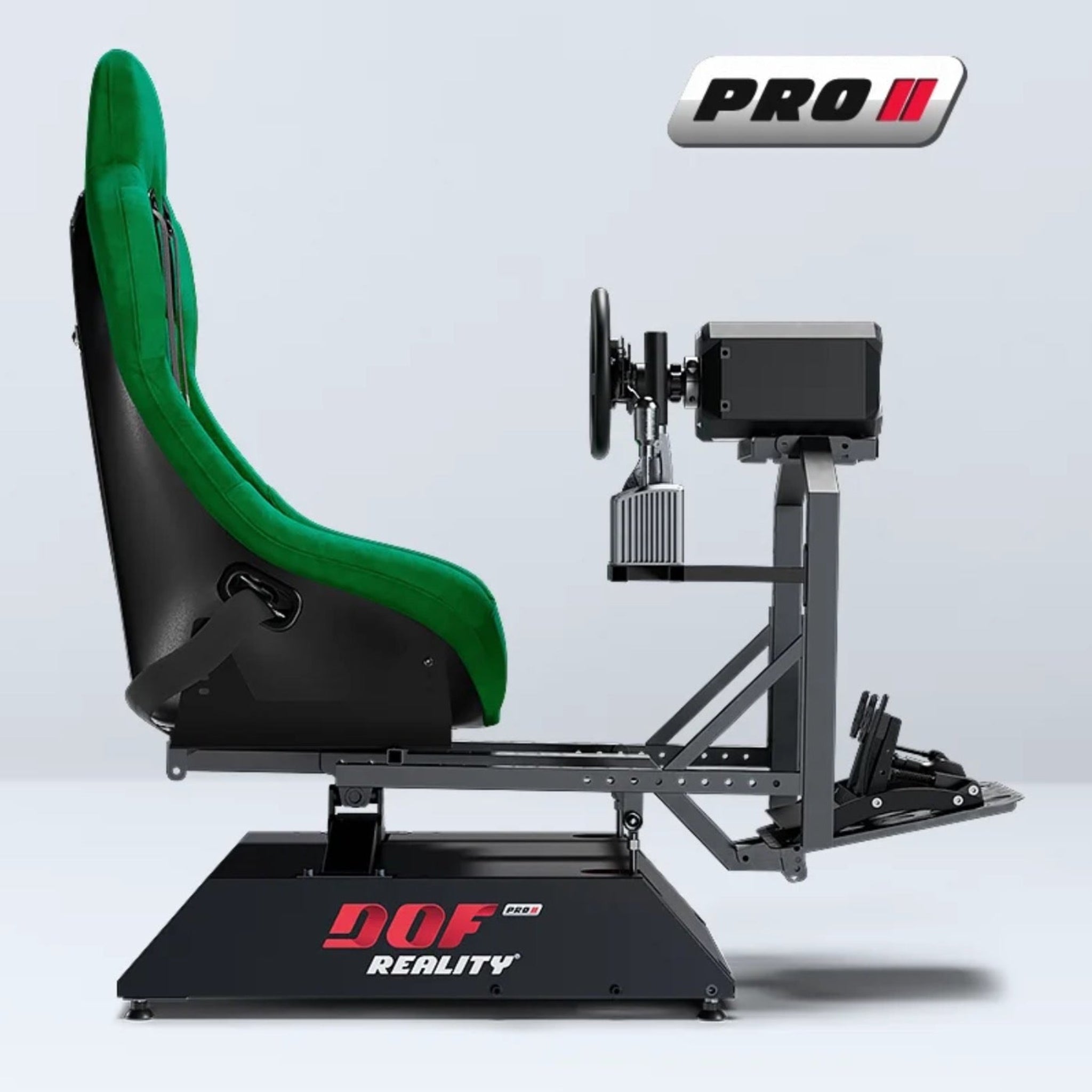
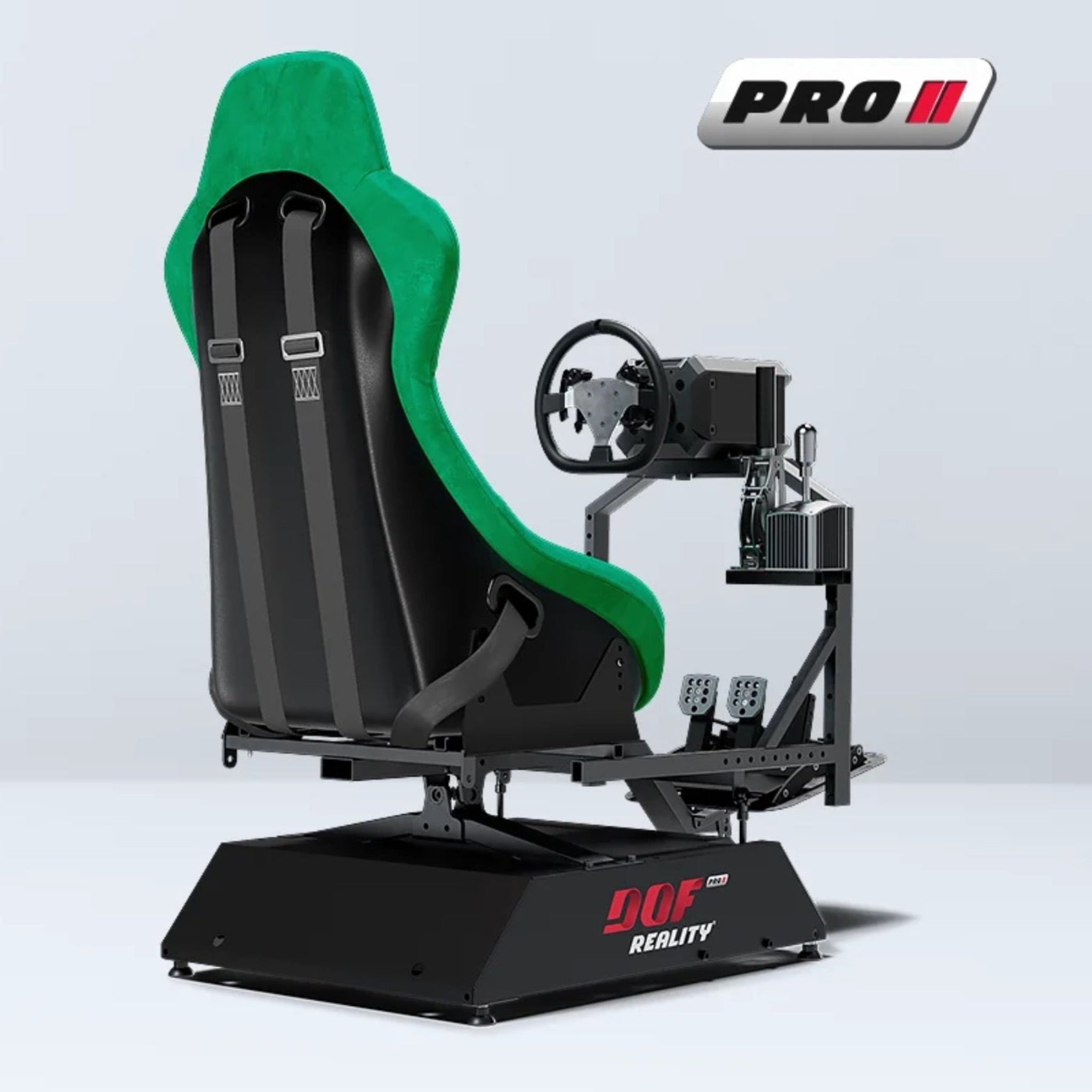
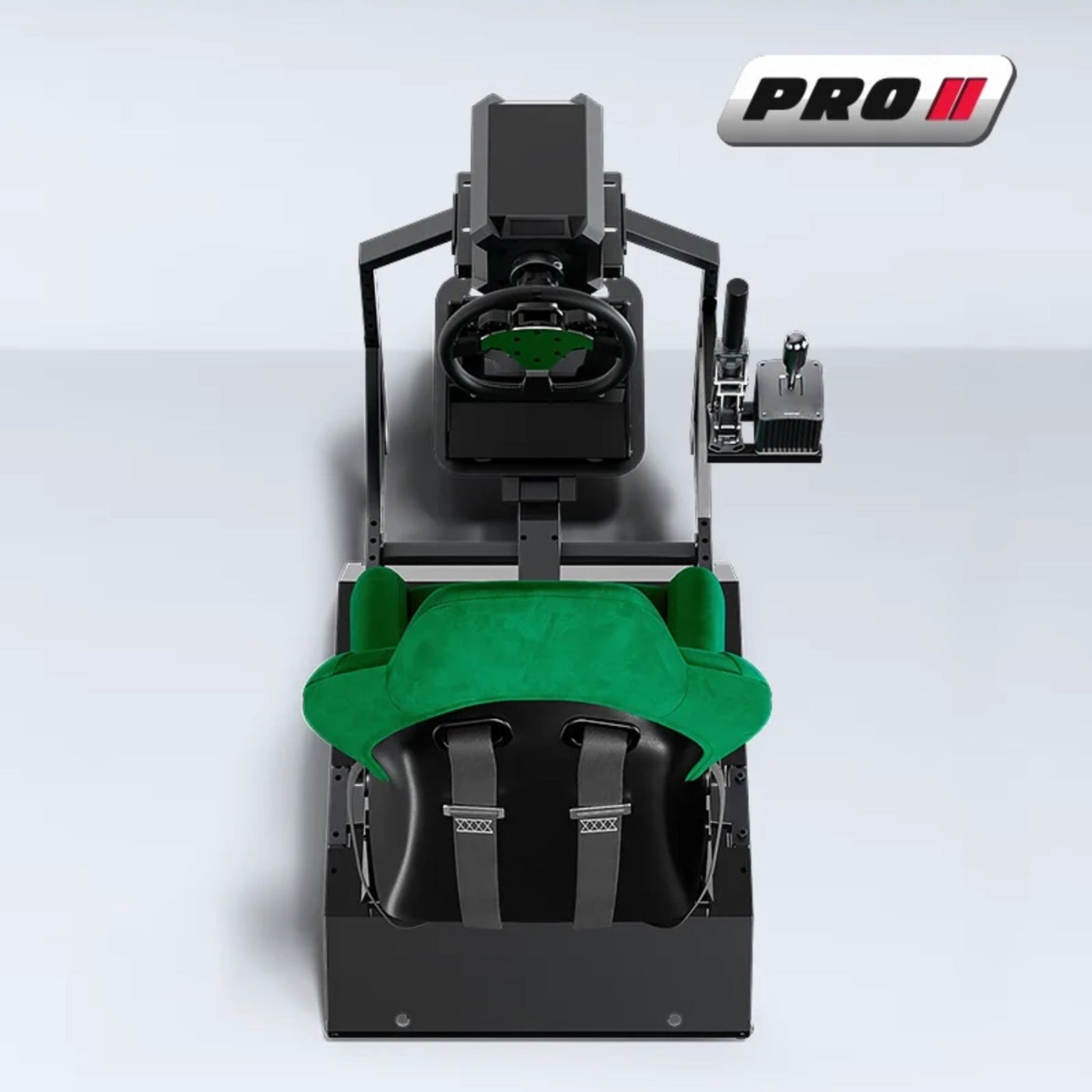
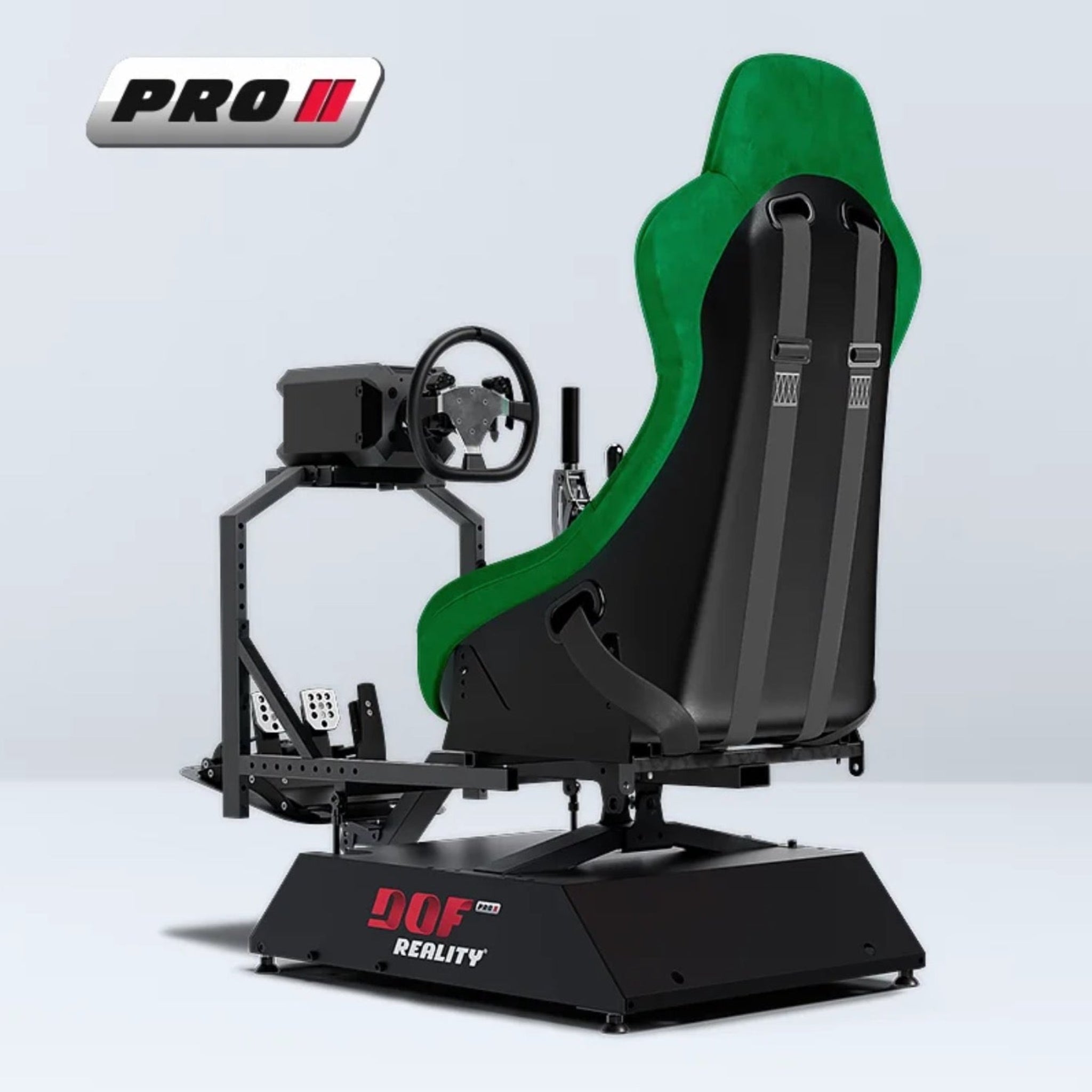
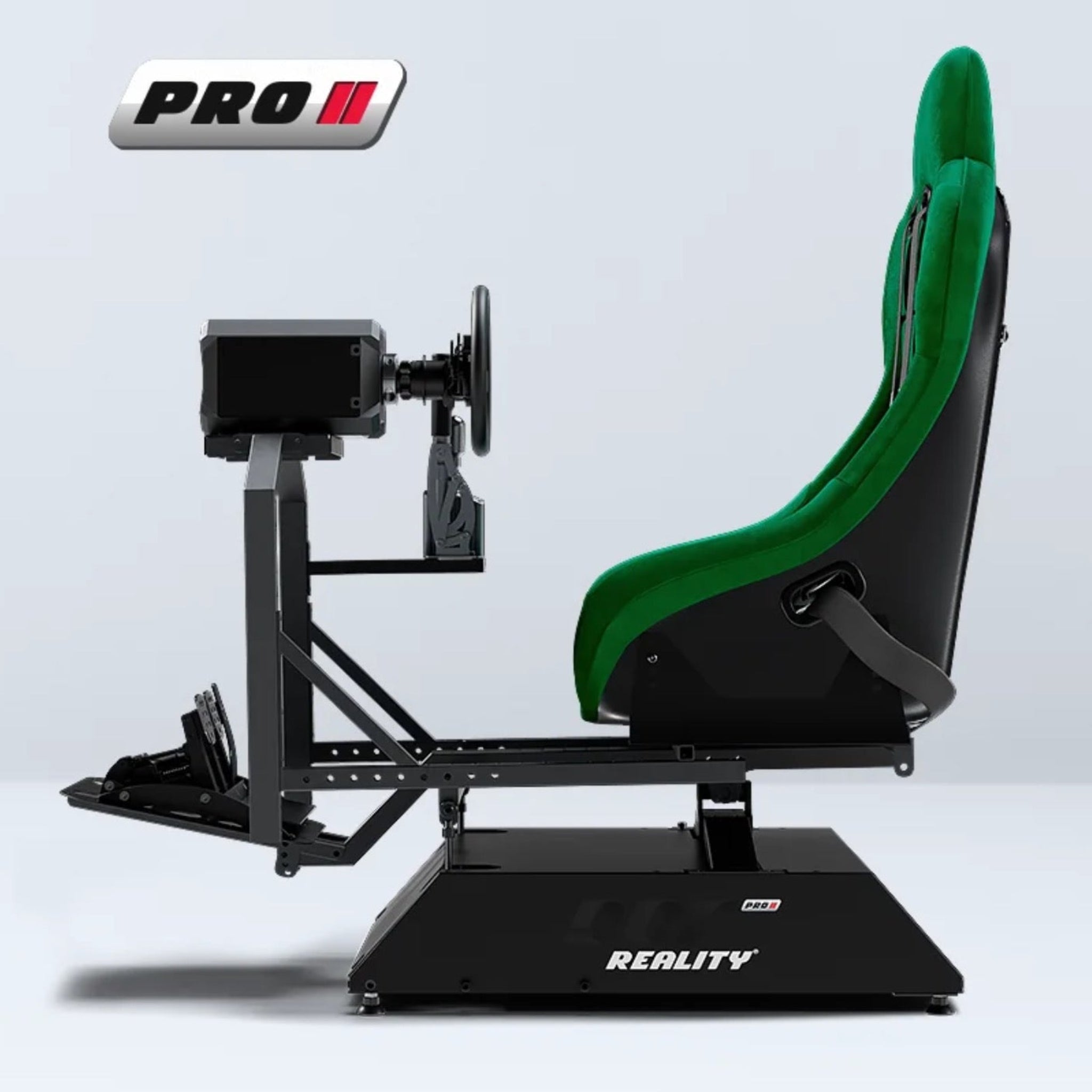

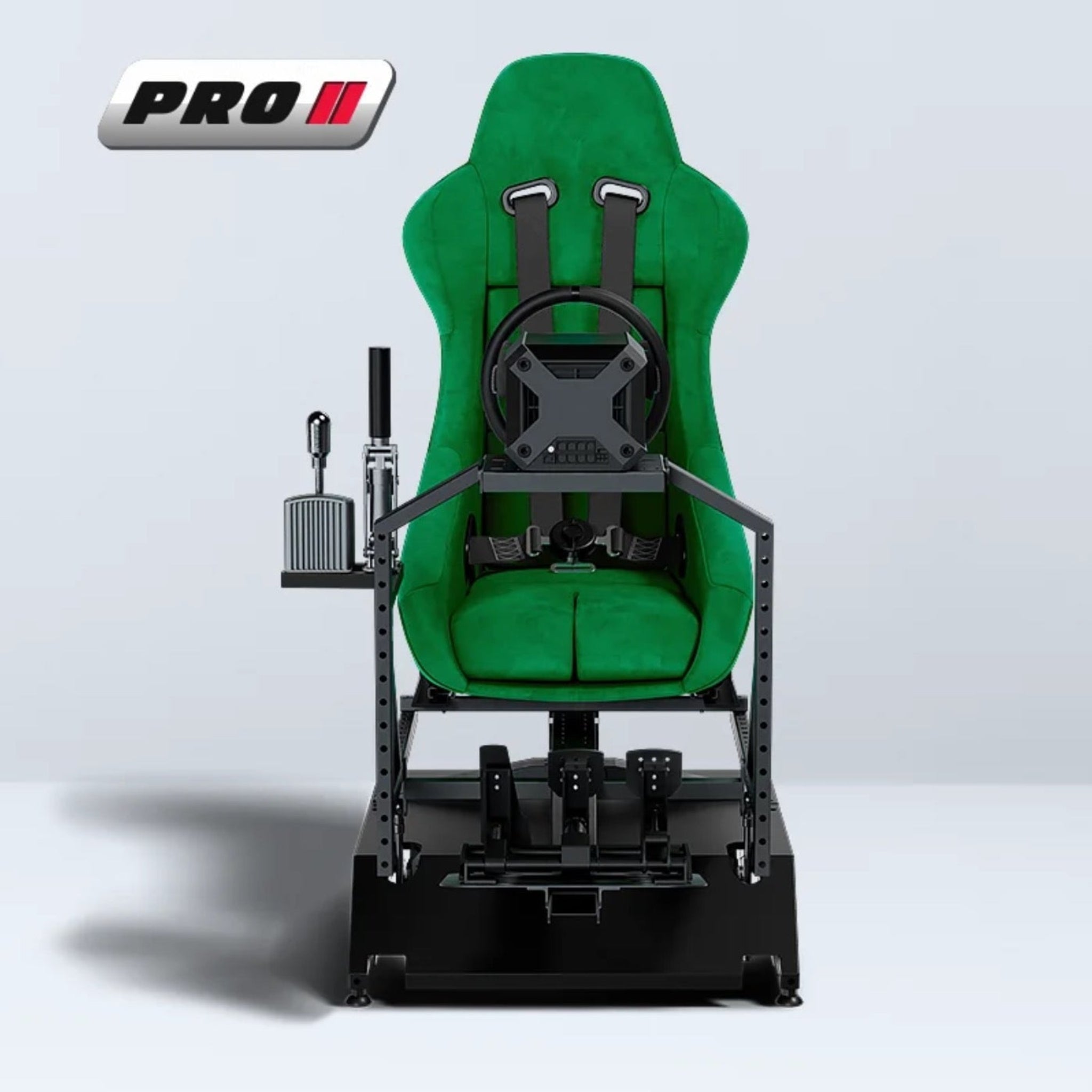
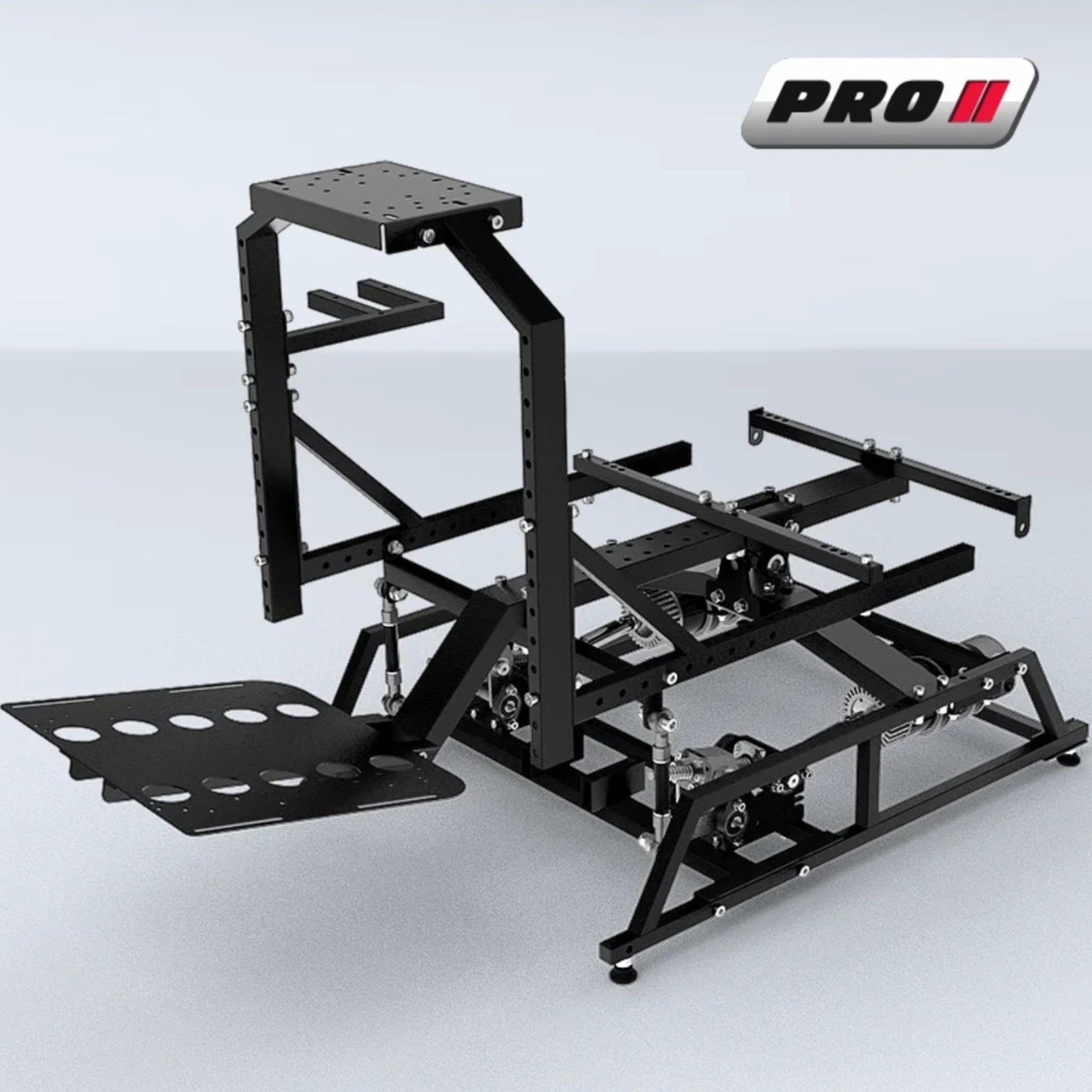

DOF Reality P2 Professional Universal Motion Simulator Platform
Got Questions?
Email: support@simulatordirect.com
Phone: (714) 202-9416
Choose options
- Description
- Product Features
- What's Included
- Product Specifications
- Product Installation Guide
- FAQ's
- Shipping/Returns & Warranty Policy
DOF Reality P2 2-Axis Professional Universal Motion Simulator Platform
Commercial-duty motion for serious racers, training centers, and high-end sim setups.
The DOF Reality P2 Professional is a 2-axis motion platform built for environments where simulators run hard and often — flight schools, VR arcades, training labs, and dedicated home cockpits. With pitch and roll movement and a full-cockpit motion design, the P2 replicates the key physical cues of real flight and racing, including climbs, descents, banking turns, braking forces, turbulence, approach corrections, and more.
Unlike DOF Reality’s enthusiast H-Series, the P-Series uses stronger, stiffer motors and commercial-grade drivetrains designed for extended sessions, including around 10 hours per day, day after day, without overheating or losing performance.
If you need a platform that feels realistic and is built for heavy, repeated use, the P2 is your professional-grade starting point.
Product Features
2-Axis Full-Motion Platform: Pitch + Roll

The P2 delivers full-platform motion across two core axes: pitch and roll. These movements recreate many of the most important physical cues used in racing, flight, helicopter, truck, and mixed simulator environments.
| Key Feature | Description |
|---|---|
| 2-Axis Full-Platform Motion | Delivers motion in two core axes: pitch for nose-up/down movement, acceleration, and braking cues; and roll for side-to-side lean, banking, and cornering force feedback. |
| Professional P-Series Motors | Uses stronger, more rigid P-Series motors and drivetrains compared to the H-Series, engineered for long, repeated daily use in commercial environments such as sim centers, training facilities, and VR arcades. |
| Universal Application | Built as a Universal platform, the P2 can be configured for racing, flight, helicopter, truck, off-road, and mixed-use cockpits, allowing you to swap top-side controls such as a wheel, yoke, HOTAS, or pedals without changing the motion base. |
| Full-Cockpit Movement | Moves the entire rig — including seat, wheel or yoke, pedals, shifter, HOTAS, and attached accessories — so your hands, eyes, and body share the same motion. This feels more natural and immersive than a seat-only mover. |
| Smooth, Responsive Motion | The P2’s drive system is tuned for smooth low-speed motion, which is great for flight attitudes and gentle banking, while still offering snappy response for race starts, braking zones, curbs, and weight transfer. |
| Compact, Rigid Frame | Built on a compact steel chassis designed to fit in dedicated sim rooms, studios, or commercial bays while remaining rigid enough for stronger force-feedback wheels and premium pedal sets. |
| PC & VR Ready | Designed to work with PC motion software such as SimRacingStudio and SimTools for major racing and flight titles. It also pairs well with VR headsets when combined with motion compensation or rig-mounted tracking. |
| Upgrade-Friendly Platform | A strong foundation for future growth. Ideal if you start with 2DOF and later plan to move up to 3-axis or 6-axis within the DOF Reality ecosystem, depending on your long-term needs and budget. |
Software & Game Compatibility

Through motion middleware like SimRacingStudio or SimTools, the P2 can be mapped to a wide range of supported racing, flight, and simulator titles.
Racing Simulation
-
Assetto Corsa / Competizione
-
iRacing
-
rFactor 2
-
F1 Series
-
Dirt Rally
- Project CARS
Flight Simulation
-
Microsoft Flight Simulator
-
X-Plane
-
DCS World
-
IL-2
- Prepar3D
Other Simulator Uses
-
Helicopter & VTOL: Helicopter-focused profiles that benefit from the P2’s smooth low-speed roll and pitch response.
- VR Experiences: Roller-coaster, training, and experience-based titles where motion telemetry or custom plugins are supported.
You can adjust motion intensity, smoothing, per-axis tuning, and VR motion compensation settings to match your comfort level and preferred simulation style.
Who the P2 Universal Is Perfect For
-
Commercial VR and sim arcades that need a universal motion base capable of switching between racing, flight, and helicopter experiences.
-
Training facilities and schools needing a robust, repeatable motion platform for attitude awareness and procedure practice.
-
High-end enthusiasts who want professional-grade motors and long-session durability.
- Content creators and event companies looking to run motion rigs throughout the day at conventions, expos, or product demos.
What's Included
| Item | Description |
|---|---|
| DOF Reality P2 2-Axis Motion Base | Professional 2DOF pitch and roll motion platform with P-Series motors and extra-smooth gearboxes pre-installed. |
| Universal Steel Frame | Rigid frame with mounting slots and rails for seat, wheel or yoke, pedals, shifter, HOTAS, and accessories. |
| Motor & Linkage Assembly | Industrial motors, gearboxes, and motion linkages factory-mounted to the platform. |
| Electronic Control Unit | Motion controller with USB interface and power input for PC-based motion control. |
| Mounting Hardware | Bolts, brackets, and basic fasteners required for assembling the platform and attaching controls. |
| Setup & Software Instructions | Documentation and guidance for connecting the rig to supported motion software such as SimRacingStudio or SimTools. |
Not Included: Seat, steering wheel or yoke, wheel base, pedals, HOTAS/collective, button boxes, displays, PC, simulator games, and VR headset. These are user-supplied so you can build your ideal cockpit.
Product Specifications
| Specification | Detail |
|---|---|
| Motion Type | 2-axis full-platform motion: pitch and roll |
| Degrees of Freedom | 2DOF: Pitch and Roll |
| Intended Use | Professional / commercial P-Series use, designed for long daily runtimes |
| Drive System | P-Series motors with extra-smooth gearboxes and professional-grade drivetrain |
| Motion Range | Up to approximately 20° of movement per axis, depending on configuration |
| Maximum Speed | Up to approximately 75 cm/s or 105°/sec under typical load |
| Supported Load | Up to approximately 200 kg combined user + cockpit load, depending on setup |
| Platform Weight | Approximately 40–50 kg, varies by options |
| Input Voltage | 100–240 V AC, 50/60 Hz |
| Peak Power Draw | Roughly 500–750 W under heavy motion |
| Motion Software Compatibility | SimRacingStudio, SimTools, and similar telemetry-based motion software |
| Typical Sims | Major PC racing and flight sims, including Assetto Corsa, iRacing, MSFS, X-Plane, DCS, and others via supported plugins |
| Motion Coverage | Full-cockpit motion: seat, controls, and small monitor mounts can move together |
Exact numerical specs can vary slightly based on configuration and year of manufacture. If you need precise engineering numbers, confirm the current DOF Reality datasheet before purchase.
Setup & Installation Recommendations
Space & Safety
- Leave at least 12–18 inches of clearance around the platform so it can tilt without striking furniture, walls, or people.
- Keep the rear and sides free of rigid obstacles. If something must be nearby, use padding or soft materials.
- Position the rig so the user can enter and exit easily without stepping over moving parts or cables.
- If the platform is placed on a raised deck, use non-slip surfaces and consider bolting the frame down for extra stability.
Mounting & Hardware
- Use the supplied washers and lock nuts, and apply a medium threadlocker, such as blue Loctite, on high-stress bolts such as seat mounts and frame joints.
- Make sure your chosen seat and controls are within the recommended weight range, especially if adding heavy aftermarket brackets or monitor mounts.
- Re-check all bolts after the first few hours of use, then periodically to catch any loosening from vibration.
- When experimenting with new accessories, run a slow manual motion check in software before using full-force profiles.
Cabling & Power
- Route motor, USB, and accessory cables along the frame rails, securing them with zip ties or Velcro straps so they have slack but never cross a pivot or actuator path.
- Avoid running signal and power cables tightly bundled together over long distances to reduce electrical noise. Cross them at right angles where possible.
- Use a quality surge protector or UPS rated for at least 1,000–1,500 W to protect the control electronics from spikes.
- Keep ventilation grills on the control box unobstructed. Do not place it directly on thick carpet or inside a sealed cabinet.
Software & Tuning
- Start with conservative motion settings, such as lower gain and speed, while you learn how the platform behaves. Gradually increase intensity over time.
- Maintain different profiles for racing, flight, and helicopter. Flight usually benefits from smoother motion, while racing can use sharper cues.
- For VR use, enable motion compensation or attach a tracking puck to the moving rig when your software supports it.
- Keep firmware and motion software up to date, as vendors often add new titles, bug fixes, and improved motion filters.
Maintenance & Longevity
- Wipe dust from actuators, linkages, and the control box periodically to promote cooling and reduce wear.
- Listen for new or unusual noises. Grinding, clunking, or excessive squeaks can be early signs that a bolt has loosened or something is misaligned.
- In commercial environments, create a simple maintenance checklist to run weekly, including visual inspection, bolt checks, and cable checks.
- If moving the rig, unplug power and USB first, lift from the frame rather than motors or linkages, and re-run a brief calibration test after repositioning.
Videos
Frequently Asked Questions
Q. What’s the main difference between the H2 and the P2? Click to expand ▼
A. The H2 and P2 both provide two motion axes — pitch and roll — but the P2 is part of DOF Reality’s Professional P-Series line. The P2 uses stronger, more rigid motors and smoother gearboxes designed for long sessions, including around 10 hours per day, in commercial environments. In short, the H2 is aimed more at home enthusiasts, while the P2 is built for heavier-duty, higher-load, long-term professional use.
Q. Can I use it for both flight and racing sims? Click to expand ▼
A. Yes. The P2 is a Universal platform, meaning it works well for wheel-based racing rigs, yoke or joystick flight decks, helicopter controls, truck sims, and custom training simulators. You can mount different cockpit controls on the same base, making it a strong option if you want one motion platform that can do a bit of everything.
Q. How noisy is it? Click to expand ▼
A. The P2 is designed to be surprisingly quiet for a motion platform, typically in the mid-40s to low-50s dB range under normal load. You will hear motor and gearbox movement when the rig is working hard, but the sound is usually manageable for home, studio, and commercial environments.
Q. Is the setup complicated? Click to expand ▼
A. Most users find the setup manageable. You will assemble the frame, bolt on the motion base, mount your seat and controls, connect the control box, and install motion software on your PC. If you are comfortable building flat-pack furniture or a standard sim rig, you can set up the P2. Plan for a few hours for careful assembly and tuning on your first build.
Q. Can I upgrade later? Click to expand ▼
A. Yes. DOF Reality platforms are modular, and many customers later move up to 3-axis or 6-axis systems, such as P3 or P6, or add additional motion features depending on their setup. Exact upgrade paths and kits can vary by model year, so if you plan to expand in the future, we recommend contacting us before purchase so we can confirm the best upgrade route for your setup.
Q. What is the maintenance schedule? Click to expand ▼
A. The P2 is largely maintenance-light. For most users, it is enough to:
- Inspect and tighten major bolts every few months.
- Keep dust off the actuators, linkages, and control box.
- Apply a small amount of lubricant to moving joints or sliding points every 6–12 months in heavy use.
Commercial users running the rig daily should build a simple weekly visual check into their routine.
Q. What’s included in the box, and what do I need to supply? Click to expand ▼
A. You get the P2 motion base, universal steel frame, motors, control electronics, and mounting hardware. You will need to provide your own seat, wheelbase or yoke, pedals, shifter or HOTAS, PC, monitor or VR headset, and simulator software. This lets you choose the exact controls and cockpit style you prefer.
Q. How much space do I need for the P2? Click to expand ▼
A. The platform itself has a compact footprint, roughly the size of a typical sim rig, but you should allow extra room around it for motion travel and safe entry/exit. As a rule of thumb, plan for at least a 6 ft x 6 ft area for the rig and user, plus enough ceiling height for your seat and tallest user.
Q. What is the weight capacity? Click to expand ▼
A. The P2 Professional is built for heavier commercial use and is designed to handle a combined load of roughly up to 200 kg, or about 440 lb, including the user, seat, and attached cockpit components. Very heavy custom builds should be discussed with us in advance so we can confirm suitability.
Q. Will it work with PlayStation and Xbox? Click to expand ▼
A. Yes, but console support depends on the game and setup method. Consoles operate within closed and proprietary platforms. Only select games, such as Gran Turismo 7, Gran Turismo Sport, Project CARS, Project CARS 2, Assetto Corsa, F1, Forza Motorsport 7, and Forza Horizon 4 and 5, can send motion data from consoles using UDP over the network.
For supported console games, a MagicBox solution may be required. For the latest supported PC and console games, please refer to DOF Reality’s supported games list or contact us before ordering.
Q. What seat should I use with the P2? Click to expand ▼
A. Your seat setup comes down to personal comfort and cockpit style. The P2 Motion Platform supports almost any bottom-mount car or gaming seat.
We recommend a bucket-style racing seat for added stability during high-intensity motion. A 4-point or 6-point harness can be added for extra security, though it is optional. For best performance, choose a lightweight seat so the motion platform can respond faster and more precisely.
For convenience and easy adjustment, a standard bottom-mount car seat with sliders or rails is a practical choice. If you choose a bucket seat, you may need side-to-bottom bracket adapters and slider rails.
Seat Mount Dimensions:
- Depth: 280 mm front to back
- Width options: 345 mm (13.37”), 375 mm (14.49”), or 405 mm (15.94”)
Q. Does it come assembled? Click to expand ▼
A. To ensure safe and convenient delivery, each unit is typically shipped in separate boxes. Some assembly is required upon arrival. This allows you to customize your setup to your exact cockpit preferences and helps you become familiar with the system.
Assembly is straightforward and designed to be manageable with the included instructions and basic tools.
Q. How does VR motion compensation work with DOF Reality platforms? Click to expand ▼
A. DOF Reality motion simulators are compatible with major VR headsets, but combining motion simulation with VR requires a few setup considerations. When the platform moves, your head and headset move too. This can cause the headset’s sensors to interpret platform motion as real-world movement, slightly shifting the in-game view.
If you notice excessive camera movement or “swimming” effects, start by reducing the platform’s motion intensity in your software settings. This often provides a smoother experience.
If additional correction is needed, motion compensation software can be used. OpenVR Motion Compensation is one popular community-supported option. It tracks the platform’s motion using a small tracker and removes that motion from the VR headset’s perspective to create a more stable visual experience.
Q. What VR systems are commonly used with motion compensation? Click to expand ▼
A. Motion compensation can work with both outside-in and inside-out tracking systems, depending on your hardware and software setup.
- Outside-In Tracking: Valve Index, HTC Vive, Vive Pro, Pimax systems, and original Oculus Rift CV1-style tracking.
- Inside-Out Tracking: HP Reverb/G2, Meta Quest, Oculus Rift S, Samsung Odyssey+, and Windows Mixed Reality headsets.
For base-station systems, users often mount a Vive Tracker or similar device directly to the motion platform. For inside-out systems, some users mount a compatible controller to the platform where the headset cameras can see it.
Q. Are there hardware-only ways to reduce VR motion drift? Click to expand ▼
A. Yes, some users use hardware-based workarounds, such as mounting a tracker or controller directly to the rig, reducing motion intensity, or adjusting VR tracking placement. Results vary depending on the headset, tracking type, and software. For the smoothest experience, we recommend planning your VR tracking setup before finalizing your cockpit layout.
Shipping/Returns & Warranty Policy
1. General Terms of Sale
All purchases made through Simulator Direct for DOF Reality products are governed by DOF Reality’s official Terms of Trade. Each product is sold new and compliant with all relevant international manufacturing and consumer laws.
Changes or special arrangements must be confirmed in writing prior to purchase.
2. Pricing and Payments
- USD Pricing: All prices are shown in USD and exclude local VAT, import duties, customs fees, or brokerage costs.
- Customer Responsibility: Customers are responsible for paying all applicable local taxes and import charges upon delivery.
- Custom or Professional Systems: Payment for custom-built or professional systems requires an upfront deposit before production begins.
- Payment Window: Orders not paid within 5 business days will be placed on hold and cancelled after an additional 2 days if payment is not received.
- Discounts: Only one discount or promotion code may be applied per order. Discounts cannot be combined or applied retroactively.
- Currency Conversion: Currency conversions displayed in local values are estimates only. Final pricing is determined by your bank’s exchange rate at the time of transaction.
3. Shipping Policy
Shipping Methods
- All platforms and accessories are shipped in securely packed boxes via international freight.
- Each system is assembled, tested, and calibrated before shipping, then disassembled for safe transport.
- Customers will receive detailed assembly instructions and all tools required for setup.
Delivery Terms
- DAP Incoterms: Orders ship under DAP Incoterms, meaning Delivered at Place.
- You are responsible for import customs clearance and any local duties or taxes that may be charged by your country.
- In many cases, shipments to North America clear without additional import fees, but customs duties, tariffs, and taxes are ultimately determined by local authorities and are outside our control.
- Ships From Poland: DOF Reality motion simulators are built and shipped directly from DOF Reality in Poland.
- Production Batches: DOF Reality products ship in production batches approximately every 2–3 weeks. Delivery timing depends on when your order enters the next production batch.
- Estimated Delivery Timeframe: Most DOF Reality orders are delivered within approximately 5–6 weeks from the date of purchase. This estimate includes payment processing, production, customs export/import, and transit time to your address.
- Payment processing may take approximately 5–7 business days.
- Delivery times may vary based on freight carrier schedules, customs processing, and regional conditions.
- Pre-Orders: Pre-orders may have undefined shipping dates until production begins. Once your order enters the production queue, we will provide an updated estimated delivery timeframe.
Shipping Cost Adjustments
- Shipping rates listed on the website are estimates and may fluctuate based on destination or carrier rate changes.
- If additional freight charges apply, customers will be notified prior to shipment for approval or refund.
Inspection Upon Delivery
Customers must inspect all packages immediately upon delivery.
Any missing or damaged items must be reported in writing within 48 hours. Failure to do so may void any replacement claim.
4. Returns and Refunds
Eligibility
- Refunds are only granted if a product is defective and cannot be restored to working condition through joint support between DOF Reality and the customer.
- Refunds will not be issued for change of mind or buyer’s remorse.
- Shipping and return shipping costs are the responsibility of the customer.
- Products must be properly packaged for return to prevent damage in transit.
- Refunds, if approved, will be processed within 20 business days after the returned product is received and inspected.
- High-value orders are processed shortly after purchase. Cancellations must be requested promptly to avoid processing fees.
Pre-Order and Custom Orders
- All pre-order deposits are non-refundable.
- Custom-built units cannot be cancelled or refunded once production has begun.
5. Warranty Policy
Coverage Period
All DOF Reality systems come with a 12-month limited warranty covering defects in materials or workmanship from the date of delivery.
Replacement or repaired components receive a 6-month warranty from their installation date.
Consumer Models: M & H Series
- Warranty applies to private, non-commercial use only.
- Commercial use voids the warranty coverage.
- Coverage excludes wear items such as motors, wheels, dampers, or mechanical joints that are subject to normal wear and tear.
Professional Models
- Professional and commercial-grade systems include a 12-month limited warranty with similar exclusions.
- On-site service may be offered at DOF Reality’s discretion for professional setups.
Warranty Limitations
Warranty does not cover:
- Normal wear and tear of moving components
- Improper storage, installation, or use against the manufacturer’s recommendations
- Unauthorized repairs or modifications
- Over-tightening dampers or overheating motors above 70°C
- Software-related issues or third-party system conflicts
Slight play in gearboxes, up to 10% of motion range, is normal and not considered a defect.
Claim Procedure
- Report any issue in writing immediately upon discovery.
- Provide photos, video, or diagnostic details as requested.
- Simulator Direct/DOF Reality will evaluate the claim within a reasonable timeframe.
- If approved, defective parts will be repaired, replaced, or shipped to you for replacement.
- Customers are responsible for the cost and risk of returning defective parts.
If Simulator Direct/DOF Reality fails to resolve a covered issue within a reasonable time, the customer may request a cancellation and refund for that item.
6. Extended Warranty & Service Plans
Optional extended warranty and software/hardware support packages are available upon request for professional models only.
These plans are tailored to each installation and priced based on system specifications.
Contact support@simulatordirect.com for details.
7. Software License Terms
Each platform includes a Sim Racing Studio Standard License, which is sufficient for full motion operation.
Premium features are available through an optional paid Sim Racing Studio Premium subscription, purchased directly from Sim Racing Studio.
DOF Reality is not responsible for changes or telemetry issues in third-party software or games.
8. Liability Disclaimer
DOF Reality products are designed for private entertainment purposes only.
The company is not liable for:
- Personal injury, loss of income, or indirect damages
- Misuse, modification, or unintended operation of the product
- Software or hardware malfunctions caused by third-party equipment
Maximum liability shall not exceed 50% of the total amount invoiced to the customer in the previous year, or $25 USD, whichever is lower.
9. Governing Law
Orders placed through Simulator Direct are governed by the laws applicable to Simulator Direct and the customer’s transaction, unless otherwise required by law. Certain manufacturer warranty, support, or product terms may also be governed by the manufacturer’s own terms and conditions..
10. Contact Information
For warranty claims, returns, or technical support, please contact:
Simulator Direct
Email: support@simulatordirect.com

Newsletter
Exclusive Updates. Delivered Before Anyone Else.