

Carl's Place HotShot™ Golf Mat Systems
Got Questions?
Email: support@simulatordirect.com
Phone: (714) 202-9416
Choose options
- Description
- Product Features
- What's Included
- Product Specifications
- Getting Started Guide
- Product Installation Guide
- FAQ's
- Shipping/Returns & Warranty Policy
Carl's Place HotShot™ Golf Mat System
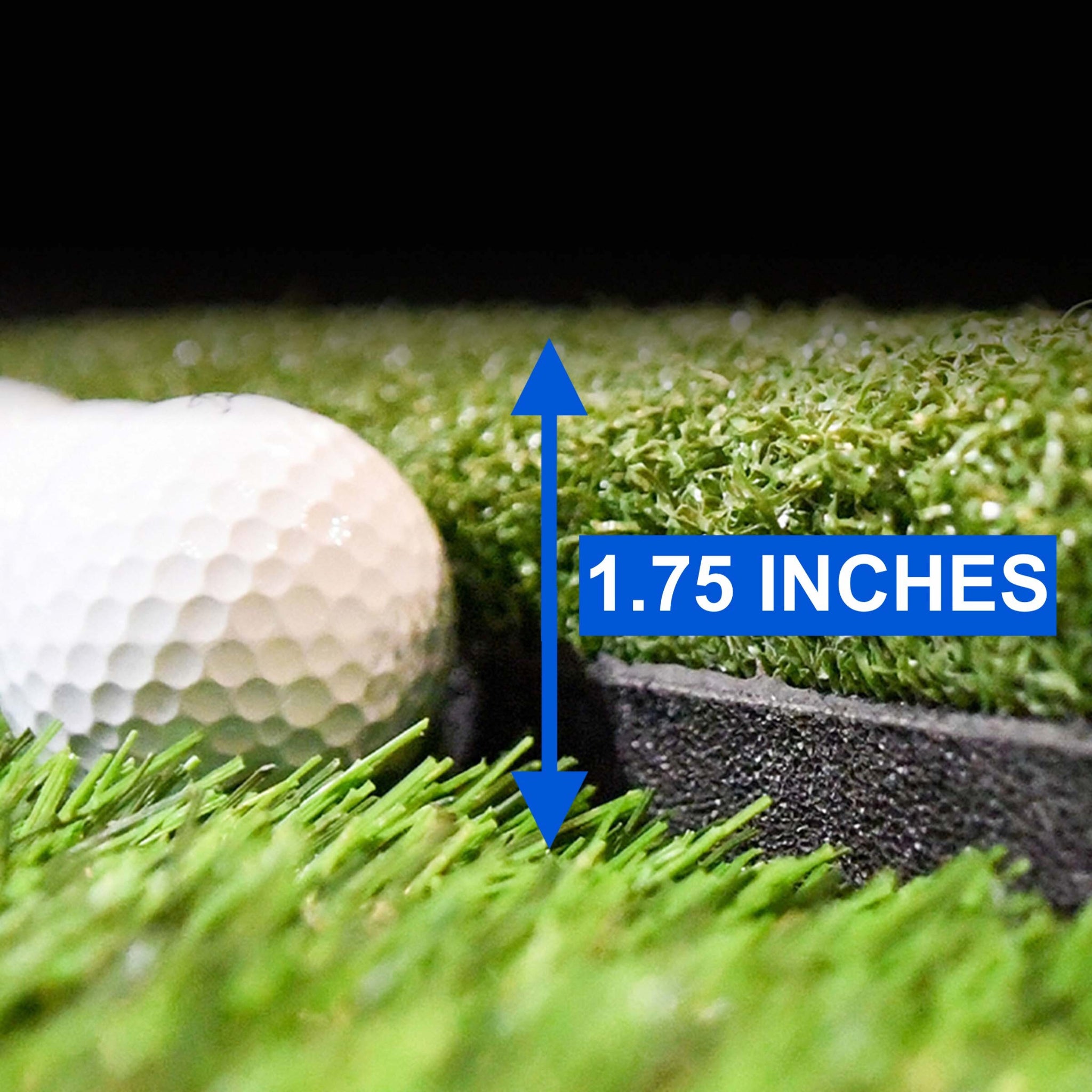
Take your practice sessions to the next level with the Carl’s Place HotShot Golf Mat System — the ultimate hitting surface for golfers seeking realistic feedback, durability, and versatility. Engineered for both home and commercial simulators, this modular system delivers a smooth, forgiving strike experience while protecting joints and clubs from repetitive impact.
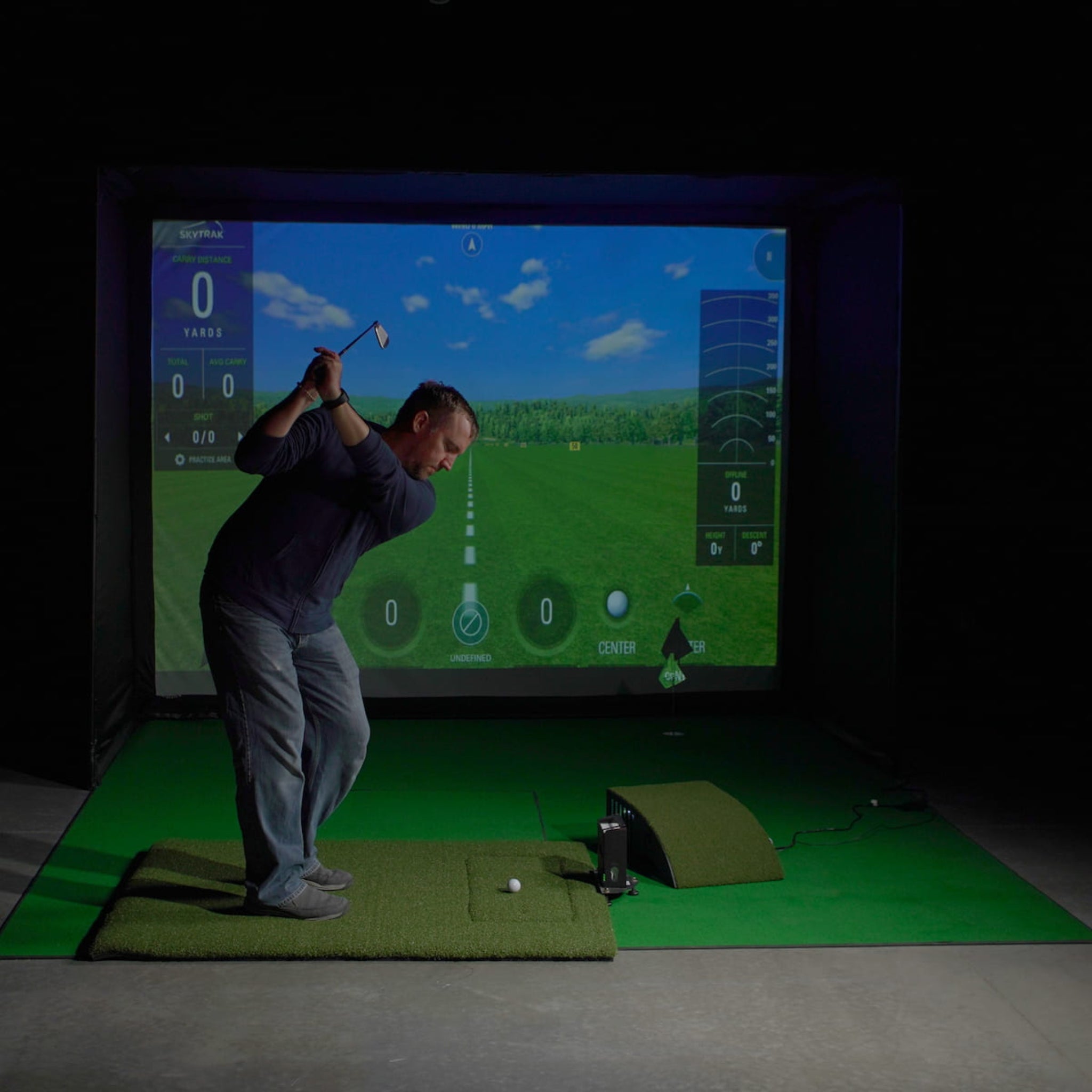
Each mat section is built to replicate real-turf feel, allowing natural club interaction and accurate data feedback on every swing. Compatible with leading launch monitors, the HotShot system is designed to fit seamlessly with Carl’s enclosures, hitting inserts, and golf simulator setups of all kinds.
Perfect for DIY builds, teaching studios, and high-end simulator bays, this system provides the consistency serious golfers demand.

Product Features
Realistic Hitting Surface for Indoor Golf
-
Realistic Turf Feedback: Simulates the natural feel of fairway grass for true club-to-ball interaction.
- Helps create more realistic feedback compared to basic turf mats.
- Designed for golfers who want a smoother and more natural strike feel indoors.
-
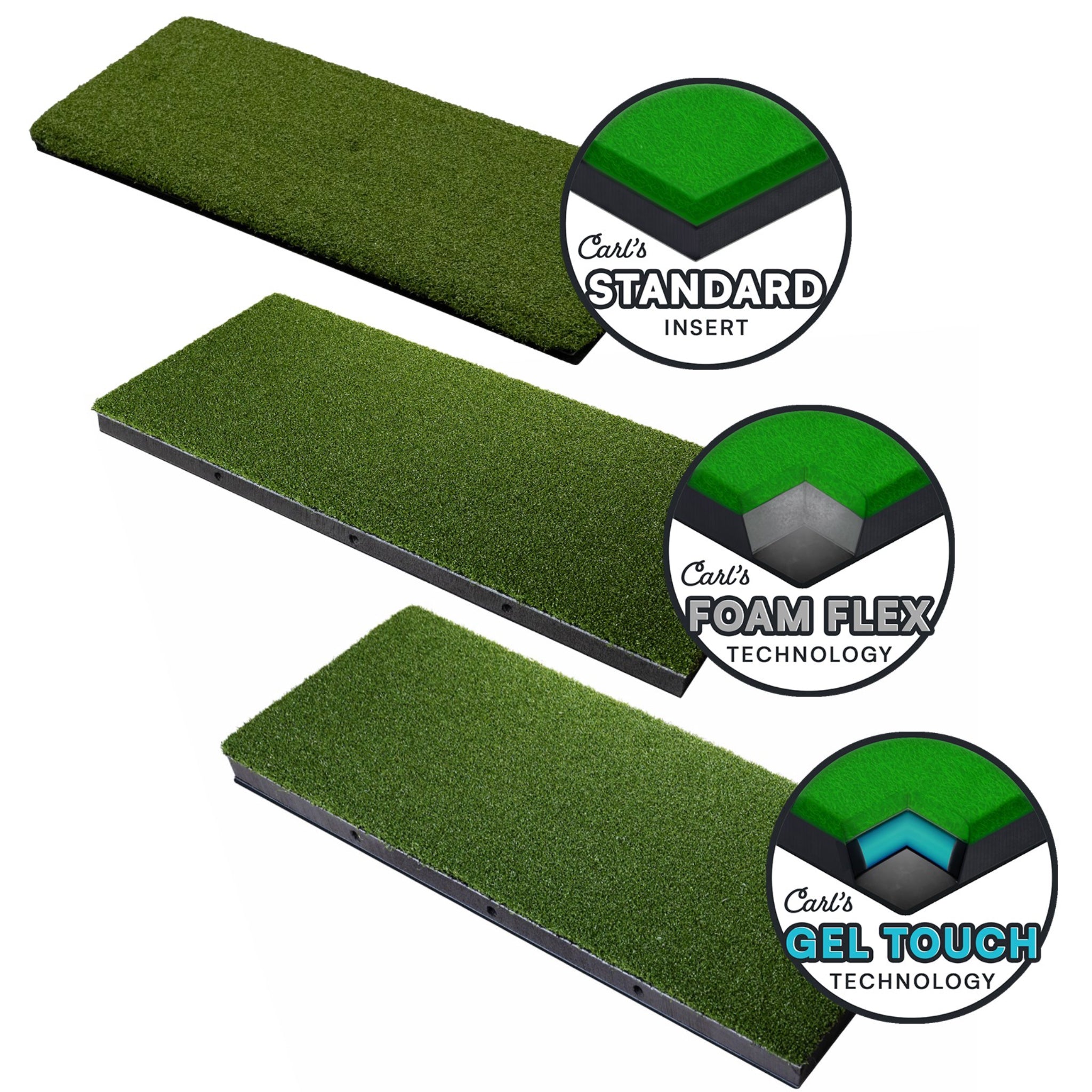
Modular System: Compatible with multiple hitting inserts for custom configurations and easy replacement.
- Allows you to replace worn inserts without replacing the full mat system.
- Gives golfers flexibility to choose the insert style that best matches their practice needs.
-
Durable, Low-Bounce Design: Absorbs impact while preventing excessive bounce-back during practice.
- Built for repeated indoor use.
- Helps support consistent stance and ball positioning.
-
Joint-Friendly Comfort: Durable rubber base keeps the mat firmly in place, reduces vibration, and provides a stable cushioned foundation.
- Helps reduce harsh impact on wrists, elbows, and joints during repeated swings.
- Creates a more comfortable practice experience for longer sessions.

-
Seamless Integration: Pairs well with Carl’s Place enclosures, hitting mats, and launch monitor setups.
- Designed to fit cleanly into simulator bays and dedicated practice spaces.
-
Commercial-Grade Quality: Built to withstand thousands of swings without wear or separation.
- Suitable for home practice rooms, teaching studios, and higher-use simulator bays.
What's Included
-
HotShot Golf Mat Base System: Choose the size that best fits your simulator space.
- Available in multiple sizes for compact, single-stance, or larger simulator layouts.
-
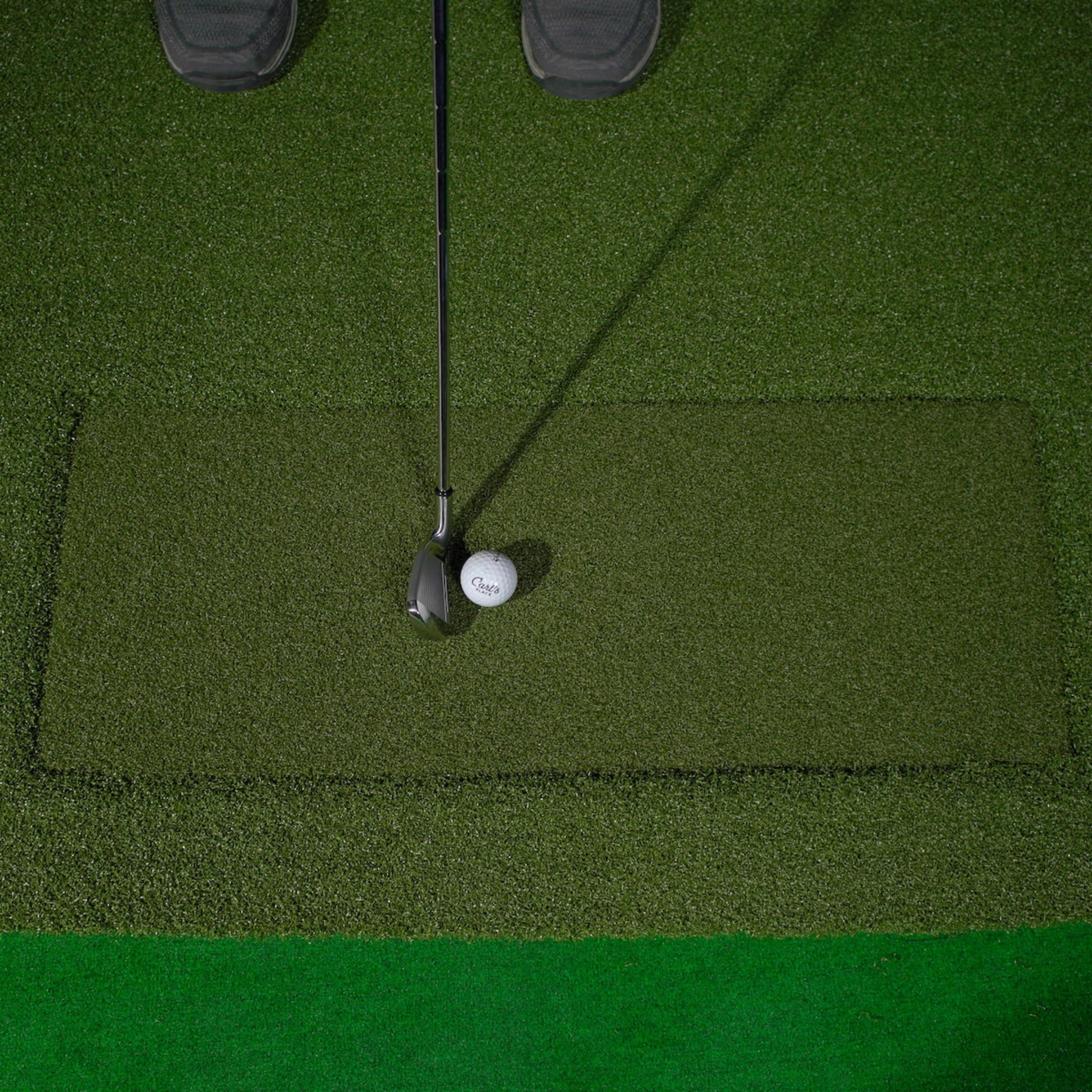
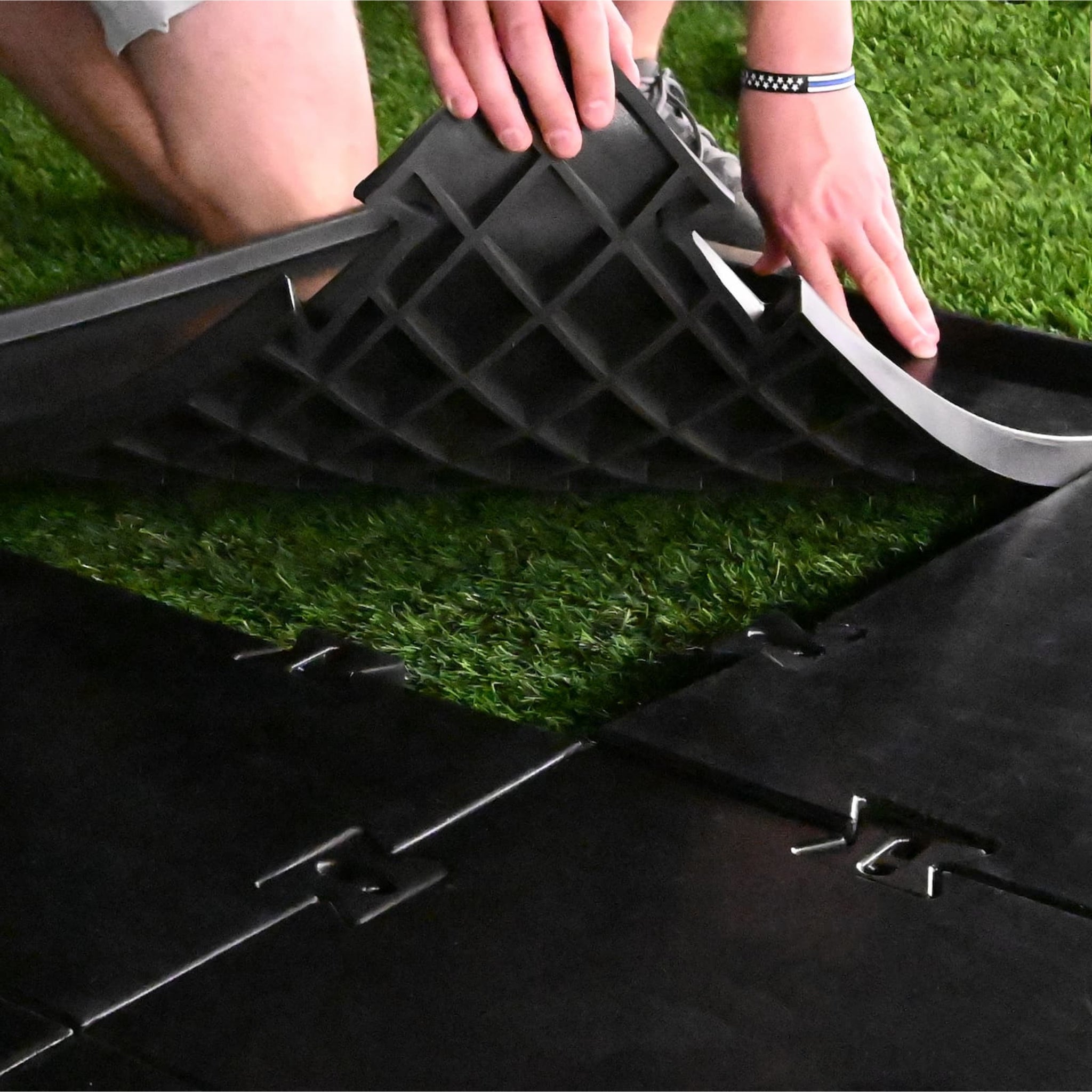
Interlocking Turf Panels: Modular turf panels with a pre-cut insert slot.
- Designed for a clean, connected mat surface.
-
Durable Hitting Surface and Stance Area: Built for repeated golf swings.
- Provides a stable base for both right- and left-handed practice depending on selected size and setup.
-
Optional Hitting Insert: Choose from multiple insert styles.
- Allows you to match your preferred feel and durability needs.

-
Assembly and Care Instructions: Includes basic guidance for setup and maintenance.
- Helps support proper installation and long-term use.
Optional Add-Ons
-
Carl's Ball Tray: Convenient ball storage for your simulator setup.
- Helps keep practice sessions organized and efficient.
-
Carl's Golf Mat Tee Pack: Tee pack designed for compatible HotShot mat configurations.
- Helpful for golfers who want a complete mat and tee setup.
-
Carl's HotShot Indoor Golf Tees, Qty 40: Indoor tee option for repeated simulator practice.
- Useful for high-volume hitting sessions.
-
Carl's Iron Tees, Qty 50: Tee option designed for iron practice.
- Great for structured indoor training sessions.
-
Carl's Driver Tees, Qty 50: Tee option designed for driver practice.
- Helpful for golfers who frequently practice tee shots indoors.
Product Specifications
| Specification | Details |
|---|---|
| Product | Carl's Place HotShot™ Golf Mat System |
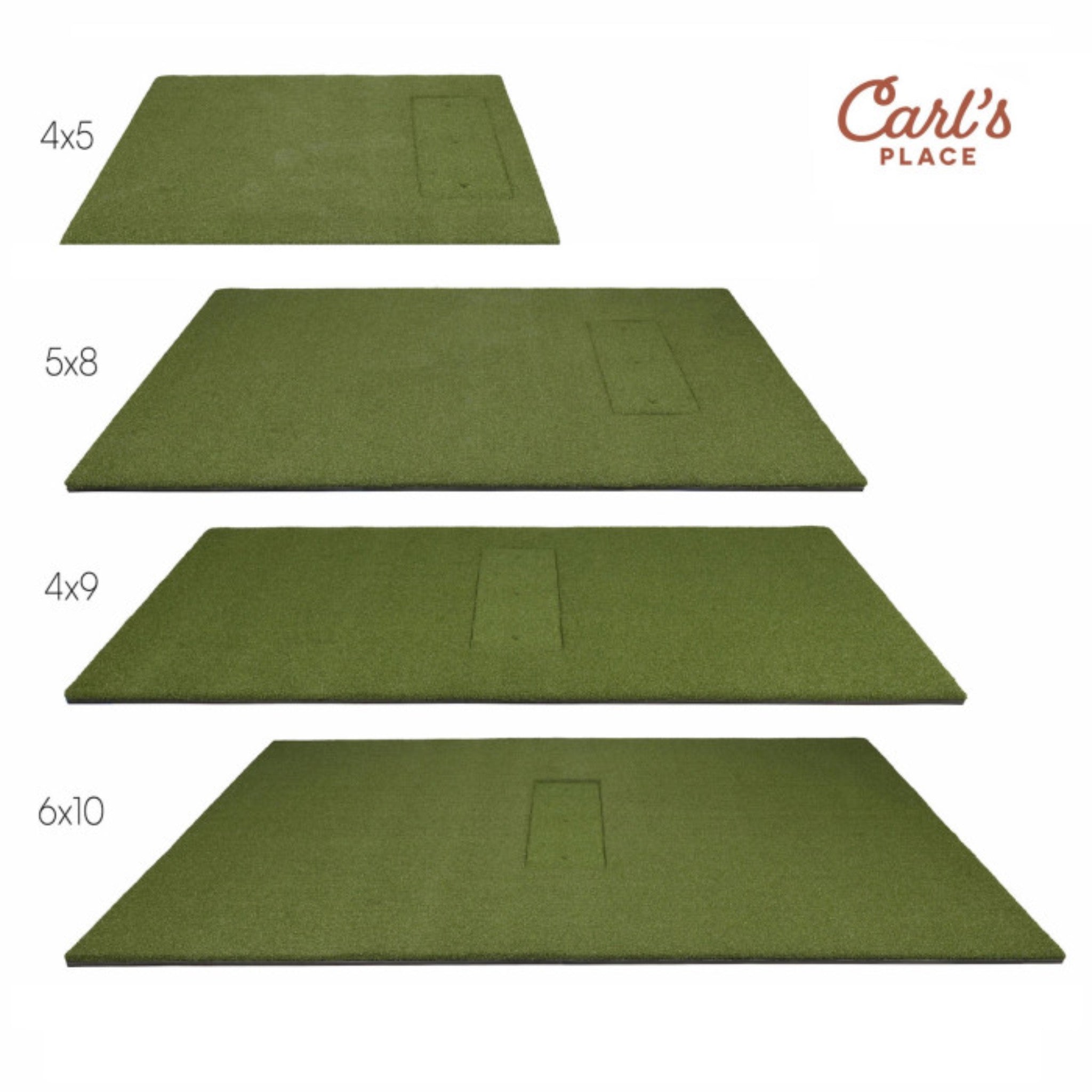
| Available Sizes | 4′ × 5′, 4′ × 9′, 5′ × 8′, and 6′ × 10′ |
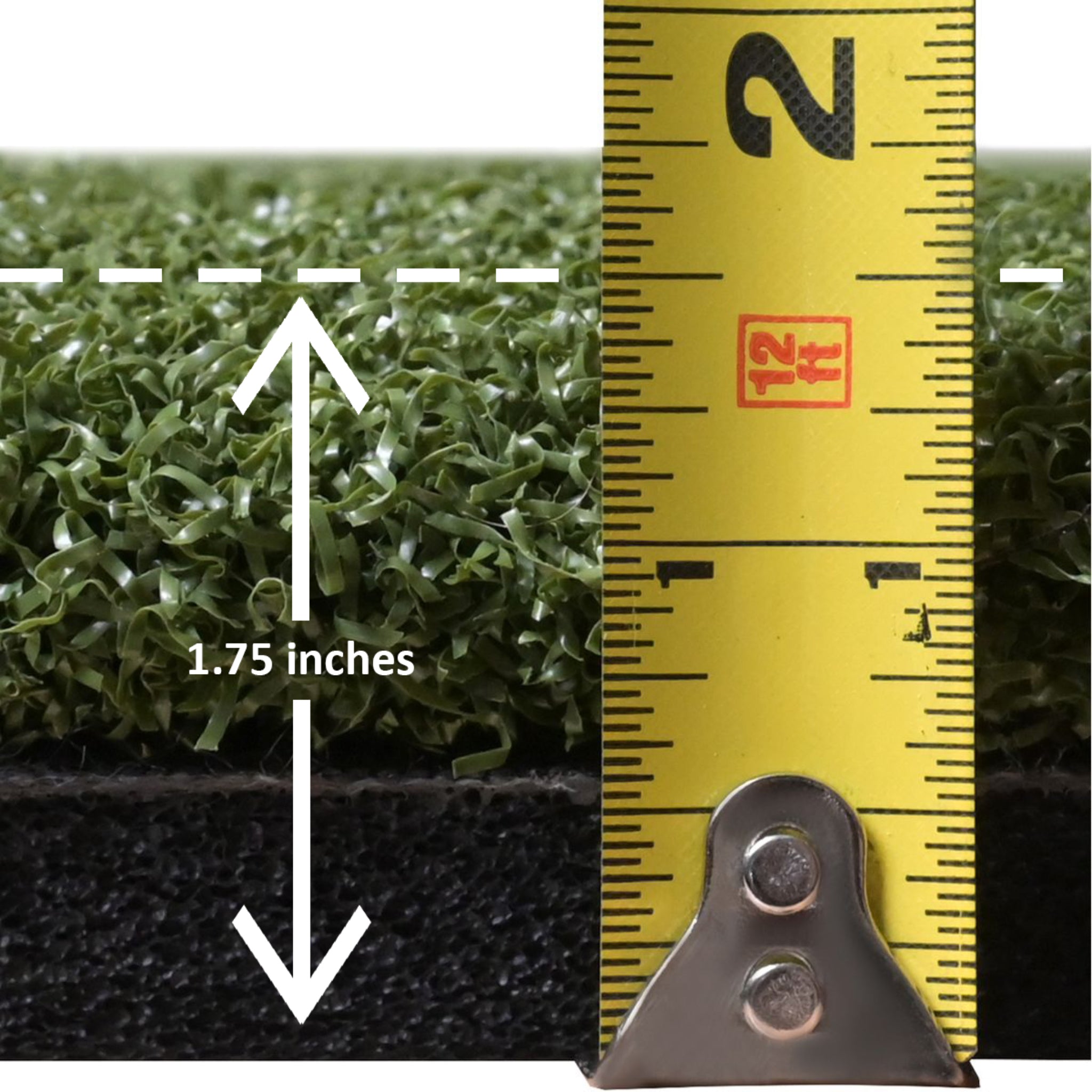
| Construction | Multi-layer turf and foam structure for shock absorption |
| Hitting Insert Slot | Compatible with Carl’s Place inserts and other leading hitting inserts |
| Surface Height | Designed to match most hitting mats and simulator flooring |
| Weight | Varies by size; approximately 50–80 lbs for full-size mat configurations |
| Compatibility | Designed for use with golf simulators, launch monitors, and training environments |
Available Mat Sizes
4′ × 5′

4′ × 9′

5′ × 8′

6′ × 10′

Getting Started Guide
-
Step 1: Measure your simulator bay and choose the HotShot Mat size that fits your hitting area.
- Make sure your stance area and hitting insert location match your simulator layout.
-
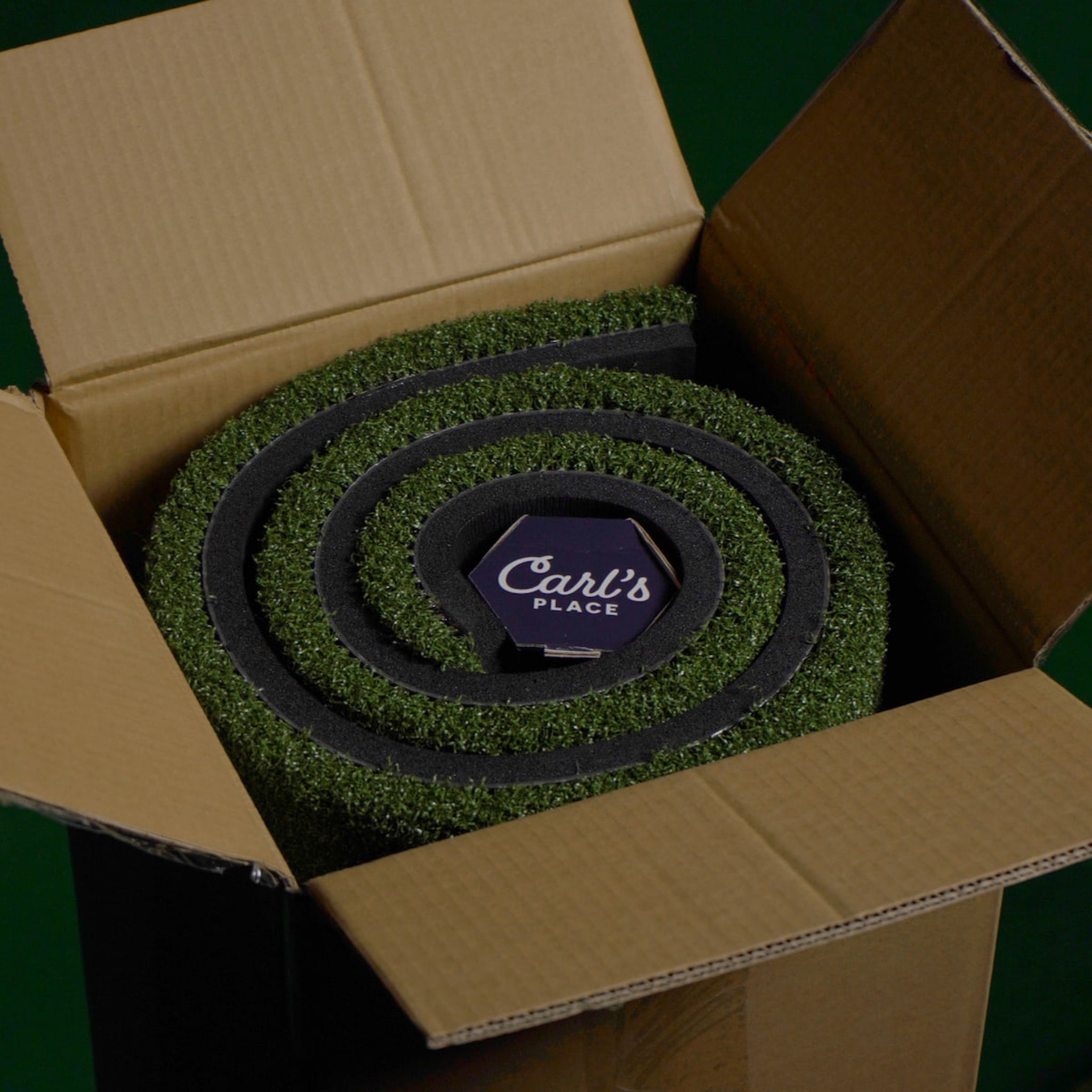
Step 2: Unpack the mat system and confirm all interlocking pieces and hitting insert slots are included.
- Inspect all components before final placement.
-
Step 3: Lay the mat base panels flat on your floor or platform.
- Make sure the surface is clean, level, and stable.
-
Step 4: Connect the modular pieces together.
- Align edges tightly for a seamless hitting surface.
-
Step 5: Insert your preferred hitting insert into the designated slot.
- Confirm the insert sits flat and secure before swinging.
-
Step 6: Test the alignment and stance area for comfort and swing position.
- Adjust placement before finalizing your simulator layout.
-
Step 7: Secure the mat if needed.
- Use adhesive strips or floor anchors only if required for your flooring setup.
-
Step 8: Power on your launch monitor and begin practice.
- Confirm your ball position matches your launch monitor’s recommended hitting zone.
Setup & Installation Recommendations
- Install on a level surface for consistent ball response.
- Uneven flooring may affect mat fitment and stance stability.
- For simulator setups, align the mat’s hitting insert with the centerline of your impact screen.
- This helps create a cleaner target line and simulator layout.
- If used with a Carl’s Enclosure Kit, ensure the mat edge aligns flush with your hitting area ramp.
- This helps create a smoother transition from mat to enclosure area.
- For safety, leave at least 10–12 ft between tee and screen.
- This supports accurate readings and helps reduce bounce-back risk.
- Clean turf regularly with a soft brush or vacuum.
- This helps preserve fiber quality and keeps the mat looking cleaner over time.
Overview Video
FAQ Video
Frequently Asked Questions
Q. Can I replace the hitting insert later? Click to expand ▼
A. Yes. The modular design allows you to swap out worn inserts or different insert types easily.
Q. Is the HotShot Mat suitable for drivers and irons? Click to expand ▼
A. Yes. It is engineered to handle full swings from every club in your bag, including drivers, irons, wedges, and hybrids.
Q. Does it work with other simulator brands? Click to expand ▼
A. Yes. The HotShot Mat integrates with major launch monitors, including SkyTrak, Garmin, Uneekor, and other simulator systems. Always confirm your launch monitor’s hitting zone requirements before final placement.
Q. How does it compare to real turf? Click to expand ▼
A. The surface is designed to mimic real fairway response, providing true feedback while helping prevent excessive impact harshness during repeated practice.
Q. Can it be used outdoors? Click to expand ▼
A. It is primarily designed for indoor simulator setups. It can be used temporarily outdoors under covered conditions, but prolonged exposure to moisture or weather should be avoided.
Q. What maintenance is required? Click to expand ▼
A. Vacuum regularly and avoid prolonged exposure to moisture. Replace inserts as needed to maintain consistent performance.
Shipping, Returns & Warranty Policy
This policy explains how Simulator Direct handles shipping, freight delivery, returns, cancellations, warranty-related concerns, and replacement part requests for Carl’s Place products sold through Simulator Direct.
Important: Many Carl’s Place products are made-to-order, custom-sized, or considered wearable items due to their intended use in golf simulator environments. Please review this policy carefully before placing an order.
Shipping Policy
Simulator Direct processes and ships orders using trusted carriers to ensure reliable delivery and product protection. Orders are typically fulfilled through FedEx or UPS, with freight delivery arranged for oversized products such as full simulator enclosures, pipe framing kits, and large built-in components.
Lead Time & Processing
- Orders are generally processed within 5–7 business days, depending on product type, supplier lead times, order volume, and customization requirements.
- Made-to-order products may require additional production time.
- Estimated delivery dates are provided in good faith and may vary based on carrier schedules or supplier production timelines.
- Transit time typically ranges from 3–7 business days after shipment.
- Delivery time may vary depending on destination, carrier capacity, weather, holidays, or freight scheduling.
- Tracking details will be provided by email once your order has shipped.
Freight Deliveries & Lift Gate Service
Larger items such as pipe framing kits, built-in panels, and other oversized simulator components may ship via freight carrier. Freight shipments may arrive on pallets or in multiple heavy boxes depending on the product ordered.
- For non-residential deliveries without a loading dock, we strongly recommend selecting Lift Gate Service.
- Lift Gate Service allows the freight driver to safely lower your shipment to the ground using a hydraulic platform.
- This is especially useful for heavy enclosure frames, pre-cut pipe kits, built-in panels, or palletized shipments.
- Typical lift gate capacity accommodates loads up to approximately 1,000 lbs.
- Customers should still be prepared to move the shipment from the drop-off location once delivered.
- Lift Gate Service of $185 will be automatically included in the price for any freight deliveries shipped as Residential.
- For residential freight deliveries, lift gate service is already built into the residential freight option.
- Fees for non-residential lift gate service, where a loading dock is otherwise required, shall have a flat rate of $185 and may be offered as a product add-on option for customers who require it.
- If a business location does not have a loading dock or forklift, Lift Gate Service is strongly recommended.
Freight Handling Information for Curved Golf Simulator Enclosure Kits
Carl's Place golf simulator Pipe Framing Kits and Back Cover Pipe Kits are custom-fabricated components that ship directly from the manufacturing partner. Due to their size and weight, each kit requires special packaging and insured freight delivery. A flat Freight Handling Fee applies to cover professional packaging, carrier logistics, and safe arrival.
| Freight Item | Freight Handling Fee |
|---|---|
| Pipe Framing Kit | $700 Freight Handling Fee |
| Back Cover Pipe Kit | $700 Freight Handling Fee |
| Bundle Both | $700 Combined Freight Handling Fee |
Rates are averaged nationally to account for regional carrier costs and state taxes.
Shipping Responsibilities
- Customers are responsible for shipping costs on all orders unless otherwise stated.
- Shipping charges may vary based on product size, weight, destination, and delivery method.
- International shipments do not include customs duties, brokerage fees, import taxes, or other import-related costs.
- These charges are the responsibility of the recipient.
- International freight shipments may require a broker depending on the destination country.
- Please inspect all deliveries upon arrival to ensure all boxes and components are received in good condition.
- If any item arrives damaged or missing, contact support@simulatordirect.com as soon as possible with photos, tracking details, and your order number.
Return Policy
We want you to be satisfied with your purchase. However, due to the custom nature of many products listed for resale, certain return restrictions apply.
Return Eligibility
- Returns must be requested within 14 days of receiving your order.
- Requests submitted after the return window may not be eligible for approval.
- All items must be unused, in original packaging, and in resalable condition.
- Items that show signs of use, installation, damage, wear, or missing packaging may be refused or subject to additional fees.
- Return shipping costs are the responsibility of the customer.
- Original shipping costs are generally non-refundable unless the return is due to an approved shipping or fulfillment error.
- High-value orders are processed shortly after purchase.
- Cancellations must be requested promptly to avoid production, processing, cancellation, or restocking fees.
Restocking Fees & Non-Returnable Items
- Products with custom sizing or configurations may incur a restocking fee of up to 30%.
- This may apply to custom impact screens, custom enclosures, and made-to-order products.
- Items incorporating special finishes, unique finishing styles, or non-standard dimensions may not be eligible for return.
- Because these items are made specifically for the customer, they may not be resalable once produced.
- Wearable items, such as golf impact screens, are non-returnable once used.
- Natural wear may occur immediately after golf ball impact use.
- Visible marks, scuffs, or wear from normal use are not considered returnable defects.
- Partial kit returns are not accepted.
- All components must be returned together in the original packaging and condition.
Return Process
- Contact support@simulatordirect.com to initiate your return request.
- Please include your order number and the reason for the return.
- Include photos if applicable.
- Photos may be required for damaged items, shipping concerns, incorrect items, or product condition review.
- Once approved, you will receive return authorization and shipping instructions.
- Do not ship items back without return authorization.
- Refunds are issued to the original payment method within 7–10 business days of receiving and inspecting the return.
- Refund timing may vary depending on your bank, credit card provider, or payment processor.
Order Changes & Cancellations
If you need to change or cancel your order, please contact support@simulatordirect.com as soon as possible.
- Orders with custom dimensions are subject to a 30% cancellation fee if changed after 24 hours.
- Custom products may enter production shortly after order placement.
- Orders that include manufacturer-direct products may incur a 5% cancellation fee.
- This may apply when the supplier has already begun processing, preparing, or fulfilling the order.
- Cancellations are not guaranteed after shipment.
- If the order has already shipped, it will follow the standard return policy if eligible.
Warranty & Replacements
Carl's Place products are designed for long-term use but are considered wearable items due to their nature and purpose. Therefore, they are not covered under a traditional manufacturer warranty. Some visible wear may occur after the first use and is considered normal.
If you experience damage upon arrival or have performance concerns, please contact our support team with photos and your order number for assistance.
Replacement Parts
- Most components, including enclosure panels and screens, can be replaced individually.
- Replacement availability may vary depending on product type, age, model, and supplier availability.
- To request a replacement part, email support@simulatordirect.com with your order details and the specific item required.
- Please include photos if the replacement request is related to damage, fitment, or performance concerns.

Newsletter
Exclusive Updates. Delivered Before Anyone Else.